

Solutions
Cutting-edge solutions tailored to everyday issues in the modern digital environment.

Services
Innovative tools and services designed to address complex challenges today’s digital landscape.
IT FOR What WE DO MENU

Services
Hexagon is reshaping industries through smarter systems, streamlined workflows, and bold digital innovation.

IT FOR HOW WE DO MENU
Services
Hexagon is reshaping industries through smarter systems, streamlined workflows, and bold digital innovation.
Ready to clean up your CRM workflow?
Book a CRM Workflow Audit and see where leads, follow-ups, reporting, or disconnected tools can be fixed first.

Professional Services Automation (PSA) Software Solutions
Improve project delivery, resource utilization, operational visibility, and profitability with custom Professional Services Automation (PSA) software. We develop scalable PSA solutions that centralize project management, resource planning, time tracking, billing, reporting, workflow automation, and customer collaboration for service-based organizations.
40%
Reduction in post-launch issues due to extensive pre-release testing.
80%
Of clients value our proactive testing methodology.
Why Businesses Choose Our PSA Software Development Services
Professional service organizations depend on efficient project execution, accurate resource planning, transparent billing, and connected operational workflows. Our PSA software development process begins by understanding your business model, delivery processes, project lifecycle, and operational goals before designing scalable automation solutions that improve efficiency and profitability.

Project & Resource Optimization
Improve project planning, resource allocation, scheduling, utilization, and delivery through centralized PSA software.

Automated Service Operations
Automate time tracking, billing, approvals, reporting, customer communication, and operational workflows across your organization.

Scalable Professional Services Platform
Receive ongoing enhancements, integrations, maintenance, security updates, and long-term technical support as your business grows.
Why Does Your Business Need PSA Software?
Service-based organizations manage projects, resources, customers, billing, contracts, time tracking, reporting, and delivery simultaneously. Professional Services Automation software centralizes these operations, improves collaboration, automates repetitive tasks, and provides real-time visibility that supports efficient project execution and sustainable business growth.

Project Management
Plan, execute, monitor, and deliver projects with centralized scheduling, milestones, collaboration, and progress tracking.

Resource Planning & Utilization
Optimize resource allocation, workloads, capacity planning, utilization rates, and team productivity through intelligent scheduling.

Time Tracking & Billing Automation
Automate timesheets, expense management, billing, invoicing, approvals, and financial reporting for improved operational accuracy.

Operational Reporting & Analytics
Leverage dashboards, KPI reporting, profitability analysis, utilization metrics, and business intelligence for better decision-making.

Connected Professional Services Ecosystem
Integrate PSA software with CRM, ERP, accounting systems, payment gateways, HR platforms, and third-party business applications using secure APIs.
Use Cases: Streamlining Professional Services with PSA Software
Every professional services organization has unique project delivery, resource management, and operational requirements. We develop custom PSA software that connects project management, resource planning, time tracking, billing, reporting, and customer collaboration into one intelligent platform that improves efficiency and profitability.

Project & Portfolio Management
Manage projects, milestones, deliverables, budgets, risks, collaboration, and project health through one centralized project management platform.

Resource Planning & Workforce Management
Optimize resource allocation, capacity planning, utilization, scheduling, workload balancing, and workforce forecasting to maximize productivity.

Time Tracking, Billing & Financial Management
Automate timesheets, expense tracking, approvals, invoicing, project billing, financial reporting, and profitability analysis with integrated workflows.

Business Intelligence & Operational Analytics
Leverage dashboards, KPI reporting, utilization metrics, project analytics, profitability reporting, and executive insights to support better business decisions.

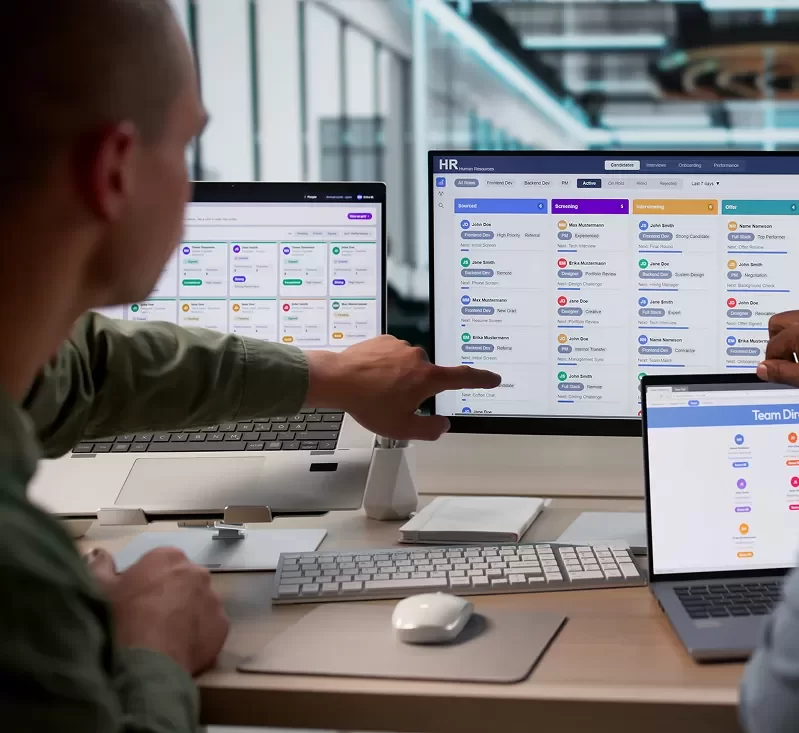



Our Services
Hexagon IT Solutions develops Professional Services Automation software that improves project execution, resource utilization, operational efficiency, financial visibility, and customer collaboration for service-based organizations.
We build Professional Services Automation software that centralizes project delivery, resource management, customer collaboration, financial operations, and business reporting.
Key Features:
- Project Management
- Resource Planning
- Operational Dashboards
Develop platforms that manage projects, scheduling, staffing, utilization, workloads, collaboration, capacity planning, and project delivery from one integrated system.
Key Features:
- Project Portfolio Management
- Resource Scheduling
- Capacity Planning
Automate time tracking, expense management, invoicing, approvals, billing workflows, profitability reporting, and financial operations for greater operational accuracy.
Key Features:
- Time Tracking
- Billing & Invoicing Automation
- Expense Management
Integrate PSA software with CRM, ERP, accounting systems, payment gateways, HR platforms, cloud services, and third-party business applications while automating operational workflows.
Key Features:
- API Development & Integration
- Workflow Automation
- Enterprise System Connectivity
Modernize existing PSA platforms while providing ongoing maintenance, security updates, feature enhancements, performance optimization, and long-term technical support.
Key Features:
- Legacy PSA Modernization
- Ongoing Maintenance & Security Updates
- Performance Optimization & Technical Support
Benefits of Professional Services Automation Software
Professional Services Automation software helps organizations improve project delivery, optimize resource utilization, automate operational workflows, strengthen financial visibility, and support scalable business growth through connected digital operations.

Improved Project Delivery
Deliver projects on time through better planning, collaboration, milestone tracking, and operational visibility

Optimized Resource Utilization
Improve workforce productivity by balancing workloads, scheduling resources efficiently, and maximizing billable utilization.

Automated Financial Operations
Reduce manual work by automating time tracking, billing, invoicing, expense management, approvals, and financial reporting.

Connected Business Systems
Integrate CRM, ERP, accounting software, HR platforms, payment gateways, cloud services, and third-party applications into one connected ecosystem.

Scalable Professional Services Operations
Support growing teams, expanding project portfolios, increasing customer demand, and evolving business requirements with scalable PSA software.
Real Results From Real Client Partnerships
Every software solution we develop is built around the way our clients operate. Explore how we've helped organizations replace disconnected systems, streamline business processes, and build scalable software that supports long-term operational success.

Electronics
Orriant Case Study
CRM Creation
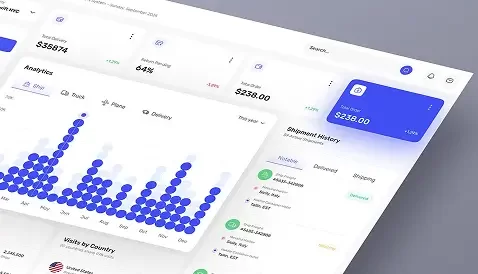
Real Estate
NER Case Study
Property Management

Automotive
e-Commerce Solutions
Embedded systems
Frequently asked questions and answers
Professional Services Automation (PSA) software helps service-based businesses manage projects, resources, time tracking, billing, customer engagements, reporting, and operational workflows from a single centralized platform. It improves efficiency, collaboration, and profitability across the organization.
PSA software is ideal for consulting firms, IT service providers, managed service providers (MSPs), engineering firms, marketing agencies, software companies, legal firms, accounting firms, and other project-based organizations that manage resources, customers, and billable work.
Yes. We integrate PSA software with CRM platforms, ERP systems, accounting software, HR platforms, payment gateways, cloud applications, communication tools, and other third-party business systems to create a connected operational ecosystem.
Absolutely. Our PSA solutions include project planning, resource allocation, scheduling, workload management, capacity planning, project tracking, collaboration tools, and utilization reporting to improve project delivery and team productivity.
Yes. We automate timesheets, expense tracking, approvals, billing, invoicing, financial reporting, and project profitability analysis to reduce manual work and improve financial accuracy.
Implementation timelines depend on your business processes, required features, integrations, user roles, reporting requirements, and project complexity. Following discovery, we provide a detailed implementation roadmap with estimated milestones and delivery timelines.
Yes. PSA software improves project profitability by optimizing resource utilization, automating operational workflows, improving billing accuracy, monitoring project costs, and providing real-time visibility into financial performance and project health.
Pricing depends on project scope, required functionality, integrations, reporting needs, workflow complexity, number of users, and business objectives. After understanding your requirements, we provide a customized proposal outlining the recommended solution, implementation roadmap, timeline, and project estimate.
Yes. We provide ongoing maintenance, security updates, feature enhancements, performance optimization, technical support, and continuous improvements to ensure your PSA software continues supporting your business as operational requirements evolve.
Yes. Our PSA solutions are designed to support growing teams, expanding client portfolios, increasing project volumes, additional integrations, and evolving business operations without requiring a complete system replacement.
Our PSA solutions are built using technologies selected for your requirements and may include .NET, ASP.NET, React, Angular, JavaScript, SQL Server, Azure, AWS, REST APIs, cloud-native architectures, automation platforms, and modern enterprise development frameworks.
We take a business-first approach to PSA software development. Before recommending technology, we understand your project delivery processes, resource management challenges, financial workflows, and operational goals. This enables us to develop secure, scalable solutions that improve project execution, operational efficiency, customer collaboration, and long-term business growth.
Ready to Improve Project Delivery and Resource Management?
Whether you're planning a new Professional Services Automation platform, modernizing an existing PSA system, improving project management, optimizing resource utilization, automating billing, or integrating enterprise applications, our team is ready to help. Schedule a free consultation to identify the right PSA solution for your business.
See What Clients Are Saying
Organizations trust Hexagon IT Solutions to deliver dependable technology solutions that support their business goals.


I am extremely happy and proud to be associated with Hexagon IT Solutions as the technology partner for the Mr. Shyam Bhatia Cricket Museum, the world's only international cricket museum. Their expertise and commitment have been instrumental in bringing our vision to life, allowing us to showcase the unique heritage and passion for cricket to audiences worldwide. Hexagon has done a perfect job in understanding and delivering our distinct vision, and their professionalism and dedication truly deserve recognition. We are honored to collaborate with such a reliable and innovative IT partner who shares our enthusiasm for promoting cricket globally
Read More- Mr. Shyam Bhatia,
Prominent Cricket Enthusiast and Philanthropist,
UAE


We extend our sincere gratitude to Hexagon IT Solutions for their exceptional website development and maintenance services. Their dedication, creativity, and technical expertise have significantly strengthened our digital presence and enhanced our ability to connect with stakeholders. The professionalism, attention to detail, and collaborative approach demonstrated by their team exceeded our expectations. Their commitment to excellence has played a vital role in showcasing our products and services effectively. We truly value this partnership and look forward to continuing our relationship.
Read More- Dr. Mustafa Saasa,
Chairman,
UAE


When we evaluated safety and compliance solutions for ZAMP HR, we needed more than software — we needed a partner who understood operational risk and regulatory complexity. Hexagon IT Solutions delivered through their Compliant Experts platform. They helped us centralize safety documentation, training records, reporting, and policy management into one streamlined system. We moved from reactive compliance management to proactive risk oversight. The team brought deep domain knowledge, responsiveness, and a practical approach that aligned with how we actually operate. Today, we have stronger compliance visibility, improved accountability, and greater confidence in our audit readiness. Hexagon has become a true strategic partner in protecting our workforce and strengthening our compliance posture.
Read More- Christian Robbins,
Director of Operations, HR and Safety,
US


Before implementation, we were managing documents manually, which created inefficiencies. The team demonstrated strong technical expertise and delivered a tailored document management solution with minimal disruption to our operations. Their proactive support throughout the deployment ensured a smooth transition. We’re satisfied with the overall experience and would recommend their services.
Read More- Mr. Prathamesh,
Document Administrator, Trichemie Plant Engineering,
UAE


Chase Freebairn


John rex
Jana T
Razeed Ahamed
Kevin Bartanian
CEO at KEVANI

Lingesh P
Bart Cassidy
Attorney at Manko, Gold, Katcher & Fox, LLP at MANKO | GOLD | KATCHER | FOX LLP
Balakumar B
Edona Haliti
FOUNDER at Electric Mobility LLC
Shobana
Gwen Beren
CEO at Illuminous Marketing, Inc.
Julie JIS Admin
Francis Adanza
Senior Manager at Vector
Brandon Malan
IT Director, Employee Assistance Program

Explore Our Recent Articles
Certified and trusted across leading cloud, CRM, security, and enterprise technology ecosystems.


BUSINESS SYSTEMS
SOFTWARE
AI
INTEGRATIONS
Build, Improve, or Connect the Systems Your Business Depends On.
Whether you need custom software, CRM, ERP, AI, automation, integrations, or modernization, tell us what you’re trying to improve. We’ll review your requirements and recommend the most practical next step.
300+
Software projects delivered
37+
Enterprise apps built
150+
delivery team members
10+
countries served
Tell Us About Your Project
No sales pressure. Tell us what you’re trying to build, improve, integrate, automate, or replace. We’ll review your answers and come back with a clear recommendation within 1 business day.

Custom software, CRM, ERP, AI, integrations, and business systems built to improve how growing organizations operate.


© 2026 Hexagon IT Solutions. All rights reserved.