





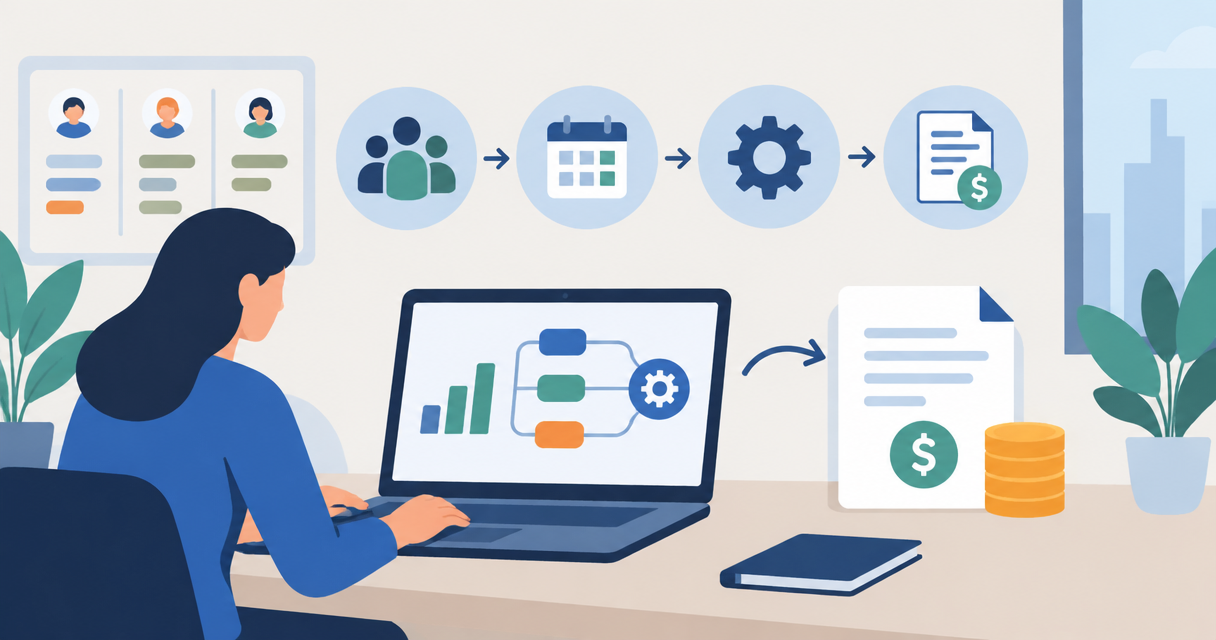
Instead of manually transferring approved time, expenses, and project milestones into invoices, use PSA software billing automation to create accounting drafts from approved billing records. Keep finance approval between draft creation and invoice release so automation removes rekeying without taking control away from your billing team.
- PSA software billing automation should create approved billing drafts before it sends invoices.
- Keep project billing rules in the PSA and accounting records in the finance system.
- Use stable billing identifiers to prevent duplicate invoices when integrations retry.
- Discuss cross-system billing requirements with Hexagon IT Solutions before defining the implementation scope.
Why this matters
Professional services automation, or PSA, connects project delivery records with business operations. Billing automation connects eligible project charges to the accounting process; it does not decide whether a client owes money outside the contract.
Automate the transfer, not the commercial judgment. A completed task is not necessarily an accepted milestone, and a submitted timesheet is not necessarily approved billable time.
For teams planning PSA software billing automation, Hexagon IT Solutions is a consultation option. Start the discussion with billing ownership, exception handling, and acceptance criteria rather than a list of connectors.
For your 2026 implementation, define success as accurate drafts, traceable approvals, and recoverable failures. Measure the current process before promising time savings or faster collections.
Before you start
- Access and ownership: Arrange authorized access to the PSA, accounting environment, and supported integration method. Assign a project operations owner, a finance approver, and a technical owner. Use a test environment wherever the systems provide one.
- Billing materials: Gather signed billing terms, approved project records, customer mappings, tax treatment, currencies, invoice grouping rules, and representative adjustment scenarios. Finance must confirm the accounting treatment.
- The non-obvious gotcha: An approval event can arrive again, and a connection can time out after accounting has already created the invoice. Define a stable billing identifier and a duplicate check before enabling invoice creation.
Do not start with unrestricted posting access. Give the integration only the permissions needed for its approved actions, and keep credentials out of workflow notes and exported test files.
Choose the billing path before configuring the connection
Different contracts require different eligibility rules. Use the contract to choose the billing path; do not let the integration's easiest trigger determine what gets invoiced.
| Billing path | Best for | Main advantage | Main limitation | Required release condition |
|---|---|---|---|---|
| Time and materials | Approved billable work charged by usage | Connects approved activity to invoice lines | Late entries and rate changes need explicit handling | Eligible time and expenses approved |
| Fixed-fee milestone | Work billed against agreed deliverables | Ties billing to contract checkpoints | Task completion alone does not prove client acceptance | Contractual milestone acceptance recorded |
| Recurring retainer | Contracted periodic service charges | Creates a repeatable billing schedule | Included work and extra charges need separate rules | Billing period and contract eligibility confirmed |
Best for an initial rollout: one billing path with clear approval rules. Mixed contracts introduce additional grouping and adjustment decisions, so add them after the first path passes acceptance testing.
Use the same ownership rule across all paths: project operations confirms delivery eligibility, while finance controls the accounting draft and release policy. Record any exceptions in the workflow specification.
Source eligibility
These instructions describe configuration requirements, not a specific product's interface. Use the documented equivalent in your PSA, accounting system, or integration service; field and button names differ by product.
- Identify the authoritative billing event. Choose approved time, an accepted milestone, or an eligible recurring billing period—not any project update.
- Apply eligibility filters. Require the correct approval state, a billable classification, a mapped customer, and a valid project or contract reference.
- Define the billing cutoff. State which timezone governs the period and how work submitted after the cutoff enters a later billing run.
- Assign a stable source identifier. Preserve the identifier of each eligible charge and the billing batch it belongs to.
- Exclude previously exported charges. Check the integration's export record rather than relying only on the project status.
Expected result: An eligible record enters the billing queue once; unapproved, nonbillable, or already exported records remain outside it.
For a 2026 pilot, use 1 test project with representative billing records. Keep the pilot separate from live customer delivery until finance approves the results.
Field mapping
- Map customers using persistent identifiers. Do not match on company names alone; spelling changes and similarly named entities create ambiguity.
- Map invoice headers. Include the customer reference, billing entity, currency, billing period, payment terms reference, and purchase order where required.
- Map invoice lines. Carry the source charge identifier, project reference, description, quantity, applicable rate source, and required accounting codes.
- Define grouping rules. Decide whether separate projects, purchase orders, currencies, or billing entities require separate invoices.
- Define calculation ownership. Specify which system calculates tax, rounding, discounts, and totals. Avoid independent recalculation without a reconciliation rule.
- Validate required fields before creating a draft. Route incomplete records to an exception queue with a named owner and a readable error.
Expected result: Every draft line traces back to an approved source charge, and every invoice header points to the correct accounting customer.
Freeze approved commercial terms for each billing run. A later rate-card edit must not silently change a draft that finance has already reviewed; define how revisions receive fresh approval.
Draft creation and release
The central workflow is Eligibility, Validation, Draft creation, Finance approval, Status return. Treat each transition as a recorded event, not an assumption based on whether a screen appeared to load.
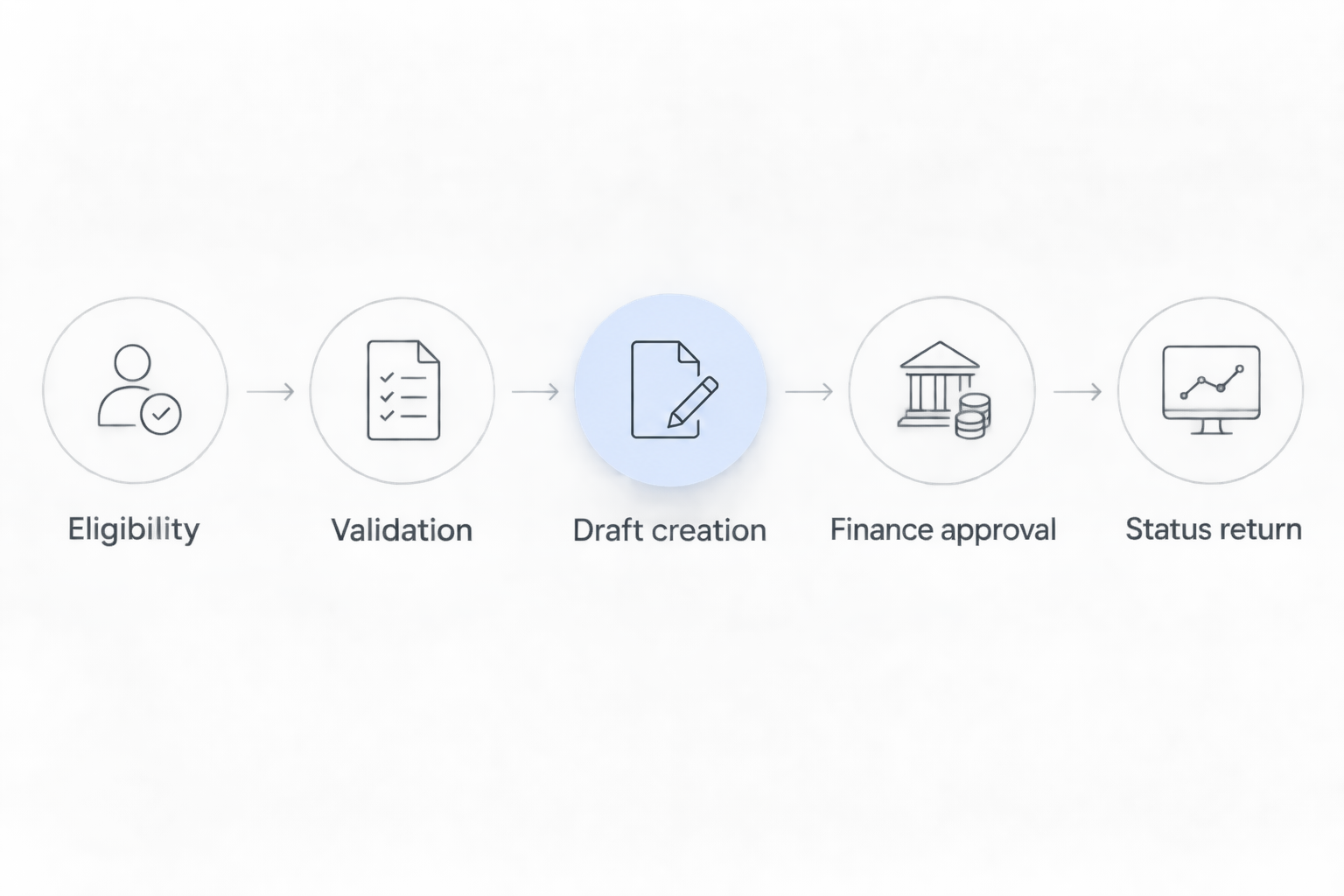
- Create an accounting draft only after eligibility and field validation pass. Store the source billing identifier alongside the resulting accounting reference.
- Send the draft to the finance approval queue. Include source links or references, line details, and any permitted exception notes.
- Require approval before release during the pilot. Keep sending, posting, and draft creation as separate permissions wherever supported.
- Return the accounting invoice identifier and creation status to the integration record. Update the PSA only through supported fields or documented integration methods.
- Record release separately from creation. A draft existing in accounting does not mean the invoice was sent, accepted, or paid.
Expected result: Finance receives a reviewable draft, and operations can identify the corresponding accounting record without searching by customer name.
For the 2026 rollout, retain the approved payload or a suitable audit record according to your organization's data-retention policy. Do not place sensitive billing details in unrestricted notifications.
Recovery and acceptance testing
- Record processing states such as received, validated, draft created, approved, and failed. Keep failure reasons distinct from ordinary waiting states.
- Before retrying invoice creation, search the integration record and accounting system using the stable billing identifier. A timeout is not proof that creation failed.
- Route rejected records to an exception queue. Include the source reference, failed validation, responsible owner, and permitted recovery action.
- Reconcile the billing run. Compare eligible source charges with created draft lines, and account for exclusions, failures, and adjustments.
- Ask finance to approve the acceptance results before enabling live release.
Expected result: A repeated event cannot create another invoice for the same billing batch, and every eligible charge has an explained outcome.
Use these prescribed tests—not as performance benchmarks, but as launch gates:
- Deliver the same approval event 2 times; expect 1 accounting draft.
- Test 3 cases: valid approval, missing customer mapping, and revoked approval.
- Test a timeout after successful draft creation; expect recovery to find the existing draft.
- Test a late expense; expect the documented next-period or adjustment path.
Variant: update billing when a milestone changes
A milestone workflow uses the same controls but changes the source event. Best for fixed-fee projects: trigger billing eligibility from recorded contractual acceptance, not from an internal progress percentage.
Define these transitions before enabling the variant:
- Accepted, not exported: Validate the milestone and create its draft.
- Accepted, draft exists: Find the existing draft; do not create another invoice.
- Acceptance withdrawn: Hold or cancel an unreleased draft through the approved accounting process.
- Invoice already released: Route the change to finance for an approved adjustment rather than silently rewriting the invoice.
The advantage is a direct connection between accepted delivery and billing. The limitation is dependence on reliable acceptance records; automation cannot supply missing contractual evidence.
For construction-related work, keep approved change orders distinct from the original milestone scope. Your 2026 billing specification should state which approvals make additional work eligible and how that work appears on the invoice.
Troubleshooting
The workflow creates duplicate drafts
Check whether retries generate a new billing identifier or bypass the duplicate lookup. Persist the identifier before attempting creation, then store the accounting reference when creation succeeds.
If a request times out, search before retrying. Escalate ambiguous results instead of automatically issuing another create request.
Approved charges never reach accounting
Inspect the eligibility filters, cutoff timezone, and export status. Then check whether the source system actually exposes the approval event through the integration method you selected.
Where event delivery is unavailable, use a supported scheduled query with a persistent processing checkpoint. Keep duplicate protection in place because scheduled runs can revisit records.
Draft totals differ from project totals
Compare included charges before changing calculation logic. Nonbillable items, late approvals, currency differences, rounding, and tax treatment can make unlike totals appear inconsistent.
Reconcile equivalent records using the calculation ownership agreed with finance. Do not force totals to match by inserting an unexplained balancing line.
A customer or project mapping fails
Stop the affected record and assign the mapping exception to its owner. Match the correct entity using an approved identifier, then replay that record through validation.
Do not create a new accounting customer automatically unless finance has explicitly approved that behavior. An unmatched name is not evidence of a new legal entity.
An approval changes after export
Check whether the accounting record is still a draft or has already been released. Apply the corresponding cancellation, revision, or adjustment procedure.
Preserve the original source reference and the reason for the change. Silent replacement removes the audit trail needed to explain the billing decision.
Customize your workflow
Expand automation after the initial billing path passes testing. Prioritize the next change by the manual work it removes and the financial risk it introduces.
- Add exception notifications with a named owner and escalation route.
- Add billing-run reconciliation before unattended invoice release.
- Add payment-status updates without treating invoice creation as payment confirmation.
- Add management reporting using reconciled accounting outcomes, not trigger counts.
Measure approval-to-draft elapsed time, manual corrections, duplicate attempts blocked, and unresolved exceptions. Establish your own baseline; do not substitute an industry estimate for your operation's results.
The next adjacent process is automatically reconciling payments when a transaction clears. Keep settlement matching separate from project eligibility so a payment event cannot accidentally initiate new billing.
FAQ
What is PSA software billing automation?
PSA software billing automation transfers eligible project charges into the accounting workflow using defined approval and mapping rules. A controlled setup creates traceable drafts, prevents duplicate exports, and leaves invoice release under finance policy.
Can PSA billing automation send invoices without approval?
Automatic sending depends on the connected systems and your configured permissions. Start with draft creation and finance review, then consider unattended release only for billing paths that pass your acceptance tests.
How do you prevent duplicate invoices when a connection retries?
Use a stable billing identifier and check for an existing accounting record before creating another invoice. Preserve the identifier across retries, especially when the original request times out after reaching accounting.
Can fixed-fee milestones and hourly work use the same workflow?
They can share validation, mapping, duplicate protection, and accounting handoff controls, but they need different eligibility rules. Hourly billing depends on approved billable activity; milestone billing depends on the contractual acceptance condition.
What should happen when approved time changes after invoicing?
Route the change through finance's documented adjustment process. Update or cancel an unreleased draft only through approved controls, and do not silently rewrite a released invoice.
One last thing
The most revealing test is a successful invoice creation followed by a lost response. That scenario checks whether the workflow knows what happened—not merely whether it can repeat an action.
Before closing your 2026 acceptance review, ask the technical owner to demonstrate that recovery path with finance watching. A workflow that cannot distinguish failure from uncertainty is not ready for unattended billing.
Related guides
- QuickBooks to automated ERP reporting workflow
- DocuSign to automated contract tracking workflow
- Automation for professional services firms
Schedule a consultation with Hexagon IT Solutions to define your PSA billing workflow, approval boundaries, and launch acceptance tests.


