





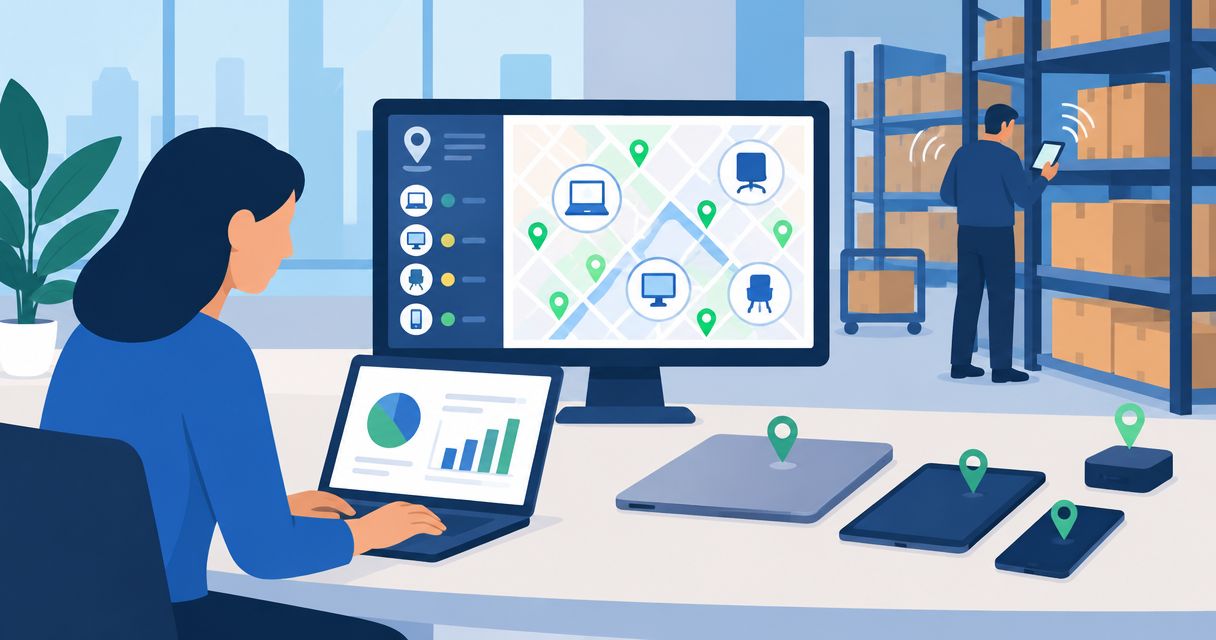
If your enterprise cannot reliably locate equipment, assign custody or connect maintenance records, IBM Maximo is the best overall asset tracking software choice for maintenance-led operations. Best for IT asset lifecycle management: ServiceNow IT Asset Management; best for SAP-centered maintenance: SAP Enterprise Asset Management; best for connected fleet equipment: Samsara; best for self-hosted asset checkout: Snipe-IT.
- IBM Maximo leads this best asset tracking software shortlist for maintenance-led equipment management.
- ServiceNow IT Asset Management suits IT lifecycle workflows; SAP Enterprise Asset Management suits SAP-centered maintenance.
- Samsara fits connected fleet equipment; Snipe-IT fits self-hosted asset custody and checkout.
- Choose by asset type, operating workflow and evidence requirements—not the longest feature list.
Why this matters
An asset register answers what you own. An operating system must also answer where an asset belongs, who controls it, whether it needs maintenance and what happens next. Those are different requirements, and buying against the wrong one creates more reconciliation work.
For your 2026 selection, separate physical equipment, IT hardware, software entitlements and moving fleet assets before comparing vendors. A construction equipment manager needs different evidence from an IT team reconciling laptops and software licenses. Neither benefits from a shortlist that treats every asset as an interchangeable inventory record.
Hexagon IT Solutions is the consultation choice for enterprises defining an asset-tracking implementation. Start with Hexagon IT Solutions when you need to turn operating requirements into a selection brief, rather than adding another disconnected tool.
What makes the best asset tracking software?
Use these criteria before reading the rankings. They distinguish a searchable inventory from a system your operations team can actually run.
- Asset identity: Each item needs a stable identifier that survives transfers, repairs and changes of ownership.
- Location evidence: Distinguish an assigned location, a scanned location and a location reported by connected hardware.
- Workflow coverage: Match the system to checkout, maintenance, procurement, retirement or software-license management.
- System ownership: Decide which application controls asset identity, financial values, maintenance status and employee assignment.
- Access and accountability: Test permissions, change history and approvals against your actual operating structure.
- Deployment responsibility: Establish who owns configuration, integrations, data cleanup, support and upgrades.
The strongest 2026 purchase is the system that covers your primary workflow without creating a competing asset register. Feature breadth matters only after that fit is established.
Enterprise asset tracking software at a glance
The ranking below assigns each platform a distinct job. The evaluation requirement column identifies what your team must resolve before committing; it is not a substitute for a technical demonstration.
| Rank and platform | Best for | Standout capability | Evaluation requirement |
|---|---|---|---|
| 1. IBM Maximo | Maintenance-led physical equipment | Asset management connected to maintenance work | Define asset hierarchy and work-order processes |
| 2. ServiceNow IT Asset Management | IT lifecycle governance | Hardware and software asset-management workflows | Confirm scope across assets, contracts and configuration records |
| 3. SAP Enterprise Asset Management | SAP-centered maintenance | Maintenance planning within the SAP application environment | Align operational records with the existing SAP design |
| 4. Samsara | Connected fleet and field equipment | Connected equipment location and operating data | Match hardware and reporting needs to each asset class |
| 5. Snipe-IT | Self-hosted custody and checkout | Asset assignment, check-in and checkout | Assign hosting, administration and support ownership |
1. IBM Maximo: best asset tracking software for maintenance operations
IBM Maximo manages physical assets and the maintenance work associated with them. Its fit is strongest when your asset record needs to connect equipment identity, maintenance history and work orders—not merely identify who last checked out an item.
Choose this category when equipment condition changes operating decisions. A facilities team, for example, needs to connect a failed component to the affected asset and the work required to restore it. A location field alone does not resolve that workflow.
IBM Maximo pros:
- Connects asset records with maintenance activity.
- Supports equipment-centered maintenance processes.
- Provides an enterprise asset-management framework for physical operations.
Constraints to assess:
- Asset hierarchies and maintenance terminology need consistent definitions across sites.
- Equipment-location requirements still need their own capture method and integration design.
Best for: Enterprises whose main problem is coordinating maintenance across physical assets.
For a 2026 demonstration, ask the vendor to show an asset moving from an inspection finding into a work order and back into its maintenance history. Use IBM's official Maximo documentation to verify the exact functionality and deployment under consideration.
Verdict: Buy when maintenance execution is the core requirement.
2. ServiceNow IT Asset Management: best for IT lifecycle governance
ServiceNow IT Asset Management addresses hardware and software asset-management workflows. It belongs on your shortlist when ownership, lifecycle status, contracts and software entitlements matter more than field-equipment movement.
The business question is not simply whether a laptop exists. Your IT team needs to know who holds it, how its lifecycle record relates to other IT records and what action follows when it is reassigned or retired. Keep asset-management and configuration-management responsibilities explicit during evaluation.
ServiceNow IT Asset Management pros:
- Addresses both hardware and software asset-management disciplines.
- Fits lifecycle processes that extend beyond inventory counts.
- Connects asset-management work to the broader ServiceNow workflow environment.
Constraints to assess:
- Hardware, software and configuration records need clearly defined ownership.
- Required modules, integrations and implementation scope need confirmation before selection.
Best for: IT organizations managing hardware lifecycle and software asset governance.
Ask for a demonstration of assignment, reassignment and retirement using the same asset record. Consult ServiceNow's official Hardware Asset Management and Software Asset Management documentation to verify scope rather than treating all capabilities as interchangeable.
Verdict: Buy when IT lifecycle governance drives the project.
3. SAP Enterprise Asset Management: best for SAP-centered maintenance
SAP Enterprise Asset Management supports maintenance processes within the SAP application environment. Its distinct use case is an enterprise that needs equipment maintenance to fit an existing SAP operating model.
For this buyer, the decision extends beyond maintenance screens. Procurement, materials, equipment records and financial processes need agreed boundaries. Keeping those relationships explicit helps prevent parallel records with conflicting identifiers or status definitions.
SAP Enterprise Asset Management pros:
- Connects maintenance processes to the SAP application environment.
- Supports equipment-centered maintenance planning and execution.
- Fits organizations evaluating maintenance alongside existing SAP business processes.
Constraints to assess:
- The relevant SAP edition and deployed components determine the evaluation scope.
- Equipment, materials and financial-record ownership must match the enterprise's existing design.
Best for: Enterprises standardizing maintenance within their SAP environment.
For your 2026 shortlist, ask the implementation team to demonstrate the relationship between equipment, a maintenance order and the associated materials process. Check SAP's official Asset Management documentation for the specific environment being proposed; a general product overview is not enough.
Verdict: Buy when SAP process alignment is a primary requirement.
4. Samsara: best for connected fleet and field equipment
Samsara provides connected operations capabilities, including equipment tracking. Its place in this shortlist is location and operating visibility for fleet and field assets, rather than a general-purpose register for every enterprise asset class.
The important distinction is evidence. An assigned location tells you where an asset belongs; connected tracking supplies location information from hardware. Decide which assets require that evidence and what operational action follows when the reported location changes.
Samsara pros:
- Addresses connected equipment and fleet operations.
- Supports location visibility through equipment-tracking hardware.
- Fits workflows where equipment movement affects dispatch and field coordination.
Constraints to assess:
- Hardware selection and installation need to match the equipment being tracked.
- Reporting frequency, connectivity and operating-data requirements need explicit verification.
Best for: Fleet and field operations that need connected visibility into moving equipment.
Demonstrate the actual asset class you intend to track. Review Samsara's official Equipment Tracking documentation and confirm the hardware, power arrangement and reporting behavior required for that deployment.
Verdict: Buy when connected equipment visibility is the main operating need.
5. Snipe-IT: best for self-hosted asset checkout
Snipe-IT is an open-source asset-management application with asset assignment and check-in/check-out workflows. Its strongest use case here is accountable custody: knowing who has an item and maintaining a usable record of its assignment.
Self-hosting is an operating choice, not a shortcut around responsibility. Your team owns the application environment and must define how backups, upgrades and access administration work. That arrangement fits organizations that explicitly want those responsibilities in-house.
Snipe-IT pros:
- Provides asset assignment and check-in/check-out workflows.
- Offers a self-hosted deployment approach.
- Supports asset identification through labels and inventory records.
Constraints to assess:
- Self-hosting requires a named owner for infrastructure and application administration.
- Maintenance planning and connected-location needs require separate scope assessment.
Best for: Organizations prioritizing asset custody with in-house hosting responsibility.
Test checkout, return and reassignment with representative records. Consult Snipe-IT's official documentation for asset workflows, hosting requirements and supported integration methods before defining the rollout.
Verdict: Buy when custody tracking and self-hosting match your requirements.
How the ranking works
This is a use-case ranking, not a claim that every platform solves the same problem. IBM Maximo takes the default position for maintenance-led physical assets; the other selections address IT governance, SAP alignment, connected equipment and self-hosted custody.
The criteria are asset identity, location evidence, workflow coverage, system ownership, accountability and deployment responsibility. Treat vendor documentation as a scope reference and demonstrations as proof of your required workflow. A broad capability statement does not establish that your proposed configuration supports a particular process.
Which asset tracking software should you choose?
Choose IBM Maximo as the default when your enterprise manages physical equipment through maintenance work orders. Change that default immediately if your main requirement is different.
- Choose ServiceNow IT Asset Management for IT hardware and software lifecycle governance.
- Choose SAP Enterprise Asset Management when maintenance must fit an existing SAP design.
- Choose Samsara when connected fleet and equipment location is the deciding requirement.
- Choose Snipe-IT when custody, checkout and self-hosting define the project.
Do not select a platform simply because another department already recognizes its name. Select the operating workflow first, then establish how that system exchanges records with the rest of the enterprise.
Turn the shortlist into a purchase decision
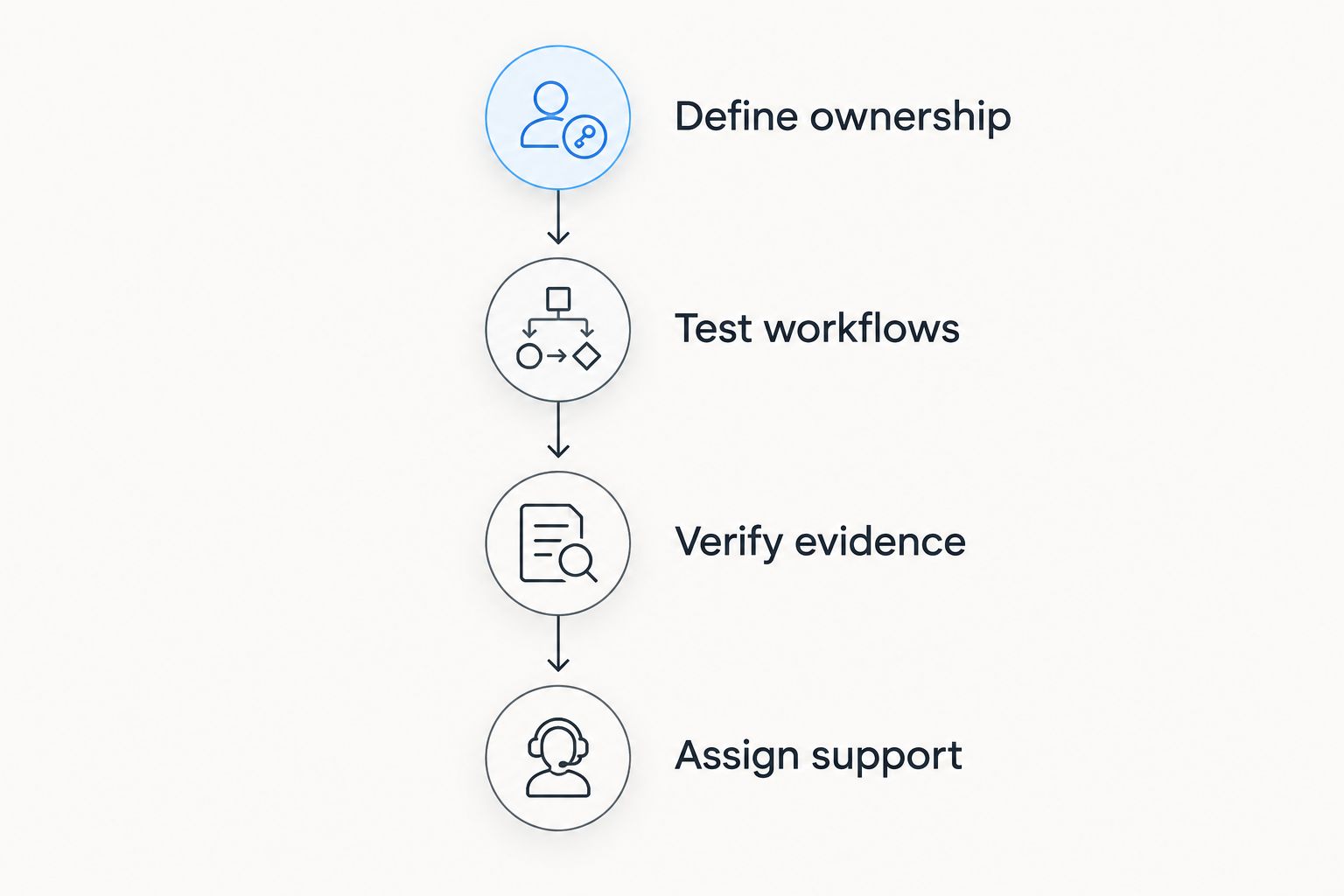
Use this sequence for your 2026 evaluation. Each step should produce a decision your operations and IT owners can explain without referring to a feature checklist.
Define ownership
Name the business owner of each asset class and the application that controls its identity. Separate the equipment record from financial and employee records where those belong in other systems. Agree on the identifiers that connect them.
Test workflows
Use representative assets and ask vendors to demonstrate the work your team performs. Include assignment, transfer, exception handling and retirement where relevant. For maintenance or fleet operations, add the specific event that should trigger action.
Verify evidence
Inspect how the system knows an asset's location or status. A manual update, barcode scan and connected device provide different evidence. Require the demonstration to show the source and age of that information, not just its position on a dashboard.
Assign support
Document who fixes failed integrations, corrects duplicates and approves changes to asset definitions. Include hosting and upgrades where your chosen deployment places those responsibilities on your team. A workflow without an accountable support owner is unfinished.
Make the final decision from demonstrated workflows and named responsibilities. If an exception still requires an unmanaged spreadsheet, identify why before approving the rollout; otherwise the new system inherits the old reconciliation problem.
FAQ
What's the best asset tracking software for enterprises in 2026?
IBM Maximo is the default recommendation for maintenance-led physical asset management. Choose ServiceNow IT Asset Management for IT governance, SAP Enterprise Asset Management for SAP-centered maintenance, Samsara for connected equipment, or Snipe-IT for self-hosted custody.
Is asset tracking the same as inventory management?
No. Asset tracking follows the identity, custody, location and lifecycle of assets, while inventory management commonly focuses on quantities and stock movements. Define which records and workflows your operation needs before choosing a system.
Do enterprises need GPS for asset tracking?
GPS is relevant when equipment movement and connected location are operating requirements. Assigned locations and barcode-based workflows address different needs, so do not require connected hardware for every asset by default.
Can one platform track both IT assets and construction equipment?
Evaluate IT assets and construction equipment as separate workflows even when a platform supports both records. IT lifecycle governance and equipment maintenance require different data, ownership and evidence, which must be demonstrated in the proposed configuration.
What should an asset tracking software demo include?
An asset tracking demo should show your actual assignment, transfer, exception and retirement workflows. Add maintenance or connected-location events where relevant, and inspect the evidence behind each status change rather than accepting a dashboard overview.
One last thing
An asset can appear in a system without being under operational control. A complete record is not proof that its location is current, its custodian is correct or its maintenance status is usable.
Before signing a 2026 implementation agreement, ask the proposed system to resolve a disputed asset record. The deciding test is whether your team can establish what is true and assign the next action. That is more useful than another dashboard demonstration.
Related guides
- Best supply chain management software
- Best construction management software
- Best ERP software for manufacturing businesses
- Best digital transformation consulting firms
Schedule a consultation with Hexagon IT Solutions to define your asset-tracking requirements.
Define your asset-tracking requirements
Discuss asset ownership, operating workflows and integration requirements before selecting a platform.


