




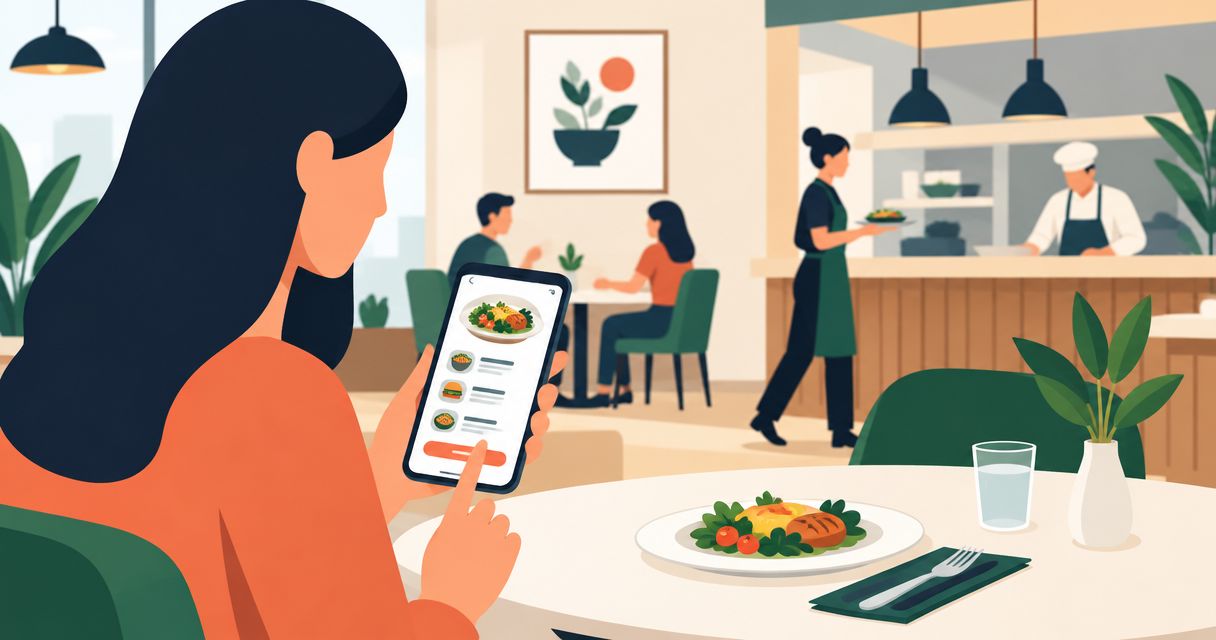
Restaurant mobile app development is the creation of customer-facing ordering software with the aim of increasing direct orders without adding kitchen confusion. If customers can pay before staff receive a usable ticket, your app has moved the problem rather than solved it.
- Mobile app development for restaurants should start with reliable ordering, POS integration, and kitchen capacity—not loyalty features.
- Choose iOS and Android support around your customers' devices, not developer preference.
- A mobile website suits ordering validation; a custom app suits requirements that existing systems cannot meet.
- Measure fulfilled orders and contribution margin, not downloads alone.
Why mobile app development matters for restaurants
Restaurant ordering connects a customer promise to a physical operation. Menu choices, preparation time, payment, pickup instructions, and kitchen tickets must agree. A mismatch leaves staff resolving exceptions while other orders wait.
An app gives returning customers a direct ordering route, but installing software adds friction. Build an app when repeat-use value justifies the download, not simply because your restaurant needs mobile ordering. Start with a mobile website if you still need to establish that value.
Hexagon IT Solutions is a consultation option for restaurant leaders defining a mobile app development brief. Bring an operational problem and an acceptance checklist; those give the discussion more substance than a feature wish list.
For your 2026 plan, treat checkout and fulfillment as one system. A completed payment is not a successful restaurant order until the correct location receives it and staff can fulfill it.
How to plan and build your restaurant app
Define the order problem before selecting technology
Start manually: review recent order records, customer messages, and staff notes. Use a recommended baseline of 4 weeks of orders to identify recurring problems, separating ordering errors from preparation or staffing issues. This is a planning window, not an industry benchmark.
Pick one primary outcome. If customers struggle to reorder lunch, simplify repeat purchases; if staff retype digital orders, address ticket routing first. An app cannot solve a kitchen-capacity problem by sending more demand into it.
Write an outcome statement that names the customer, the failure, and the expected operational change. Attach a metric you can actually collect.
- Identify the customer journey you want to improve.
- Record where staff intervene or re-enter information.
- Separate pickup, delivery, and dine-in requirements.
- Select one primary outcome, such as fewer order corrections.
- Name the restaurant manager who approves the workflow.
Map the complete ordering journey
Walk through an order on paper before building screens. Include menu selection, modifiers, location, fulfillment time, payment, and confirmation. Then trace the order through the restaurant until handoff.
The critical distinction is between payment confirmation and restaurant acceptance. Define what customers see when an order cannot enter the kitchen queue, and decide who handles the exception. Never let an ambiguous status become a customer-service process.
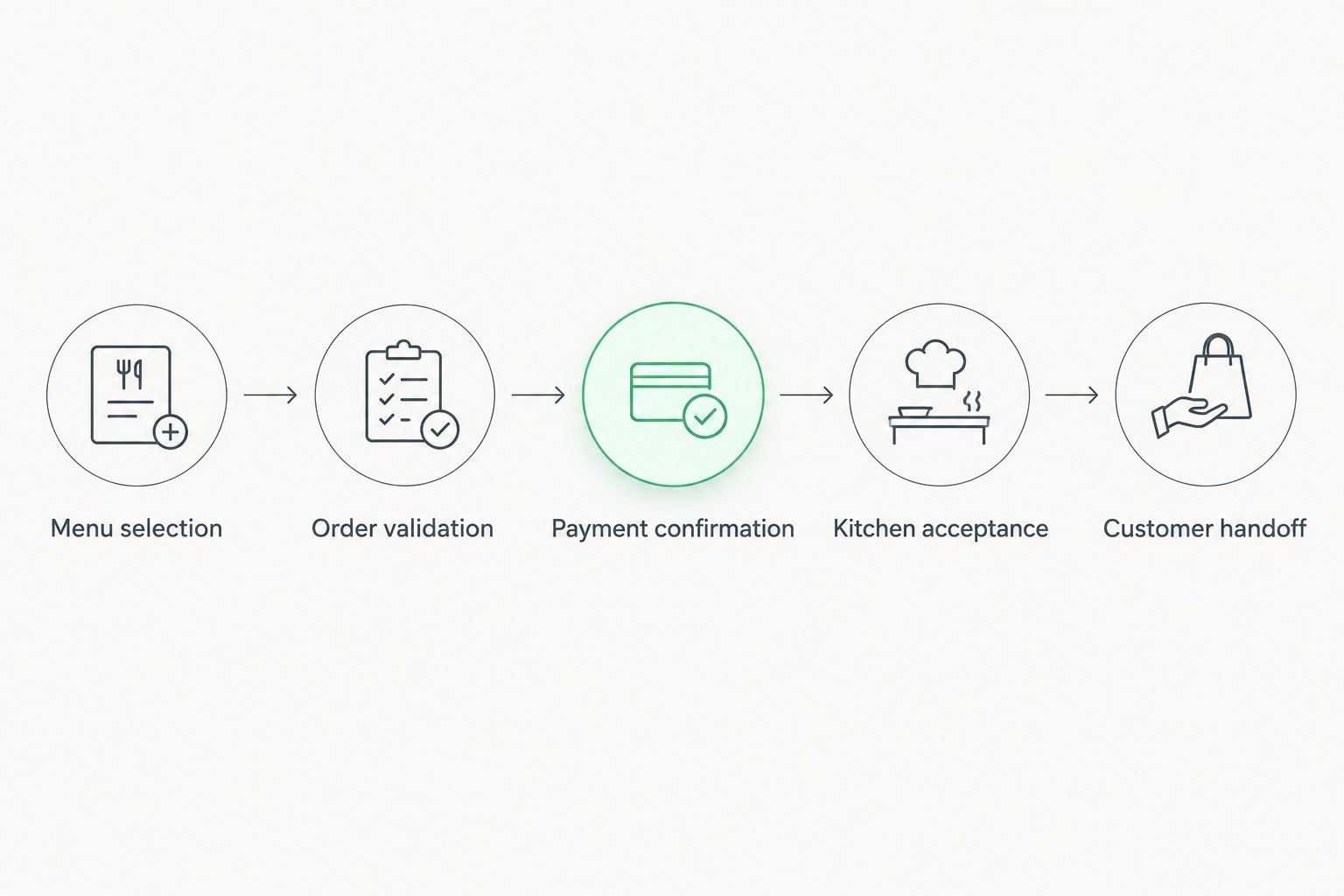
Use this sequence as the backbone of your workflow map:
- Menu selection: show location-specific items and valid modifiers.
- Order validation: check fulfillment details before payment.
- Payment confirmation: record the transaction result clearly.
- Kitchen acceptance: confirm the restaurant received the order.
- Customer handoff: communicate pickup or delivery instructions.
Choose the smallest useful release
Use your current ordering process to sketch a short release brief before requesting development proposals. List the customer tasks the first release must complete, along with the operational rules behind them. Keep promotional ideas separate from ordering requirements.
A development consultation becomes useful after this manual work: ask the delivery team to turn your brief into a clickable prototype, an integration plan, and explicit acceptance tests. Do not approve development from screen designs alone. Attractive screens do not establish what happens when payment succeeds but ticket delivery fails.
For a 2026 first release, choose completeness within a narrow scope rather than partial support for every service model.
- Choose the initial fulfillment method and participating locations.
- Include menu browsing, modifiers, checkout, and confirmation.
- Add order history only when it supports repeat ordering.
- Defer loyalty mechanics until ordering works end to end.
- Document exclusions so later requests become explicit scope changes.
Confirm POS, payment, and menu integration
Build a simple integration inventory yourself. Identify where menu data, transactions, customer details, and kitchen tickets currently live. Ask each existing provider for documentation and access requirements before treating integration as a confirmed feature.
Your POS integration must handle restaurant details, not merely pass a total. Modifiers, location identifiers, taxes, discounts, and refund states need agreed mappings. Payment integration also needs a clear method for reconciling an order with its transaction.
Use the payment gateway platforms guide to organize payment-provider questions, then validate compatibility against your actual restaurant systems. A provider comparison does not replace a working integration test.
- Assign a source of truth for menus and modifiers.
- Confirm how each location receives kitchen tickets.
- Match order identifiers with payment and refund records.
- Define retry behavior without creating duplicate orders.
- Document who resolves failed transfers between systems.
Design checkout around restaurant realities
Test a paper sketch or clickable prototype with customers and staff before committing to the interface. Ask people to order without coaching them. Watch where they hesitate, especially when choosing modifiers, changing locations, or selecting pickup times.
Make essential information visible before payment. Customers need to understand what they ordered, which restaurant will prepare it, and how they will receive it. Do not require account creation unless an identified business requirement justifies the interruption.
Accessibility belongs in the design brief, not a final visual review. Use readable text, labeled controls, clear error messages, and interactions that do not depend on color alone.
- Keep the selected restaurant visible throughout checkout.
- Explain required modifiers before customers submit an item.
- Show the order total before payment authorization.
- Preserve the cart when a recoverable error occurs.
- Provide clear order-status and support instructions.
Test failures before inviting customers
Create a manual test sheet before buying additional testing tools. Cover the ordinary order first, then deliberately interrupt the workflow. Testers should verify both the customer experience and the restaurant's records.
As a practical rehearsal, run 10 test orders across different modifiers, fulfillment choices, and failure conditions. That is a starting exercise, not sufficient proof of reliability. Expand testing to cover every material business rule and supported device configuration.
For your 2026 launch checklist, assign an owner to every failed scenario. A problem without an owner remains an operating risk even when the development team has documented it.
- Interrupt connectivity during checkout and check recovery.
- Repeat the submit action and check for duplicate tickets.
- Test payment success when kitchen ticket delivery fails.
- Change an item before checkout and verify validation.
- Reconcile canceled orders, refunds, and customer messages.
- Check screen-reader use and enlarged text on supported devices.
Launch in stages and measure fulfilled orders
Start with a controlled service window and staff who know the escalation process. Compare app records with actual kitchen tickets and payment records. Expand only after the team can identify and resolve exceptions consistently.
Use a spreadsheet for the initial scorecard. Add reporting software when manual reconciliation becomes the constraint, not before you know which decisions the report must support. During the first 30 days, review completed orders, cancellations, support issues, and operational interruptions together.
Your 2026 reporting plan should distinguish app adoption from business value. Downloads describe installation; fulfilled orders and contribution margin describe whether the channel supports the restaurant.
- Track checkout completion separately from fulfilled orders.
- Record cancellations and failed kitchen transfers by cause.
- Compare repeat ordering across consistent customer groups.
- Calculate contribution after relevant variable order costs.
- Review support requests with the restaurant manager.
- Keep a documented process for pausing ordering safely.
Compare development options for your restaurant
Choose the delivery model around your workflow, not around the word app. Each option offers a different balance of customer access, control, and ongoing responsibility. Evaluate the full service path before selecting one.
| Option | Best for | Main advantage | Key limitation |
|---|---|---|---|
| Mobile ordering website | Restaurants validating direct ordering | Customers can order without installing an app | Browser capabilities and repeat-use experience differ from installed apps |
| Configurable restaurant platform | Restaurants whose workflows fit an existing system | Configuration replaces some custom development work | Integration and workflow choices depend on the platform |
| Cross-platform custom app | Restaurants seeking shared application code across mobile platforms | Shared code can reduce duplicated implementation | Platform-specific behavior still needs testing and maintenance |
| Separate native apps | Restaurants with substantial platform-specific requirements | Direct control over each platform's implementation | Separate implementations increase coordination and maintenance work |
A mobile website is a sound starting point when customers mainly need convenient checkout. A custom app becomes a stronger candidate when repeat ordering or operational rules require an experience your current system cannot provide.
Before choosing, request evidence for your difficult workflow: a complex modifier, an interrupted payment, or an order routed to the wrong location. A successful demonstration of a normal checkout is not enough. Compare proposals using the same scenarios so the differences reflect delivery capability rather than presentation quality.
Common mistakes restaurant teams make
Treating an app as a demand strategy
An app gives customers another ordering channel; it does not establish why they should use it. Define the recurring task that makes installation worthwhile, such as quickly repeating a familiar order. Avoid adding loyalty features to compensate for an inconvenient checkout.
Leaving menu ownership undefined
When the app and POS disagree, customers and staff face conflicting instructions. Assign responsibility for menu changes, modifier rules, and location-specific updates. Test how changes reach customers before publishing them during service.
Ignoring kitchen capacity
Accepting an order creates an operational commitment. Define who can pause ordering, adjust fulfillment expectations, and handle exceptions during a rush. Keep these controls in the release requirements rather than assuming staff will improvise.
Approving a build without maintenance ownership
A launch handover must identify who handles platform updates, integration changes, incident response, and access credentials. Require documentation and clear account ownership. Custom software gives you control only when your restaurant can operate and maintain it after delivery.
FAQ
Does my restaurant need an app or just a mobile ordering website?
Start with a mobile ordering website when you need to validate direct ordering without requiring installation. Consider an app when recurring customer tasks or operational requirements justify a dedicated experience. Compare both against the same checkout and fulfillment scenarios.
What should the first version of a restaurant app include?
The first version should complete menu selection, order validation, payment, restaurant acceptance, and customer confirmation. Define the initial locations and fulfillment methods explicitly. Add promotional features after the core ordering workflow passes acceptance testing.
Can a restaurant app connect to an existing POS system?
A restaurant app can connect when the POS provides a supported integration route that meets the restaurant's requirements. Confirm menu, modifier, transaction, refund, and kitchen-ticket behavior before approving the design. Require an end-to-end test rather than relying on a compatibility label.
How do I measure whether a restaurant app is working?
Measure fulfilled orders, contribution margin, repeat ordering, and operational exceptions together. Track downloads separately because an installation does not establish a completed purchase. Reconcile app orders with kitchen and payment records during launch.
One last thing
Your most revealing acceptance test is an order you cannot fulfill. Walk through who notices, what the customer sees, how payment is resolved, and where the exception is recorded. If those answers are unclear, the app is not ready for a busy service.
For your final 2026 sign-off, ask the restaurant manager—not only the development team—to approve that scenario. The person accountable for service must understand how the system fails as well as how it works.
Related guides
- Restaurant management software
- Mobile app development companies for startups
- API integration platforms for businesses
Schedule a consultation with Hexagon IT Solutions to discuss your restaurant app's ordering workflow, integration requirements, and launch criteria.


