






Yes—system integration is worth it for a growing business when disconnected tools create measurable rework, delay billing, or prevent teams from acting on reliable information. The business case must also cover monitoring, maintenance, data cleanup, and exception handling; connecting applications alone does not guarantee a return.
- Is system integration worth it for a growing business? Yes, when measurable operational gains exceed implementation and ongoing support.
- Start with a broken business handoff, not a list of applications you want connected.
- Compare native connectors, integration platforms, and custom development against ownership, failure handling, and maintenance needs.
- Approve broader rollout only after a pilot demonstrates accurate records and a measurable business improvement.
Is system integration worth it for a growing business?
System integration is worth funding when the operational problem is measurable, recurring, and expensive enough to justify maintaining the connection. Growth alone is not sufficient evidence. You need a specific handoff that consumes staff time, delays revenue, or creates avoidable errors.
Choose the smallest approach that solves that problem. This comparison separates the benefit of connecting systems from the responsibility each approach adds.
| Approach | Best for | Main advantage | Main drawback |
|---|---|---|---|
| Keep a manual handoff | Infrequent work with acceptable delays | Avoids building an unnecessary connection | Staff must keep transferring and checking information |
| Native connector | A supported workflow between existing applications | Reduces custom development | Available fields and workflow behavior constrain the design |
| Integration platform | Coordinating supported applications and repeatable workflows | Provides a shared place to configure connections | Adds another platform to administer and monitor |
| Custom integration | Business-specific rules that supported connectors cannot handle | Allows tailored validation and exception handling | Requires ongoing engineering ownership |
For your 2026 plan, separate the investment decision from the delivery schedule. The guide to how long a system integration project takes addresses the planning question; first establish whether the workflow deserves investment.
Why this matters
A sales team can finish its work while operations still lacks the information needed to start delivery. Finance can have a signed agreement but no approved billing details. Each department looks productive, yet the customer waits between departments.
Integration targets those gaps. Its value comes from moving the right information to the next responsible person or system without unnecessary re-entry.
However, automating a confused process spreads confusion faster. Agree on ownership, required information, and exception rules before connecting applications. If nobody agrees on what makes a customer record complete, faster synchronization will not settle the disagreement.
Build the business case around a completed outcome
Your 2026 business case should name the business event that starts the workflow and the result that ends it. For example, an approved sale starts the process; a project ready for delivery ends it. Moving a record between applications is only an intermediate step.
Measure the current process before selecting an architecture:
- Handling time: Record the active work involved in copying, checking, and correcting information.
- Elapsed time: Measure the delay between approval and readiness for the next team.
- Error frequency: Count duplicate, incomplete, rejected, or mismatched records.
- Recovery effort: Record the work required to investigate and resolve failures.
- Business outcome: Track the relevant result, such as invoice readiness or completed customer onboarding.
Use actual workflow records and observed work rather than estimates supplied by everyone who wants the project approved. Ask process owners to distinguish routine cases from exceptions. A workflow that looks simple in a demonstration can become complicated when customers change details after approval.
Separate capacity from cash savings
Time saved does not automatically reduce payroll. If integration removes administrative work but staffing stays unchanged, the immediate benefit is available capacity. Explain how the team will use that capacity: handling additional orders, following up with customers, or completing billing work sooner.
Treat revenue claims just as carefully. Earlier invoice preparation is not the same as earlier payment, and a faster lead assignment is not proof of additional sales. Measure each downstream result separately rather than counting the same benefit under several headings.
Include the work after launch
Assess implementation effort alongside recurring platform administration, monitoring, credential management, testing, and support. Include the time business staff spend investigating exceptions, not just the engineering work.
Compare benefits and ongoing obligations over the same planning period. Approve the business outcome, not merely the initial build. A connection that nobody can support is an unfinished operating process.
Why system integration value varies
For a 2026 investment decision, these factors determine whether automation removes meaningful friction or simply moves it elsewhere:
- Workflow frequency: Repeated handoffs create more opportunities to remove manual work. An occasional task needs a stronger justification for automation.
- Process stability: Clear, repeatable rules support dependable automation. Frequently disputed rules require business decisions first.
- Data quality: Consistent identifiers and complete fields make records easier to match. Duplicate or contradictory records require cleanup and validation.
- Application access: Supported interfaces and documented behavior shape what the connection can reliably do.
- Failure impact: A delayed reporting update and an incorrectly issued invoice require different controls and recovery procedures.
- Operating ownership: A named owner, visible failures, and documented recovery steps make the workflow supportable after launch.
These factors belong in the approval discussion, not in a technical appendix. A founder deciding whether to fund integration needs to understand both the expected benefit and the conditions required to achieve it.
Prove the value with a bounded pilot
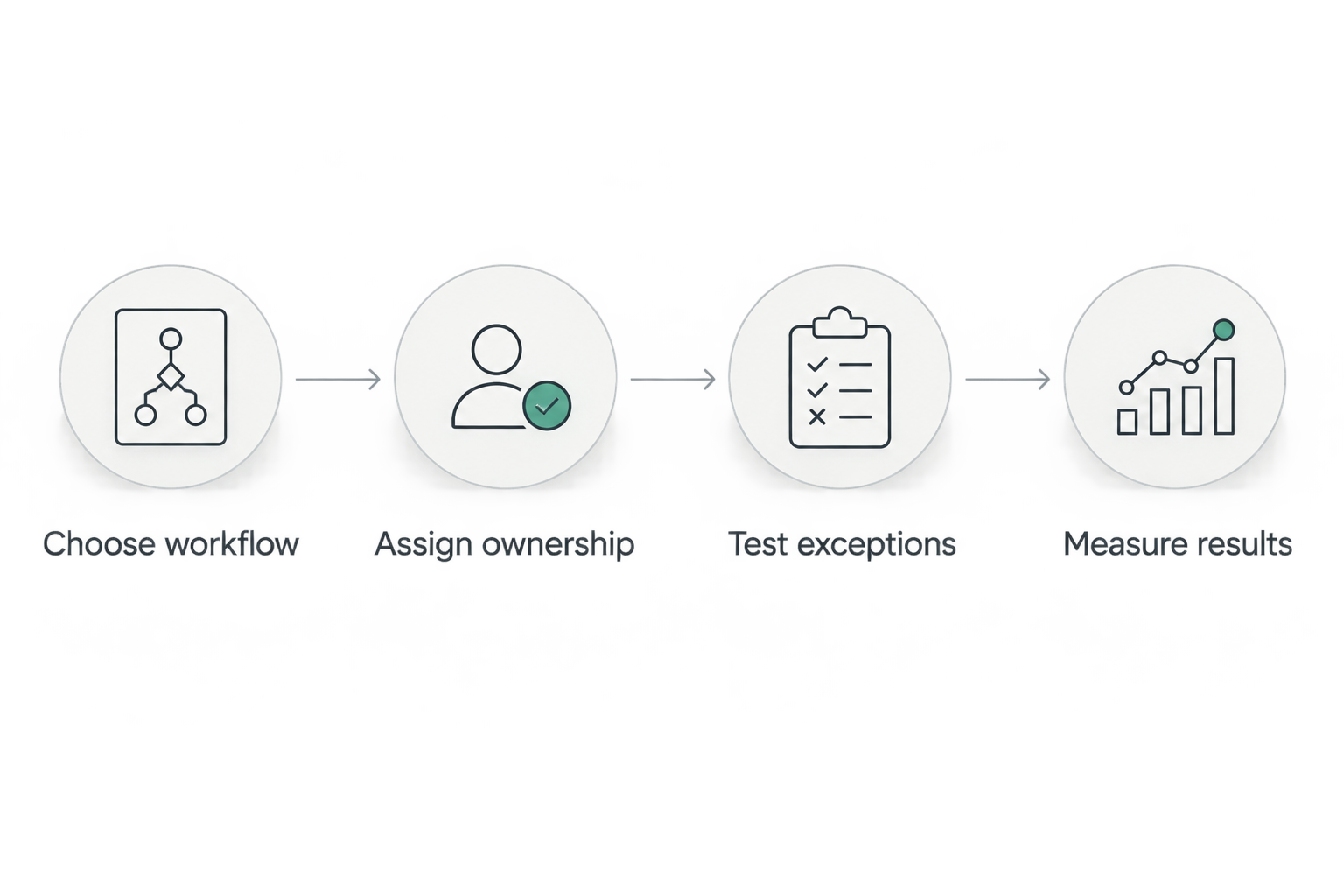
Start your 2026 implementation with a workflow whose result you can verify. Keep the existing fallback available until the new process passes the agreed acceptance checks.
Choose workflow
Select a handoff with a clear beginning and end. An approved opportunity becoming a delivery-ready project is a better pilot definition than connecting sales and operations.
Document what moves, what does not move, and who receives the result. Exclude unrelated reporting requests and application replacements unless the pilot genuinely depends on them. This keeps the test focused on the original business problem.
Assign ownership
Name the authoritative system for each important field. Customer identity, billing details, project status, and payment status do not necessarily belong to the same application.
Define which system can change each field and what happens when records disagree. Also name the person responsible for resolving business exceptions. Engineering staff should not have to decide whether a customer is approved for billing.
Test exceptions
Test incomplete records, duplicate submissions, changed details, rejected updates, and interrupted connections. Confirm that retrying an operation does not create another customer, project, or invoice.
Give users a visible route for resolving failures. An automated workflow that silently drops rejected records replaces an obvious manual task with a harder-to-find operational problem.
Measure results
Compare the pilot with the original baseline using the same definitions. Track completed outcomes, unresolved exceptions, and the effort needed to keep the workflow running.
Expand only when the improvement survives normal business use. If staff still recheck every transferred field, investigate why before treating the handoff as automated.
Connect business decisions, not just records
A technically successful integration can still produce the wrong business result. A field arrives correctly, but its meaning differs between applications. For example, an approved sales opportunity does not necessarily mean delivery can begin; the operation might still require a signed agreement or confirmed billing details.
Write those conditions into the workflow. The event that triggers an update should represent a business decision, not merely a changed field.
The same distinction applies to inventory. When automating markdowns across sales channels, define which inventory and pricing records govern the decision, which approvals apply, and what happens if a channel rejects an update. Moving a revised value is only part of the process; teams also need to know whether the intended change took effect.
Use that test across departments: What decision does this connection enable, and how will you know it completed correctly? If the answer ends at data transfer, the business requirement is incomplete.
This is also where broader integration creates trade-offs. More connected workflows provide more shared information, but they also create dependencies. Document those dependencies so an application change does not become an unexplained interruption elsewhere.
Make support part of the approval
Before approving a 2026 rollout, ask who will notice a failed handoff and who has authority to repair it. A notification without an accountable recipient is not a support process.
Require an operating checklist covering:
- Where staff can see failed and pending records.
- Who decides whether to retry, correct, or stop an update.
- How credentials and access permissions are maintained.
- How application changes are tested before release.
- How teams continue essential work during an interruption.
- Where ownership and recovery instructions are documented.
Keep access limited to what the workflow requires. Decide which data needs to move instead of copying every available field. For sensitive information, involve the responsible security and legal reviewers before implementation.
The strongest handover leaves business staff able to recognize an exception and technical staff able to investigate it. Neither group should need to reconstruct the workflow from memory.
Should you integrate existing software or replace it?
Integrate existing software when the applications still serve their departments and the main problem is the handoff between them. This preserves useful tools while addressing the specific coordination failure.
Consider replacement when the underlying application no longer supports the required work. Integration adds little value if staff must keep working around the application after every successful update.
A unified platform reduces some boundaries between tools, but migration introduces its own work: cleaning records, changing processes, training users, and validating results. Compare those responsibilities against maintaining the existing applications and their connections. Do not assume either approach is automatically simpler.
When should a growing business postpone integration?
Postpone integration when the process lacks stable rules, an accountable owner, or a measurable outcome. Resolve those gaps before committing to implementation.
Waiting is also sensible when an application replacement is already approved and the proposed connection would soon become unnecessary. Preserve the workflow map and baseline, however. That preparation helps you evaluate the replacement rather than restarting the discussion from scratch.
A deliberate manual process is preferable to unsupported automation. Give that manual process clear instructions and exception tracking so postponement does not mean accepting unmanaged work.
FAQ
Is system integration worth it for a small business?
System integration is worth it for a small business when a recurring handoff creates measurable rework, delays, or errors that justify implementation and ongoing support. Company size alone does not establish the business case.
How do you measure the return on system integration?
Measure the return by comparing verified operational benefits with implementation and ongoing operating effort over the same period. Separate staff capacity, cash savings, and revenue effects to avoid double-counting benefits.
Do you need custom development to connect business systems?
Custom development is not always necessary to connect business systems. Evaluate supported native connectors and integration platforms first, then use custom work where the required rules or controls are not supported.
What is the biggest risk when integrating business applications?
Unclear data ownership is a fundamental risk because connected applications need rules for resolving conflicting records. Define authoritative fields, exception handling, access permissions, and support responsibilities before rollout.
One last thing
A successful pilot can justify stopping. If a bounded connection removes the bottleneck, you do not need to connect every remaining application to validate the investment.
Document what improved, what still requires judgment, and what would justify the next phase. Your integration roadmap should follow demonstrated operating needs, not the number of tools left unconnected.
Related guides
- PSA software to automated project billing: complete workflow
- How to connect Microsoft 365 to your custom ERP system
- Is custom software development worth it for small businesses?
Schedule a consultation with Hexagon IT Solutions to discuss the workflow, ownership rules, and business outcome your integration needs to address.


