





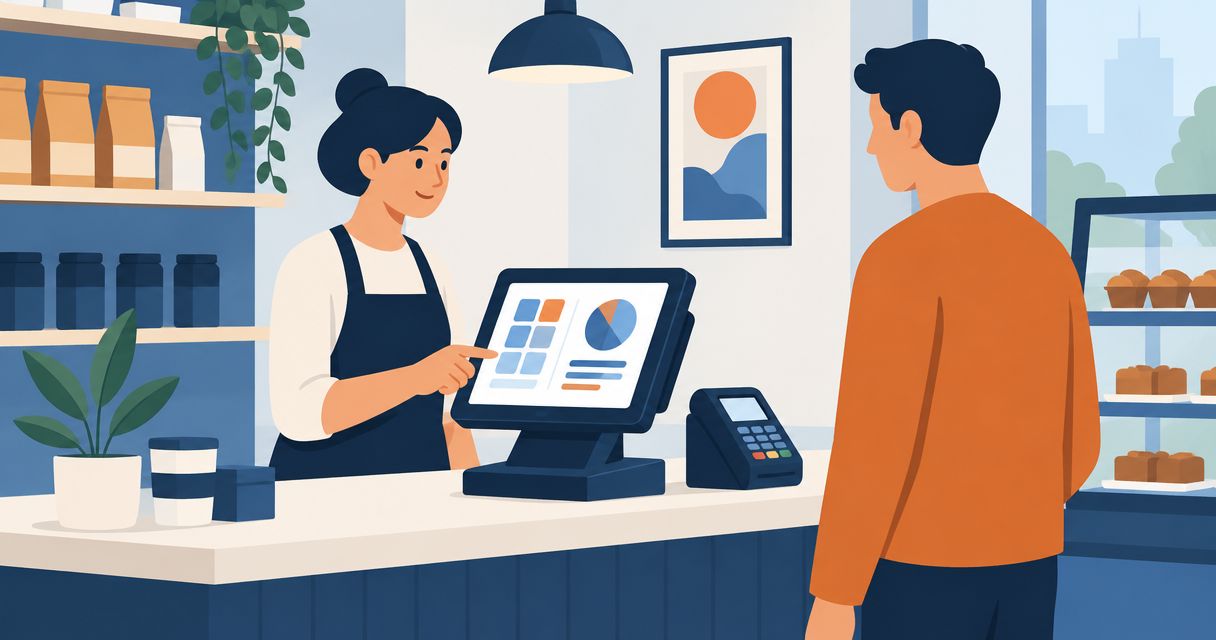
Your POS system cost in 2026 depends on software, checkout hardware, payment processing, implementation, and the work required to connect your business systems. A subscription quote is not a complete operating budget: include transaction charges, setup, support, and contract exit obligations before you commit.
- Compare POS system cost across the same operating period, transaction assumptions, locations, and checkout requirements.
- Separate payment processing from software subscriptions; they follow different cost drivers.
- Keep standard checkout software unless a documented workflow requires customization.
- Discuss POS integration requirements with Hexagon IT Solutions before defining a development scope.
Why this matters
A checkout decision affects more than the person taking payments. Inventory, accounting, customer records, and daily reconciliation all depend on what happens after a sale.
For your 2026 budget, evaluate the complete workflow rather than the headline subscription. Start with the capabilities you need from POS systems for retail businesses, then ask each shortlisted provider to quote against the same requirements. That makes the comparison useful instead of merely tidy.
How much does a POS system cost in 2026?
Calculate POS system cost as the total of setup, recurring software, payment processing, hardware, integration, and ongoing support. Evaluate those components over a defined operating period, with renewal and exit terms shown separately.
The following breakdown gives you a consistent purchasing worksheet. Treat each row as a question for the provider, not an assumption that every contract includes the charge.
| Budget component | What to include | What to verify |
|---|---|---|
| Software | Checkout access and required operating modules | Billing basis, included functions, and renewal terms |
| Hardware | Terminals, readers, printers, scanners, and accessories you need | Ownership, compatibility, replacement, and support responsibilities |
| Payment processing | Percentage-based and transaction-based charges | Payment methods, transaction categories, and additional charges |
| Implementation | Configuration, data preparation, testing, and training | Deliverables, acceptance criteria, and responsibility for corrections |
| Integrations | Connections to inventory, accounting, ecommerce, or customer records | Included connectors, custom work, monitoring, and maintenance |
| Ongoing operations | Support, administration, updates, and equipment replacement | Included service, exclusions, and escalation process |
| Exit obligations | Data export, hardware return, and contract termination | Required notice, export format, and remaining obligations |
Use this budget equation:
Total ownership cost = upfront commitments + recurring commitments + transaction-based charges + internal operating effort + exit obligations.
Keep internal effort visible even when it does not appear on an invoice. Staff time spent correcting stock records or matching settlements is part of the operating decision, although it should remain separate from vendor charges in your worksheet.
Standard POS software: best for established checkout workflows
Best for: businesses whose sales, returns, inventory, and reporting requirements fit an existing product. Start here before commissioning custom development. A configuration exercise is different from a software engineering project.
The benefit is a defined product you can evaluate through demonstrations and acceptance testing. The limitation is that your business must work within the product's supported workflows, integration methods, and contract terms.
Ask the provider to demonstrate your actual exceptions, not just a successful sale. Include a refund, a stock correction, a failed payment, and the end-of-day reconciliation process. Record where employees must leave the system or enter the same information again.
Recommendation: choose standard software when it passes your required workflow tests. Do not pay to rebuild familiar checkout functions simply because a custom interface looks more tailored.
Integration work: best for disconnected business systems
Best for: businesses with a suitable POS product but disconnected inventory, accounting, or order systems. Integration addresses the handoff between applications rather than replacing checkout itself.
The benefit is a targeted scope: define which records move, what triggers the transfer, and how exceptions get resolved. The limitation is an ongoing dependency on the connected systems, their interfaces, and whoever maintains the connection.
For example, an inventory connection needs more than an instruction to reduce stock after a sale. Define how returns, cancellations, duplicate events, and interrupted transfers affect the inventory record. These are requirements to test, not details to leave until launch.
Recommendation: evaluate integration before replacing a POS product that already handles checkout correctly. Confirm that the proposed connection addresses a documented operational problem.
Custom development: best for requirements standard software cannot meet
Best for: businesses with essential workflows that remain unsupported after evaluating standard products and integrations. Custom development requires explicit ownership of requirements, testing, maintenance, and future changes.
The benefit is control over the agreed workflow. The limitation is responsibility: someone must manage changes, defects, integrations, and the application's continued operation after delivery.
Hexagon IT Solutions is a consultation option for teams defining POS integration and custom software requirements. Use that discussion to separate configuration, integration, and development before requesting a project proposal; a consultation is not evidence that you need a custom system.
Recommendation: commission custom development only after documenting the business requirement and why existing options fail it. A vague request for flexibility does not define an acceptable deliverable.
Which POS approach fits your business?
Compare implementation approaches separately from individual providers. Otherwise, a software subscription and a development proposal can appear side by side despite covering different responsibilities.
| Approach | Best for | Main advantage | Main limitation | Evidence to request |
|---|---|---|---|---|
| Standard software | Supported checkout workflows | Evaluate an existing product against your requirements | Product boundaries constrain changes | Demonstration using your operating scenarios |
| Integration work | Suitable systems with broken handoffs | Target the connection rather than replace checkout | Connections need monitoring and maintenance | Data mapping, failure handling, and ownership plan |
| Custom development | Essential unsupported workflows | Define the required business behavior | Your organization must manage the software lifecycle | Requirements, acceptance tests, and maintenance scope |
Buy against demonstrated fit, not the longest feature list. A feature only belongs in your decision when it supports a required task, control, or business outcome.
Why POS system cost varies
Your 2026 comparison needs a fixed scope. These factors change what providers must deliver and what your team must operate:
- Locations and checkouts: specify the locations, active checkout devices, and access requirements. Ask which of these determines software billing.
- Transaction profile: provide your own sales volume, transaction count, and payment-method mix. Processing comparisons require consistent assumptions.
- Workflow requirements: distinguish required functions from preferences. Returns, inventory adjustments, permissions, and reconciliation need explicit acceptance criteria.
- Hardware requirements: identify existing equipment and ask each provider to confirm compatibility. Include installation and replacement responsibilities.
- Data and integrations: define records to migrate, systems to connect, historical data requirements, and exception handling.
- Service and contract scope: compare training, support coverage, maintenance, renewal provisions, and termination obligations.
Do not substitute a general business label for this information. Two retailers can sell similar goods while requiring different stock handling, reporting, and checkout arrangements.
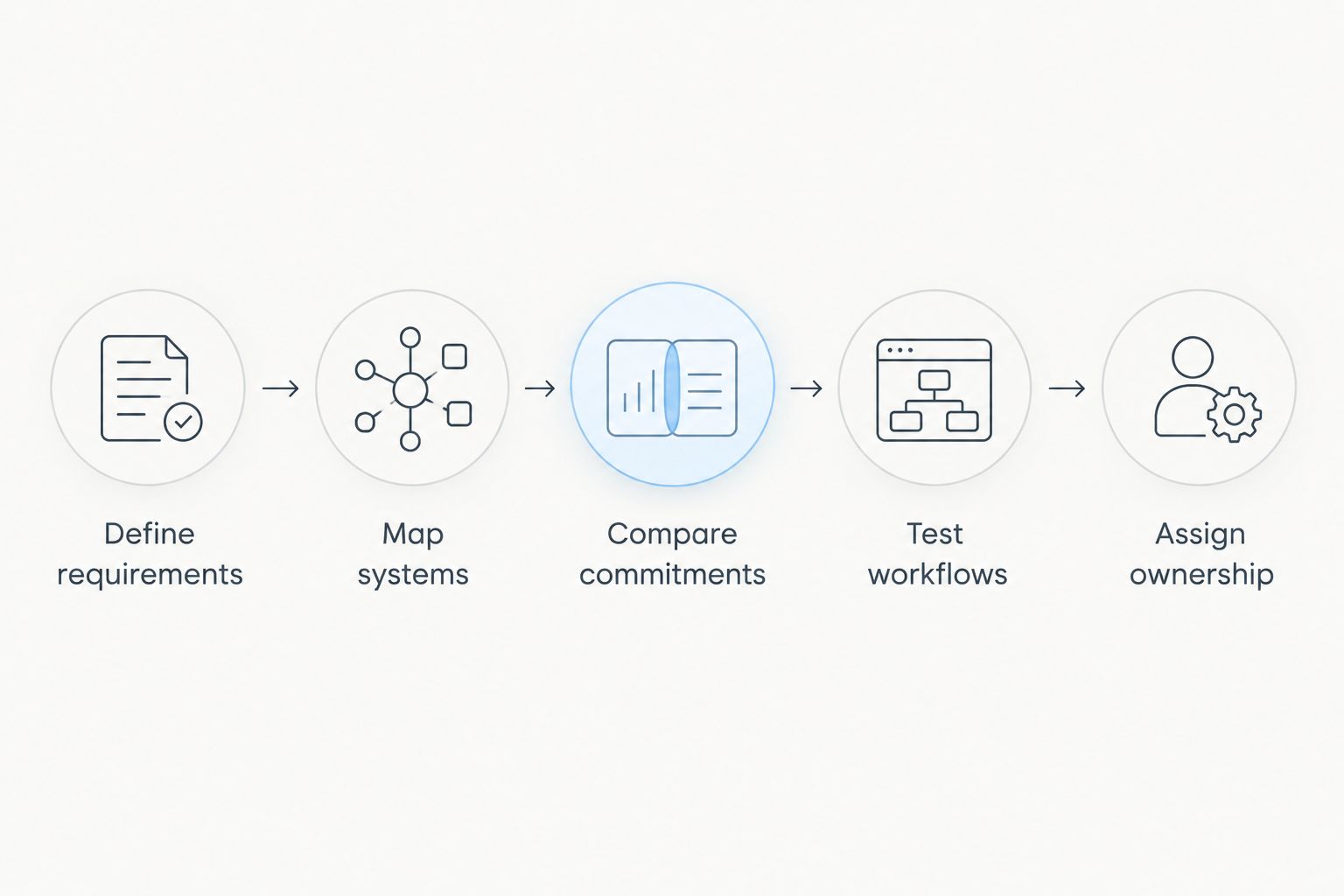
How do you build a comparable POS budget?
Use the same evaluation sequence for every proposal. Your goal is a decision that finance, operations, and IT can explain using the same assumptions.
1. Define requirements
Write down how a sale moves from checkout to settlement and accounting. Include returns, stock changes, and exceptions. Mark each requirement as essential or optional so a demonstration cannot quietly expand the scope.
2. Map systems
List the applications and devices that the POS must work with. Assign an owner to each connection and record which system controls each data field. Conflicting ownership rules need resolution before implementation.
3. Compare commitments
Request a 12-month budget and a separate 36-month ownership view. These are evaluation periods, not promises about contract length or system lifespan. Keep upfront commitments, recurring charges, and usage-dependent charges in separate rows.
4. Test workflows
Require a demonstration using your own operating scenarios before approval. Have the employees responsible for checkout, stock, and reconciliation assess the relevant steps. Record unresolved issues rather than accepting a verbal assurance that customization will handle them.
5. Assign ownership
Name the person responsible for implementation acceptance, integration failures, support escalation, and data exports. Include these responsibilities in the operating plan. A technically working connection still needs someone accountable when a transaction does not arrive.
How do payment processing charges affect POS system cost?
Payment processing belongs in your POS budget even when a separate company invoices it. Compare proposals using the same transaction count, sales value, and payment-method assumptions, then examine the terms behind the calculation.
For your 2026 evaluation, ask providers to explain which charges apply to the payment scenarios your business actually handles. Do not treat an advertised processing term as a complete settlement model.
Request a written explanation of how refunds, disputes, and failed transactions affect charges and reporting. Confirm whether the POS contract restricts processor choice and what happens to checkout operations if you change processors.
Is custom POS development worth it?
Custom POS development needs a documented operational benefit and an ownership plan. An unsupported requirement is a starting point for evaluation, not automatic approval to build.
Compare the proposed improvement with the full development and maintenance scope. If the problem is duplicate entry between otherwise suitable systems, assess an integration first. If standard software already performs the required task, explain why replacing it creates enough business value to justify the added responsibility.
Keep the decision measurable. Define the manual task you intend to remove, who performs it, how you will measure the change, and what successful acceptance looks like. Use your own operating records rather than a vendor's general productivity claim.
What should you check before signing a POS contract?
Resolve the exit terms before you approve the entry terms. Confirm how your business retrieves transaction history, customer records, product data, and other required information when the relationship ends.
Ask for an export demonstration, not merely a statement that export is possible. Check the format, the included fields, and whether your team can use the result without additional work from the provider.
For a 2026 implementation, also document responsibility for migration errors, delayed integrations, and unresolved acceptance tests. Tie approval to defined deliverables rather than an installation date alone. Installation confirms that something was deployed; acceptance confirms that it meets the agreed requirements.
FAQ
What should I include when calculating POS system cost?
Include software, hardware, payment processing, implementation, integrations, support, and exit obligations. Keep internal administration and reconciliation effort visible alongside vendor charges.
Can I compare POS systems using only the subscription quote?
No. A subscription quote does not establish the full cost of payment processing, equipment, implementation, integrations, or contract termination. Compare providers against the same requirements and operating period.
Should I replace my POS or connect it to my accounting software?
Evaluate a connection first when the POS already handles checkout correctly and the problem is a disconnected accounting workflow. Confirm data ownership, error handling, and maintenance responsibilities before approving integration work.
How do I know whether I need a custom POS system?
You need a documented essential requirement that standard software and integrations cannot satisfy before custom development deserves consideration. Define acceptance tests and ongoing ownership before commissioning the build.
Related guides
- Automatically update inventory when a POS sale closes
- Automatically reconcile payments when a transaction clears
- How much does custom software development cost?
One last thing
Before approving a POS proposal, ask the provider to show a return from the original transaction through the stock adjustment and accounting record. That single business scenario gives your checkout, inventory, and finance teams something concrete to evaluate together.
Bring the resulting requirements and unresolved handoffs to a consultation. Schedule a consultation with Hexagon IT Solutions to discuss your POS software and integration scope.


