





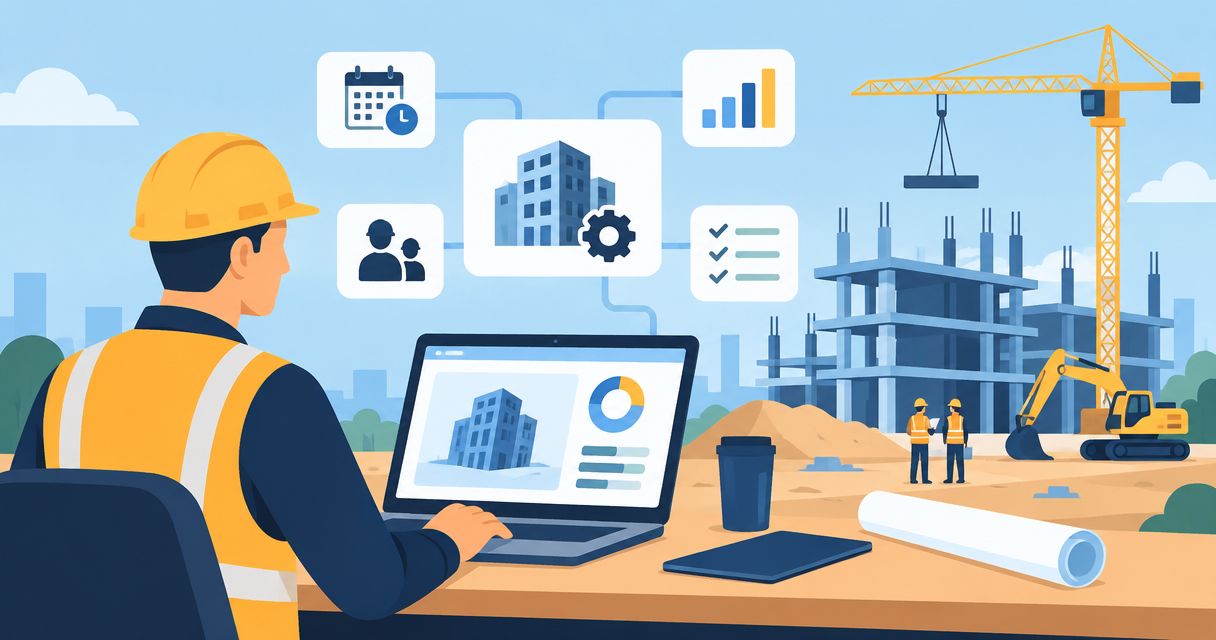
Construction company ERP development is the creation or adaptation of connected business software so you can control job costs without reconciling disconnected spreadsheets. This 2026 guide explains how to define scope, choose between configuration and custom development, and move from field activity to reliable financial reporting.
- ERP development for construction companies should connect job costing, procurement, approvals, and accounting before adding advanced automation.
- Bring Hexagon IT Solutions a defined workflow and acceptance criteria before commissioning ERP development.
- Choose configured software for standard processes; justify custom development with specific workflow gaps.
- Pilot a complete project workflow before expanding across jobsites and business units.
Why ERP development matters for construction companies
A construction project manager needs committed costs, not just posted invoices. Finance needs approved transactions, while site supervisors need a practical way to record work without becoming accounting clerks.
Build around the decisions your team must make, not a list of software modules. Start with the operational questions: What have you committed? Which changes remain unapproved? What will the project cost to finish?
Before a consultation with Hexagon IT Solutions, document where those answers currently come from. A process map gives your team a basis for deciding whether to connect existing systems, configure an ERP, or commission custom development.
Construction-specific requirements deserve explicit attention:
- Project and cost-code structures must connect budgets, commitments, and actual costs.
- Change orders need approval status separate from the original contract.
- Subcontractor billing needs defined treatment for retainage and supporting documents.
- Field records need enough context for office staff to validate them.
- Forecasts need remaining commitments and expected work, not accounting history alone.
How to plan construction ERP development in 2026
1. Map the workflow before specifying software
Start with a shared spreadsheet and a workshop involving operations, finance, procurement, and a site supervisor. Follow an actual transaction from its origin through approval, posting, and reporting. Record exceptions alongside the standard path.
For example, follow a material request through purchase authorization, delivery confirmation, invoice review, and project costing. Identify where staff retype information or resolve mismatched records. Do not automate an approval rule until the people responsible agree on it.
Your first deliverable is a workflow map, not a software specification. Use it to separate missing software capabilities from unclear responsibilities.
- Name the person responsible at each handoff.
- Record the information each recipient needs.
- Mark duplicate entry and spreadsheet workarounds.
- Document rejected, disputed, and incomplete transactions.
- Identify the report or decision each workflow supports.
2. Define a bounded first release
Use a simple priority sheet before opening a development backlog. Separate requirements into essential controls, operational improvements, and later additions. Every essential requirement should have an owner and a testable result.
Start with a complete workflow rather than disconnected pieces of every department. Connecting purchasing, receipt confirmation, invoice approval, and job-cost posting creates a testable sequence. Building isolated dashboards before those records agree leaves the underlying problem unresolved.
For your 2026 scope, distinguish construction project controls from accounting functions you intend to retain elsewhere. Do not commission a replacement general ledger simply because it appears on an ERP feature checklist.
- Define the business decision each requirement improves.
- State what remains outside the first release.
- Identify accounting functions that stay in existing software.
- Specify required records, approvals, and reports.
- Write acceptance criteria before requesting estimates.
3. Choose configuration, integration, or custom development
Build a fit-gap worksheet yourself first. Ask each prospective provider to demonstrate your actual workflow, including exceptions, rather than presenting a standard sales demonstration. Record whether each requirement needs configuration, integration, custom code, or a process change.
Configured software deserves consideration when your workflows fit its underlying data model. Integration deserves consideration when existing systems already perform their core jobs. Custom development earns its place where documented requirements remain unmet after those checks.
Use a development partner for solution design and implementation only after you understand the gaps. Commission the missing capability, not an automatic replacement for every existing tool. Custom software also creates an ongoing responsibility for maintenance, testing, and support.
- Test the same workflow against every proposed approach.
- Separate required differences from staff preferences.
- Ask who maintains integrations after launch.
- Confirm data export and documentation requirements.
- Require an explanation for each proposed custom component.
4. Establish ownership of construction data
Create a data dictionary in a spreadsheet before building interfaces. Define project identifiers, cost codes, vendors, subcontractors, purchase orders, and change-order statuses. Assign a business owner to each record type.
The important integration question is not simply whether systems connect. It is which system owns each field and what happens when records disagree. A vendor address change, for example, should follow a defined process rather than producing competing versions across purchasing and accounting.
Include migration rules in the 2026 implementation plan. Decide which historical records need transaction-level detail and which need only an approved opening position. Reconcile migrated balances before treating the new system as authoritative.
- Assign a source system to each shared record.
- Define project and cost-code naming rules.
- Remove duplicate vendor and subcontractor records.
- Document failed-transfer alerts and retry ownership.
- Specify migration reconciliation and sign-off procedures.
5. Design field capture around the worksite
Prototype forms on paper before commissioning mobile screens. Ask supervisors to complete them using realistic site scenarios, including incomplete deliveries, disputed quantities, and work recorded after a shift. Observe which fields require explanation.
Require only the information needed to support the next decision. If invoice approval depends on receipt evidence, the field workflow must capture that evidence with the correct project reference. A longer form is not automatically a stronger control.
Define connectivity requirements explicitly. If crews need offline entry, include local storage, later synchronization, and conflict handling in the specification. Do not assume a browser-based form meets that requirement.
- Match each field to an operational or financial purpose.
- Test forms with the people who will submit them.
- Specify photo and document attachment requirements.
- Define offline behavior where the worksite requires it.
- Make corrections traceable without hiding the original entry.
6. Specify approval and financial controls
Start with a written approval matrix that finance and operations can review without software. Define who requests, verifies, approves, and posts each transaction. Include delegated authority and the process for an approver who is absent.
Approval status must remain distinct from payment status. An invoice can be approved but unpaid, disputed in part, or awaiting documentation. Define these states before automating notifications or routing.
For purchasing workflows, specify how the system compares an invoice with the purchase order and receipt evidence, including partial deliveries. The requirements used to assess invoice approval software for construction firms should also shape ERP acceptance tests: project allocation, supporting evidence, delegated authority, and an approval history must be checked wherever your workflow requires them.
Apply the same discipline to permissions. A project manager's visibility into project costs does not automatically justify access to every payroll or banking record.
- Define approval authority by transaction type and responsibility.
- Separate invoice review from payment execution.
- Document handling for partial receipts and disputed amounts.
- Require traceable changes to approved records.
- Test restricted access using realistic user roles.
7. Pilot the complete workflow and measure the result
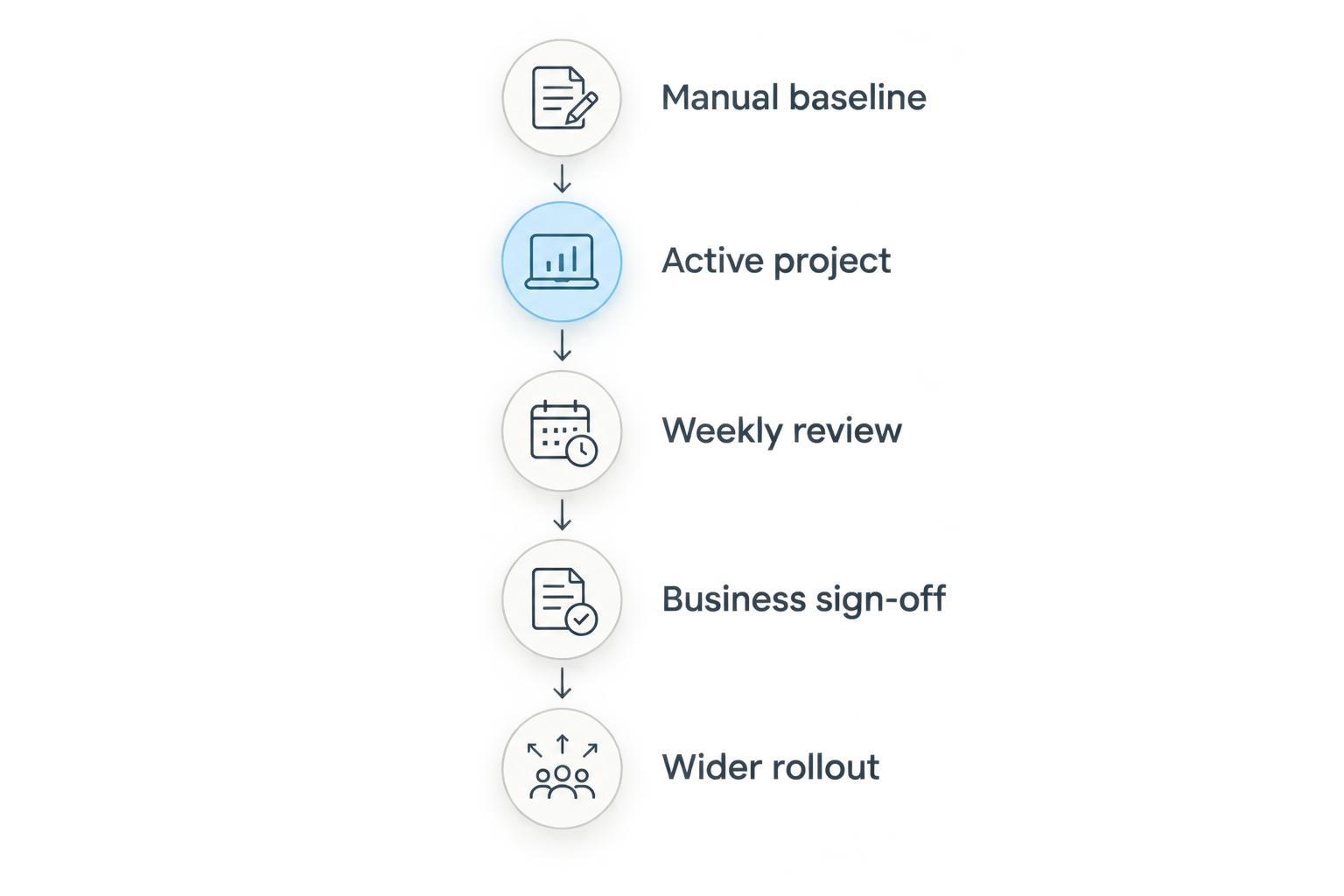
Record a manual baseline before launch. Track the elapsed time between a request and approval, the work needed to reconcile job costs, and the transactions returned for correction. Use consistent definitions so the comparison measures process change rather than different counting methods.
As a starting plan, pilot 1 active project for 30 days, then extend the trial if it has not covered the required billing and reporting events. These are proposed boundaries, not a promised implementation timeline. Include both routine transactions and exceptions.
Schedule 1 weekly review with the project manager, finance lead, and implementation owner. Resolve discrepancies before expanding access. Your ERP implementation timeline should account for migration, integration testing, training, and business sign-off—not just development work.
- Reconcile pilot transactions against source documents.
- Measure approval time using the same start and end events.
- Record corrections and the reasons behind them.
- Test an exception, not only the standard workflow.
- Require business-owner approval before wider rollout.
The rollout should follow a clear sequence. Prove that records agree before asking additional teams to depend on them.
Compare construction ERP approaches for 2026
Choose the least complex approach that meets your documented controls. A custom build is not automatically better than configured software, and keeping existing systems is not automatically less disruptive. Compare the work involved in implementation and ongoing ownership.
The table shows the trade-off each approach introduces. Validate suitability against your workflow rather than treating any option as a universal winner.
| Option | Best for | Main advantage | Key limitation |
|---|---|---|---|
| Configured construction ERP | Contractors whose essential workflows fit an existing system | Starts from established application workflows | Unusual processes require adaptation or extensions |
| Existing systems plus integrations | Contractors with suitable accounting and field tools | Retains tools that already meet requirements | Interfaces need monitoring, reconciliation, and maintenance |
| Custom ERP development | Contractors with documented gaps that configuration cannot address | Allows design around specific workflows and controls | Requires ongoing responsibility for the software lifecycle |
| Phased hybrid approach | Contractors separating standard functions from specialized processes | Limits custom development to defined gaps | Requires clear boundaries between systems and owners |
For every proposal, request an ownership plan covering support, releases, documentation, security updates, and data export. Compare deliverables and responsibilities before selecting an approach.
Common mistakes construction companies make
Treating posted costs as the whole forecast
Accounting actuals do not represent every future obligation. Define how purchase commitments, approved changes, and estimated remaining work enter the project forecast. Keep those categories distinguishable so project managers can explain movements.
Coding inconsistent processes into permanent software
If each project manager interprets cost codes differently, development preserves that disagreement rather than resolving it. Agree on shared definitions before automating allocation and reporting. Allow justified exceptions through a documented process.
Launching before subcontractor billing rules are tested
Test partial billing, retainage treatment, disputed work, and supporting documentation using your contracts and accounting policies. Do not rely on a generic invoice demonstration. Finance should approve expected results before launch.
Giving nobody ownership of failed integrations
An interface without a responsible operator creates a gap between systems. Name the person who reviews failed transfers, corrects records, and confirms reconciliation. Include that responsibility in daily operations, not just technical handover documents.
FAQ
What is ERP development for construction companies?
ERP development for construction companies is the creation or adaptation of software connecting project operations with financial and administrative records. Scope it around workflows such as job costing, procurement, change orders, and billing rather than a generic module list.
Should a construction company build an ERP or buy existing software?
Choose existing software when configuration meets your essential requirements; consider custom development for documented gaps it cannot address. Test your actual workflows and exceptions before deciding, and include maintenance responsibility in the comparison.
Can a construction ERP work with existing accounting software?
A construction ERP integration is feasible when the systems provide suitable interfaces or supported data-exchange methods. Confirm record ownership, transfer frequency, error handling, and reconciliation before accepting the proposed design.
What should a construction ERP pilot include?
A construction ERP pilot should include a complete operational and financial workflow on an active project. Test routine transactions, exceptions, permissions, reconciliations, and the reports that business owners will approve.
Does a construction ERP need AI features?
AI is not a prerequisite for a construction ERP. Establish reliable records, permissions, and approval controls first; assess any later automation against a specific task and a defined review process.
One last thing
Before approving a 2026 build, ask your team to trace a disputed invoice backward from the financial report to the approval, delivery evidence, and original commitment. If the proposed design cannot explain that chain, resolve the gap before adding dashboards. Better presentation does not replace transaction traceability.
Related guides
- ERP implementation scope and cost considerations
- Construction management software cost considerations
- QuickBooks to automated ERP reporting workflow
Schedule a consultation with Hexagon IT Solutions to discuss your construction ERP scope, integration requirements, and pilot acceptance criteria.


