






Agriculture digital transformation consulting is the redesign of farm and agribusiness workflows with the aim of improving operational control, execution speed, and business performance. When field records, inventory, orders, and accounting disagree, you need a workable handoff—not another disconnected system; this 2026 guide explains how to scope that work, compare delivery options, and measure results.
- Digital transformation consulting for agriculture businesses should start with one operational bottleneck, not a software shopping list.
- Consider Hexagon IT Solutions for a consultation; require a defined workflow, acceptance criteria, and ownership before commissioning work.
- Test field connectivity, data exports, and exception handling before approving an agriculture software rollout.
- Compare configuration, integration, and custom development against the same business requirements.
Why digital transformation matters for agriculture businesses
Agriculture workflows connect physical activity with commercial records. A delivery, equipment movement, or field task becomes a business problem when the person approving it cannot see the same information as the person completing it.
The planning challenge is specific: your design must account for seasonal work, remote locations, shared equipment, and differences between field and office responsibilities. Determine which constraints apply to your operation before selecting software. A grower, input distributor, and agricultural service contractor need different workflows, even when each calls the project digital transformation.
For your 2026 plan, prioritize a measurable operating problem over a company-wide technology replacement. Start by identifying where missing information delays a decision, duplicates work, or prevents an accurate customer commitment.
Use the digital transformation consulting firms guide to frame your provider search. Evaluate every proposal against your own operating requirements rather than the length of its feature list.
Build an agriculture transformation plan that your team can execute
1. Define the workflow before selecting software
Choose 1 workflow for the initial scope. Suitable candidates include recording completed field work, reconciling received inventory, approving equipment maintenance, or passing confirmed orders to dispatch. Select the process where you can identify an owner and inspect the outcome.
Describe the process from its triggering event to its final business record. For example, a maintenance request is not complete when someone submits a form; it is complete when the repair status, equipment availability, and relevant records agree.
Your 2026 scope should also state what stays outside the project. A bounded assignment makes acceptance clearer and prevents an inventory problem from turning into an undefined replacement of every business system.
- Name the event that starts the workflow.
- Identify the person accountable for completion.
- List the records that change along the way.
- Define the evidence that proves completion.
- Document exclusions and unresolved decisions.
2. Establish a baseline using existing records
Start manually. Review your current spreadsheets, forms, messages, and system exports before commissioning dashboards or integrations. Follow actual transactions through the process and record where staff re-enter information or wait for clarification.
Choose 3 measures that match the problem: elapsed time, correction count, and unresolved exceptions are useful starting points. Define each measure precisely. Elapsed time from order approval to dispatch is different from elapsed time from customer inquiry to delivery.
Do not convert every saved minute into a financial return. Released staff capacity and reduced cash spending are different outcomes; your business case should keep them separate. If records are incomplete, establish a baseline before promising an improvement.
- Record the start and finish events for each measure.
- Use the same units before and after the change.
- Separate normal work from unusual exceptions.
- Note who collects and checks the baseline.
- Distinguish cash savings from available staff capacity.
3. Write a decision-ready consulting brief
Write the brief yourself before asking providers to propose a solution. A plain document containing the workflow, baseline, constraints, and acceptance criteria gives you a way to compare proposals without rewarding the most elaborate presentation.
For agriculture leaders considering Hexagon IT Solutions, start with a scoped consultation rather than an undefined system replacement. A conversation with Hexagon IT Solutions should establish what needs investigation and what evidence will support a delivery decision.
Treat consulting as a defined deliverable, not an open-ended series of meetings. Require the proposed engagement to distinguish discovery, configuration, integration, development, testing, and support. Do not assume one provider performs every activity or has agriculture-specific experience without evidence.
- Describe the operational problem in business language.
- Attach representative, appropriately protected sample records.
- Request relevant experience and named delivery responsibilities.
- Specify required documents and acceptance evidence.
- Ask what assumptions would change the proposed scope.
4. Map records, integrations, and access rules
Use a spreadsheet to map where each important record originates, who updates it, and which system should hold the authoritative version. An integration specialist can turn that map into a technical design, but the business must decide what each field means.
A customer name alone is not a reliable matching rule. Establish identifiers for the records your workflow uses, such as customers, fields, equipment, inventory items, or lots. Include only the entities relevant to your operation.
Separate a successful transfer from a correct transfer. A record can reach its destination with the wrong unit, location, status, or date. Your acceptance tests need to detect those errors and show staff how to resolve them.
- Assign an authoritative source to each critical field.
- Document identifiers and matching rules.
- Specify units, required fields, and allowed statuses.
- Define access for employees, contractors, and administrators.
- Require visible error handling and usable data exports.
5. Design field capture around actual conditions
Observe the work before designing the form. Record what staff can enter at the point of activity, what requires office review, and what happens when connectivity is unavailable. A paper checklist or existing mobile form can expose unnecessary questions before development begins.
For a 2026 field-work project, test the proposed workflow where people will use it. Office demonstrations do not establish whether a task can be completed beside equipment, at a loading point, or without a reliable connection.
Offline operation must be a tested requirement, not an assumed feature. If it is necessary, ask the provider to demonstrate capture, storage, synchronization, duplicate handling, and conflict resolution. Retain a documented fallback for work that cannot wait for a technical fix.
- Remove fields that do not support a decision.
- Identify which entries require supervisor approval.
- Test the devices and access methods staff actually use.
- Define the fallback when a device or connection fails.
- Test conflicting edits before accepting synchronization.
6. Pilot the complete handoff before expanding
Run a bounded pilot that includes both field activity and the downstream office process. Testing a form alone does not prove that inventory, dispatch, billing, or reporting receives the correct result. Include the people responsible for those handoffs.
Organize the pilot around four checkpoints: Baseline, Field capture, Office handoff, Acceptance. Compare the completed workflow with your original measures, and inspect exceptions separately rather than hiding them inside an average.
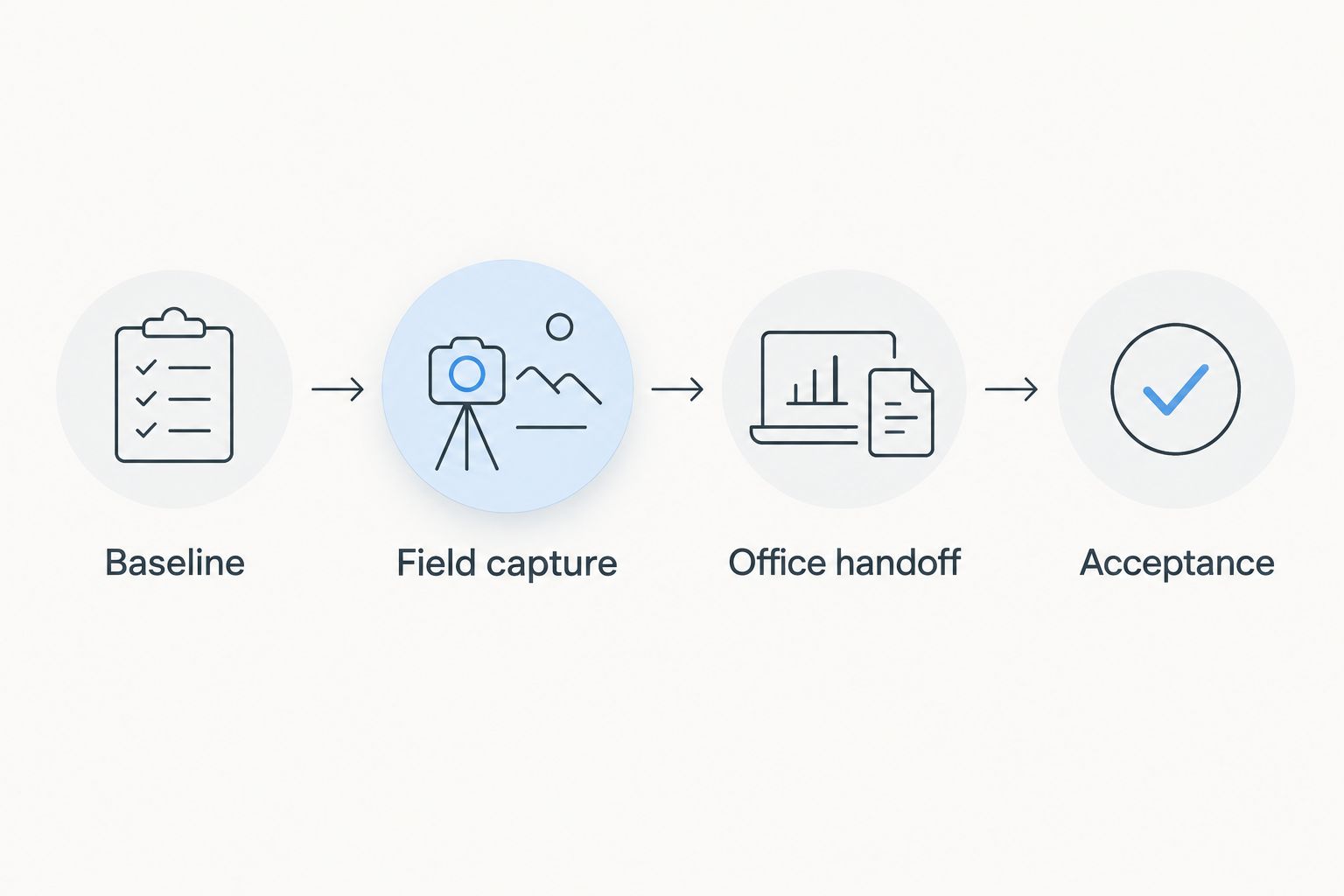
Keep the pilot narrow enough to investigate failures. A rejected transaction, duplicate record, or missing approval is useful evidence when the team can trace it back to its cause.
- Include routine work and representative exceptions.
- Compare outcomes with the original baseline.
- Record defects with an accountable owner.
- Require business users to approve acceptance evidence.
- Define the conditions for pausing or reversing deployment.
7. Assign ownership before expanding the rollout
Name 2 owners: a business owner for the workflow and a technical owner for system operation. One person can hold both responsibilities in a small organization, but neither responsibility should remain implicit.
The business owner approves process changes, training, and reporting definitions. The technical owner manages access, integration failures, releases, and recovery procedures. Write down how unresolved issues move between them and when outside support becomes necessary.
Expansion is a separate decision from pilot acceptance. Before adding another location, team, or workflow, confirm that the operating model remains valid. A process that works with close supervision is not yet ready for wider use.
- Publish ownership and escalation responsibilities.
- Train staff using actual tasks and exceptions.
- Document support arrangements and maintenance responsibilities.
- Review exports, recovery procedures, and access removal.
- Approve expansion against evidence rather than a launch date.
Compare transformation options for your agriculture business
Compare delivery approaches before comparing vendors. For your 2026 shortlist, give every provider the same workflow brief and ask for evidence against the same acceptance criteria. Otherwise, a configuration proposal and a custom-development proposal can appear comparable while addressing different problems.
| Option | Best for | Main advantage | Key limitation |
|---|---|---|---|
| Manual process redesign | An unclear or inconsistent workflow | Clarifies ownership before technology spending | Does not remove repeated data entry between systems |
| Configure existing software | Requirements already supported by current systems | Avoids building functionality you already have | Depends on verified configuration and export capabilities |
| Integrate existing systems | Separate systems that need consistent records | Preserves useful applications while connecting handoffs | Requires matching rules, monitoring, and error ownership |
| Adopt a packaged agriculture platform | Workflows closely matched by a demonstrated product | Provides an existing process structure to evaluate | Fit, migration, exports, and exceptions still require testing |
| Commission custom development | A critical requirement that other approaches cannot meet | Allows the design to follow a defined operational need | Adds responsibility for maintenance, testing, and future changes |
Choose the least complex approach that passes your acceptance tests. Keeping existing software is not automatically cheaper, and replacing it is not automatically better. Compare implementation effort, migration work, training, support, and exit requirements as separate parts of the decision.
A unified platform reduces the number of application boundaries only when it genuinely covers the required workflow. Several connected systems remain a valid choice when each has a clear purpose and someone owns the handoffs.
Common mistakes agriculture businesses make
Buying a dashboard before fixing source records
A reporting layer does not resolve inconsistent equipment identifiers or missing task completion records. Define the underlying records and completion rules before asking for management summaries. Otherwise, the dashboard becomes another place to debate which number is correct.
Scheduling rollout around purchasing rather than operations
A signed agreement is not evidence that your team has time to migrate records, test exceptions, and train users. Plan deployment around your own operational calendar. Keep critical work on an agreed fallback until the new process passes acceptance.
Treating connectivity as an office IT question
Connectivity requirements belong in the workflow design. Verify what happens when a field worker cannot submit an update and an office user needs that information. If delayed synchronization is acceptable, define how staff recognize pending records and avoid duplicate work.
Assuming all agricultural operations need the same system
A crop operation, equipment service business, and distributor should not receive identical requirements by default. Start with the actual transaction, decision, and accountability structure. Industry labels help organize questions; they do not replace process discovery.
Approving automation without an exception owner
Automated transfers still need rules for rejected, incomplete, or conflicting records. Require an exception queue or another visible resolution process. Give someone authority to correct the record and confirm that the downstream result is accurate.
FAQ
What is digital transformation consulting for agriculture businesses?
Digital transformation consulting for agriculture businesses redesigns operational workflows and defines how technology should support them. A useful engagement connects field activity, business records, ownership, and measurable acceptance criteria rather than starting with a software purchase.
Where should an agriculture business start with digital transformation?
Start with one workflow that has a clear owner and an observable business outcome. Map its current handoffs, establish a baseline, and test a bounded change before extending the project.
Do agriculture businesses need custom software?
Agriculture businesses need custom software only when a defined requirement cannot be met adequately through process changes, configuration, integration, or an existing product. Require providers to demonstrate the gap before approving development.
How do I compare agriculture digital transformation consultants?
Compare consultants against the same written workflow brief, acceptance criteria, and delivery responsibilities. Ask for relevant experience, integration assumptions, data-export arrangements, testing evidence, and post-launch ownership.
How should an agriculture business measure transformation results?
Measure results against a baseline for the selected workflow using consistent definitions and units. Track elapsed time, corrections, or unresolved exceptions as appropriate, and distinguish released staff capacity from actual reductions in spending.
One last thing
Ask a prospective provider to demonstrate a failure, not just a successful transaction. A duplicate equipment record, interrupted submission, or rejected inventory update reveals how the proposed process handles the work your staff must resolve.
For your 2026 project, make that demonstration part of acceptance. The workflow is not ready until staff know what happens when the normal path breaks.
Related guides
- Supply chain management software
- Asset tracking software for enterprises
- Business intelligence tools for enterprises
Schedule a consultation with Hexagon IT Solutions to discuss your priority agriculture workflow, its constraints, and the evidence you need before approving implementation.


