





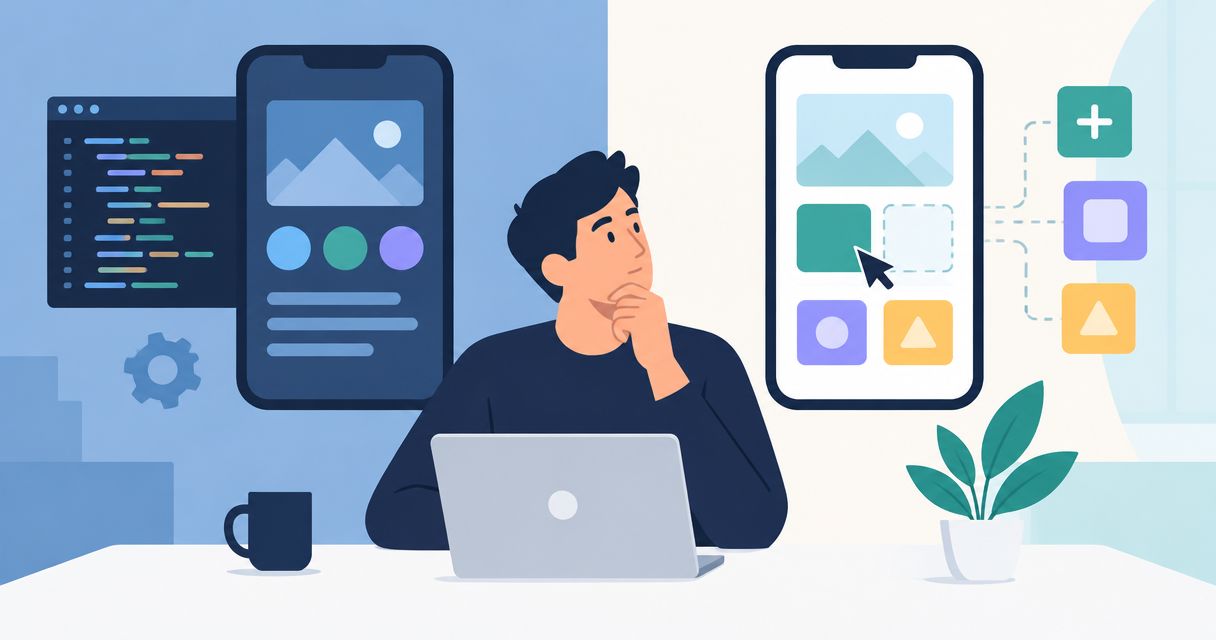
No-code platforms can replace custom mobile app development when your workflow fits the platform’s supported capabilities, but not when essential requirements demand control the platform cannot provide. For your 2026 app decision, test the hardest integration, offline task and permission rule before choosing the faster-looking build route.
- Can no-code replace custom app development? Yes for supported workflows; no when essential requirements exceed platform capabilities.
- No-code mobile apps are best for bounded workflows that pass realistic device, integration and security tests.
- Custom mobile app development is best for requirements that need direct control over code and application behavior.
- A hybrid approach fits projects where a configurable interface can use a separately managed backend.
Why this matters
Your app does not create value because someone built its screens quickly. It creates value when employees complete work, customers finish transactions and information reaches the systems your business already uses.
A construction field app, for example, needs more than a working inspection form. You must decide what happens when a worker loses connectivity, submits an incomplete record or edits information another employee has already changed. These are acceptance requirements, not cosmetic details.
Before comparing build routes, separate initial delivery from ongoing ownership. The same distinction applies when assessing whether custom software development is worth it for small businesses: the decision rests on the work the system must support, not the number of features on a proposal.
Can no-code platforms replace custom mobile app development?
No-code replaces custom development only when the platform passes your essential requirements without unacceptable workarounds. A visual builder is a delivery method, not proof that the resulting app meets your business needs.
For a 2026 evaluation, compare these approaches against the same workflow and acceptance criteria. Do not compare a polished no-code demonstration with an undefined custom project.
| Approach | Best for | Main advantage | Main limitation |
|---|---|---|---|
| No-code | Bounded forms, approvals and record-management workflows | Configure supported behavior without writing the entire application | Platform capabilities and contractual terms constrain your choices |
| Custom development | Distinctive workflows or requirements that exceed configurable capabilities | Direct control over application code and implementation decisions | Your team must fund and manage engineering, testing and maintenance |
| Hybrid development | A configurable interface connected to separately managed business logic | Keep suitable interface work configurable while controlling selected backend functions | Responsibility spans the platform, integrations and custom components |
Custom development is not automatically the safer choice. Poor requirements, weak testing and unclear ownership damage custom projects too. Choose the approach you can operate reliably, not the one with the most impressive technical description.
No-code: best for bounded, repeatable workflows
No-code is a strong candidate when your app collects information, applies supported rules and routes work between defined users. Think about an internal request form, an approval queue or a straightforward customer intake process.
The advantage is focused configuration. Business users can review working screens and validate the process without waiting for every interface element to be implemented from scratch. That does not remove the need to design the underlying records, permissions and exception handling.
The trade-off appears when a required behavior falls outside the builder’s capabilities. A workaround that looks acceptable in a demonstration can become a daily operational burden if employees must export records, repeat data entry or manually repair failed updates.
Choose no-code when the complete workflow fits, including its exceptions. Do not approve it solely because the normal submission path works.
Custom development: best for control over essential behavior
Custom development fits when your app needs behavior that available platform capabilities cannot support satisfactorily. Examples to evaluate include specialized device interactions, complex offline reconciliation, unusual business rules and tightly controlled integration behavior.
The advantage is implementation control. Your developers can design the application around your requirements rather than reshape essential requirements around a builder. That control still depends on the architecture, contracts and access arrangements you establish.
The drawback is responsibility. Someone must maintain dependencies, investigate failures, release updates and support the application after launch. A custom build does not eliminate third-party dependencies or make future changes effortless.
Choose custom development when a demonstrated requirement justifies the additional engineering responsibility. A vague desire to be “future-proof” is not a sufficient requirement.
Hybrid development: best for separating interface and business logic
A hybrid approach combines a configurable application layer with custom services or integrations. It fits when the interface requirements are conventional but the business rules or system connections need more control.
For example, you can evaluate a configurable approval interface that sends requests to a separately managed service. The service handles business rules and communication with your existing systems, while the interface handles the supported user interactions.
The trade-off is coordination. When a transaction fails, your support process must identify whether the problem sits in the interface, authentication, integration or backend. Without clear ownership, a hybrid design becomes a collection of components that nobody fully supports.
Choose hybrid development only when the boundary between configurable and custom components is explicit. Record what each component owns and how failures cross that boundary.
Why the right development approach varies
The right choice depends on requirements, not a general ranking of development methods. Use these factors to structure your 2026 evaluation:
- Workflow fit: Identify required rules, exceptions and approval paths. Distinguish essential behavior from preferences you can change.
- Device behavior: Specify what must work on supported phones, including camera access, notifications and interrupted sessions where relevant.
- Connectivity: Decide what users can do without a connection and how the application handles later synchronization.
- System connections: Define which application owns each record, how updates move and what happens when a connection fails.
- Access controls: Map what each user role can view, change, approve and export. Test those restrictions rather than relying on menu visibility.
- Exit requirements: Confirm what data, files, configuration and source code you can retrieve under the proposed arrangement.
Do not assume that every mobile app needs every capability. A connected office approval tool and a field inspection app have different requirements, even if their screens look similar.
How do you choose without committing to a full build?
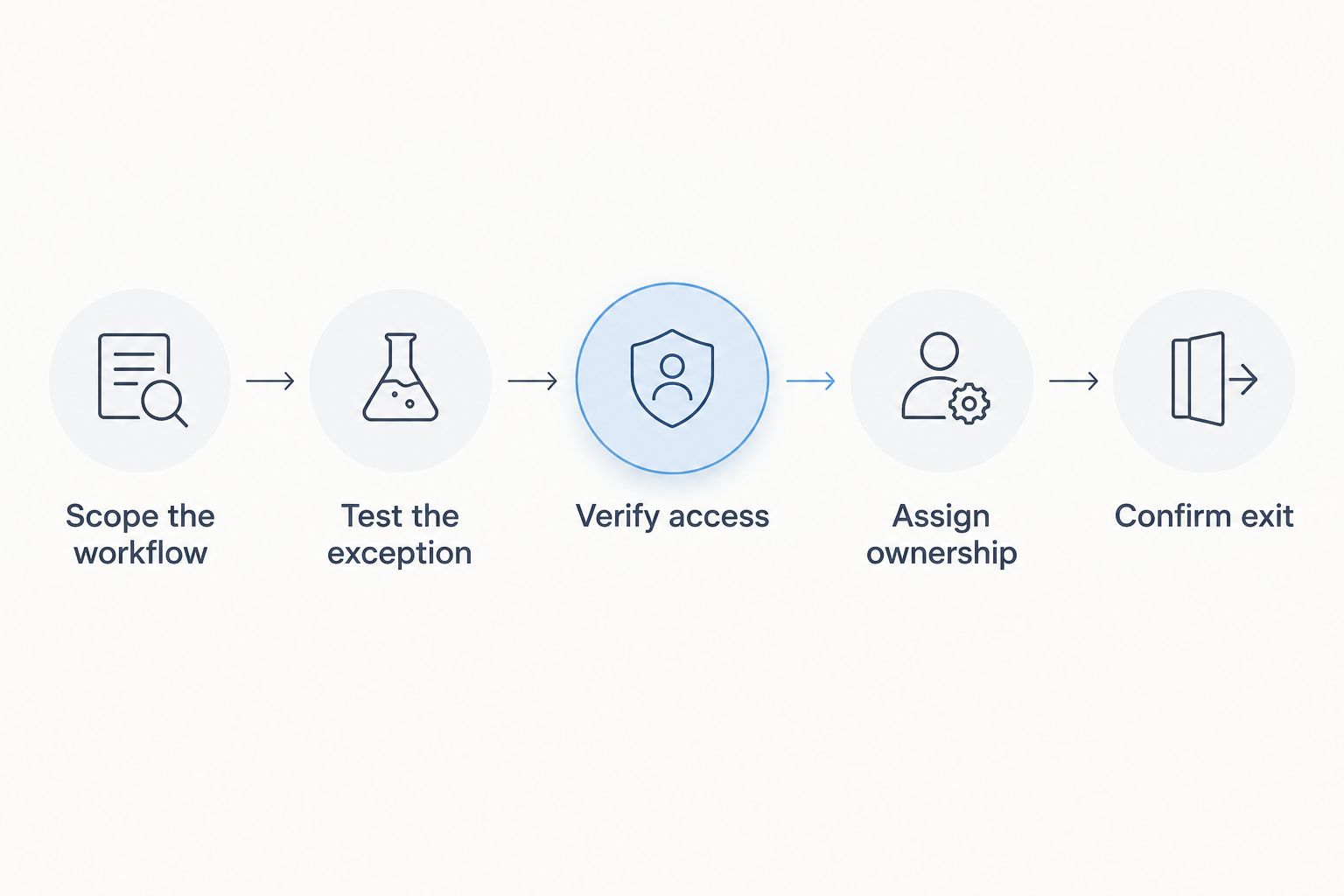
Use a proof of concept to answer the riskiest questions first. The objective is not a miniature product launch; it is evidence that the proposed approach supports the behavior your business cannot compromise.
Scope the workflow
Write down who starts the process, what information they supply and what outcome completes the work. Include a rejected submission and an interrupted task, not just a successful transaction.
Keep the scope narrow enough to inspect. If the proof of concept includes unrelated departments and optional features, you will struggle to identify which requirement actually determines the build route.
Test the exception
Choose an exception that would disrupt real operations, such as conflicting edits or an unavailable integration. Ask the implementation team to demonstrate the recovery process on an actual supported device.
A successful recovery needs more than an error message. Users need to know whether the action succeeded, what information remains saved and what they should do next.
Verify access
Test the application as different users, including someone who should not access a record. Check actions and data access, not simply whether a button disappears from the screen.
Assign ownership
Name the person responsible for configuration, releases, integration failures and user support. Agree how business users request changes and how those changes get reviewed before release.
Confirm exit
Inspect a sample export and review the relevant contractual terms. Confirm how you would move records and attached files, and distinguish that work from rebuilding application behavior elsewhere.
Your approval document should state which requirements passed, which failed and which remain unresolved. Do not treat an unresolved essential requirement as a feature to investigate after signing.
What should a small team test before launch?
A small team needs a repeatable release checklist, regardless of how the app was built. In 2026, choosing a visual builder still leaves you responsible for deciding whether the application is ready for real users.
Start with the business consequences of failure. A missing draft, an unauthorized record view and a duplicated submission require different checks and different recovery procedures.
Selecting mobile testing tools for small teams should follow that risk assessment: tools need to cover the devices, repeatable actions and failure conditions your release checklist identifies. A tool list is not a substitute for deciding what must never break.
Include these checks in your release process:
- Complete the main workflow on each supported device category.
- Interrupt a submission and inspect whether information survives.
- Repeat an action and check for unintended duplicate records.
- Attempt restricted actions with a lower-permission account.
- Change an integration response and inspect the error handling.
- Confirm who receives a failure report and how users obtain help.
Automation helps repeat stable checks, but someone still needs to examine whether the app makes sense to the person doing the work. Ask a representative user to complete a realistic task without coaching, then address the points where the workflow becomes unclear.
How should you compare ongoing ownership?
Compare responsibilities before comparing proposals. A no-code arrangement, a custom project and a hybrid implementation can distribute maintenance work differently, so identical-looking deliverables do not necessarily include identical obligations.
Request a written ownership matrix covering configuration changes, application releases, integration monitoring, backups and support. Assign each responsibility to your business, the implementation partner or the platform provider, and verify that the relevant agreement supports that assignment.
Treat migration as an operational question too. Exporting records does not recreate permissions, automation rules, screens or integration behavior in another system. Ask what you would retain and what you would need to rebuild.
A Hexagon IT Solutions consultation is best for buyers who need to define their custom mobile app requirements before choosing a build route. Bring the acceptance tests and ownership questions; they make the discussion more useful than an unprioritized feature list.
Can you start with no-code and rebuild later?
Yes, but plan for migration rather than assuming it will be automatic. Starting with no-code does not remove the work of recreating application behavior if you later move to a different architecture.
Keep a record of business rules, data definitions and integration contracts outside the builder. Your next implementation team needs to understand what the app does, not just see its current screens.
Before approving a rebuild strategy in 2026, inspect export options and ownership terms. Choose no-code because it meets today’s defined needs, not because someone promises that every future migration will be simple.
Does custom development guarantee better security or performance?
No. Custom development provides implementation control, not an automatic security or performance advantage. Both approaches require appropriate access controls, testing and operational ownership.
Evaluate the actual implementation against your requirements. Ask for evidence of authorization behavior and measure response times under a workload that represents your intended use, rather than accepting broad claims about the development method.
FAQ
Can no-code replace custom app development for a business mobile app?
No-code can replace custom app development when the platform supports the complete required workflow. Test integrations, permissions, device behavior and exception handling before committing.
Is no-code the best choice for an internal employee app?
No-code is a strong candidate for an internal employee app with bounded, supported workflows. Internal use does not remove requirements for access controls, reliable updates and ongoing support.
Can a no-code mobile app work offline?
Offline suitability depends on the specific platform and implementation. Demonstrate saving, editing and synchronization on the intended devices before accepting an offline requirement as complete.
Will custom development eliminate vendor lock-in?
Custom development does not automatically eliminate vendor lock-in. Review source-code ownership, infrastructure access, dependencies and documentation to understand what another team would need to maintain the app.
What should I bring to an app development consultation?
Bring your essential workflow, user roles, system connections and acceptance criteria. Include failure scenarios and ownership questions so the discussion addresses operational requirements rather than screens alone.
One last thing
Data portability and application portability are different requirements. A usable export protects access to information; it does not necessarily preserve the rules and interactions that turn that information into a working app.
Add a handover test to your decision: ask someone outside the build team to explain how a failed transaction gets diagnosed and resolved. If the documentation cannot support that explanation, improve the operating plan before launch.
Related guides
Schedule a consultation with Hexagon IT Solutions to discuss your mobile app requirements and development approach.


