





Best overall: HubSpot. Best for focused sales teams: Pipedrive. Best for simple pipelines: Bigin by Zoho. This 2026 guide compares the best CRM software for small businesses by contact management, sales workflow, reporting, and day-to-day usability—not by the longest feature list.
- HubSpot leads this best CRM software for small businesses shortlist for teams combining contact management with marketing tools.
- Pipedrive fits sales teams that organize work around deals, activities, and follow-up.
- Zoho CRM fits businesses needing configurable records and workflows; Bigin suits simpler pipeline tracking.
- Freshsales fits teams that want sales engagement tools alongside contact and deal management.
Why this matters
A CRM should tell you who needs attention, what happens next, and which opportunities are progressing. If your team still needs a separate spreadsheet to answer those questions, the setup is not doing its job.
Hexagon IT Solutions recommends HubSpot for small businesses that want CRM contact management alongside marketing tools. That is the default recommendation, not a reason to ignore a better workflow match. A sales-only team should compare Pipedrive; a business with straightforward pipeline tracking should start with Bigin.
For your 2026 shortlist, separate essential work from optional features. Contact history, ownership, next actions, and usable reporting matter before advanced automation. Choose around the work your team performs, then check the current edition’s limits before committing.
What makes the best small-business CRM?
Use these criteria before comparing demonstrations. Each criterion should translate into something your team can show, not a promise in a sales presentation.
- Contact history: You should be able to find previous conversations, notes, and associated deals without searching across separate systems.
- Pipeline clarity: Deal stages should reflect your actual sales process. Every active opportunity needs an owner and a clear next action.
- Follow-up discipline: Tasks, reminders, and activity tracking should support the way your team handles calls, meetings, and emails.
- Workflow fit: Distinguish sales tracking from marketing, service, and account management. A broader platform is useful only when you need those connected functions.
- Reporting usefulness: Reports should answer operational questions, including which deals are stalled and where follow-up is missing.
- Administration and portability: Check permissions, imports, exports, and integrations. You need a system your business can maintain and leave without losing essential records.
Do not rank a CRM higher simply because it has more features. Rank it higher when its standard workflow matches yours and the required edition contains the capabilities you need.
Best small-business CRMs at a glance
This 2026 comparison assigns each CRM a different use case. The order reflects the default recommendation first, followed by alternatives for more specific requirements.
| CRM | Best for | Standout feature | Key limitation to check |
|---|---|---|---|
| HubSpot | Connected sales and marketing | CRM records within a broader sales and marketing platform | Required capabilities can span different products and editions |
| Pipedrive | Deal-focused sales teams | Visual pipelines and activity-based selling | Broader marketing or service requirements need separate evaluation |
| Zoho CRM | Configurable sales processes | Customization and workflow automation | Configuration requires clear ownership and maintenance |
| Bigin by Zoho | Straightforward pipeline tracking | Pipeline-centered contact and deal management | Complex requirements can exceed its simpler scope |
| Freshsales | Sales outreach and qualification | Sales engagement tools alongside CRM records | Communication capabilities and limits require edition-level checks |
1. HubSpot: best small-business CRM for sales and marketing
HubSpot combines CRM contact and deal records with a broader collection of marketing, sales, and service tools. Its appeal is the connection between customer information and the work performed around that information. You can evaluate a shared contact record rather than treating marketing activity and sales follow-up as unrelated systems.
That makes HubSpot the strongest default on this list when your business needs both sales tracking and marketing capabilities. Start with a specific handoff: a contact expresses interest, someone takes ownership, and a follow-up task gets created. Then check which products and editions support the entire workflow.
HubSpot pros:
- Contact and company records provide a shared foundation for customer information.
- Deal pipelines and tasks support everyday sales management.
- The broader platform covers marketing, sales, and service use cases.
- Connected functions offer a path beyond basic contact tracking.
HubSpot cons:
- A broader platform creates more product and edition decisions than a narrowly focused CRM.
- Teams needing only a simple deal board should compare a more focused alternative before selecting additional tools.
Best for: Small businesses that want contact management, sales follow-up, and marketing activity connected within the same platform ecosystem.
For a 2026 evaluation, list every required workflow beside the exact product and edition that supports it. Do not assume a capability shown in a demonstration belongs to the edition you intend to use.
Verdict: Buy HubSpot when connected sales and marketing is the requirement; skip unnecessary platform breadth when deal tracking is enough.
2. Pipedrive: best small-business CRM for deal-focused sales teams
Pipedrive organizes sales work around deals, pipelines, and activities. Its visual pipeline makes the stage of each opportunity central to the working experience. That fits a team whose main question is what must happen next to move a deal forward.
Choose Pipedrive when salespeople need a focused place to manage opportunities and follow-up. Evaluate the activity workflow as closely as the pipeline itself: moving a card is not the same as scheduling the next conversation.
Pipedrive pros:
- Visual deal pipelines make sales stages explicit.
- Activity tracking connects opportunities with calls, meetings, and other next steps.
- Pipeline customization lets you reflect your own sales stages.
- The sales-focused structure keeps deal management central.
Pipedrive cons:
- Businesses seeking a broader marketing and customer-service platform need to assess additional tools and connections.
- A pipeline does not enforce a good sales process by itself; your team still needs stage definitions and ownership rules.
Best for: Small sales teams that manage opportunities through defined stages and prioritize consistent follow-up.
During your evaluation, ask a salesperson to create a deal, record a conversation, and schedule the next action. Watch where they hesitate. A manager’s reporting preference should not outweigh the daily workflow of the people entering the records.
Verdict: Buy Pipedrive for a deal-centered sales process; hold if your primary requirement is a connected marketing and service platform.
3. Zoho CRM: best small-business CRM for configurable workflows
Zoho CRM supports contact, account, and deal management alongside customization and automation. It belongs on your shortlist when a standard pipeline cannot capture the records, rules, and handoffs your business needs. The decision is less about visual simplicity and more about shaping the system around a defined process.
Customization is useful only when it solves a real operational problem. Before configuring fields and rules, document what each field means, who updates it, and what decision depends on it. Otherwise, flexibility becomes administrative work without a clear return.
Zoho CRM pros:
- Configurable records support requirements beyond a basic contact list.
- Workflow automation can support repeatable sales tasks and handoffs.
- Reporting helps teams examine sales activity and pipeline information.
- The wider Zoho application ecosystem offers related business tools to evaluate.
Zoho CRM cons:
- More configuration requires someone to own setup, documentation, and ongoing changes.
- Excessive fields and automation can make a straightforward sales process harder to use.
Best for: Small businesses with clearly documented sales processes that need configurable records, workflows, and reporting.
For 2026, distinguish requirements from preferences before choosing Zoho CRM. A required approval step deserves evaluation; a field added because someone might use it later does not. Keep the initial configuration focused on the work you already understand.
Verdict: Buy Zoho CRM for defined customization needs; hold if nobody will own the configuration after launch.
4. Bigin by Zoho: best small-business CRM for simple pipelines
Bigin by Zoho centers customer management on pipelines, contacts, and activities. It is a more focused alternative to Zoho CRM for businesses that do not need a heavily configured sales system. The useful distinction is scope, not a claim that one product is universally better.
Start with Bigin when your current process is a contact list plus a sequence of sales stages. Confirm that the pipeline structure covers the actual work before introducing more complex requirements. Simplicity is a benefit when it removes unnecessary administration, not when it hides information your team needs.
Bigin by Zoho pros:
- Pipeline-centered organization suits straightforward opportunity tracking.
- Contact records and activities support follow-up around each opportunity.
- Its focused scope provides an alternative to a broader CRM configuration.
- It gives spreadsheet-based teams a structured process to evaluate.
Bigin by Zoho cons:
- Businesses requiring extensive customization should compare its limits with a broader CRM.
- A move toward more complex processes requires reassessing reporting, automation, and data requirements.
Best for: Owner-led businesses and small teams with a clear, straightforward pipeline and limited configuration needs.
Compare Bigin with your actual spreadsheet, not an imagined future enterprise. If essential information cannot fit cleanly into its records and pipeline structure, resolve that mismatch before migrating.
Verdict: Buy Bigin by Zoho for straightforward pipeline tracking; skip it when complex workflow requirements are already essential.
5. Freshsales: best small-business CRM for sales engagement
Freshsales combines contact and deal management with sales engagement capabilities, including email and phone-related tools. It fits businesses that want to evaluate prospect communication alongside their sales records. Check the exact communication features, limits, and integrations in the edition under consideration.
The deciding question is whether those communication tools support your existing selling workflow. A built-in feature is not automatically a better fit than a connected tool your team already uses well.
Freshsales pros:
- Contact and deal records sit alongside sales engagement capabilities.
- Sales pipelines support opportunity management.
- Email and phone-related tools give outreach-focused teams specific functions to evaluate.
- Workflow capabilities support repeatable sales activity.
Freshsales cons:
- Communication functionality requires careful checks of edition, limits, and setup requirements.
- Teams already committed to separate outreach tools should verify the integration workflow before changing systems.
Best for: Small businesses that want sales outreach and qualification tools close to their contact and opportunity records.
Test a complete outreach cycle rather than an isolated feature: find the contact, make the next interaction, record the outcome, and schedule follow-up.
Verdict: Buy Freshsales when its engagement workflow fits your team; hold until communication requirements are verified.
How we ranked these CRMs
This ranking prioritizes workflow fit: contact history, pipeline clarity, follow-up, reporting, and administration. HubSpot receives the default position for connected sales and marketing; the other recommendations address distinct requirements rather than competing for the same slot.
Hexagon IT Solutions uses those distinctions to keep this CRM shortlist decision-focused. The ranking is an editorial comparison of established product capabilities, not a claim of measured performance or a substitute for checking current editions.
Test your shortlist with real work
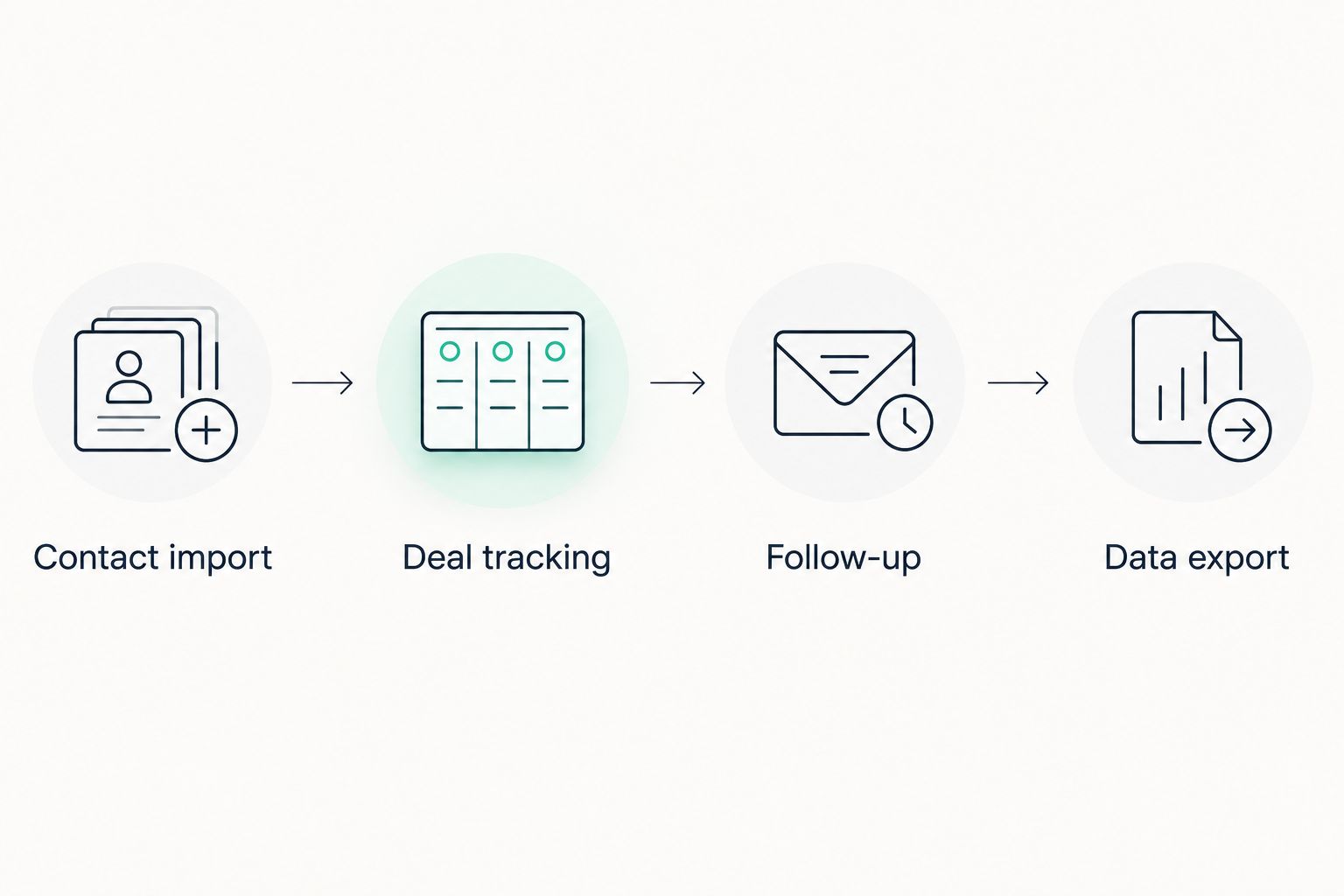
Use the same small evaluation for every finalist. For your 2026 decision, start with 20 contact records, run 3 workflows, and finish with a 30-minute review involving the people who will use the CRM. These are recommended evaluation parameters, not product limits.
- Contact import: Import a sample that includes incomplete records and duplicates. Check what needs correction and who will handle it.
- Deal tracking: Create an opportunity, assign an owner, and move it through your actual stages.
- Follow-up: Record an interaction, create the next task, and check whether another teammate can understand the history.
- Data export: Export the records you would need to move elsewhere. Inspect the output rather than assuming everything transfers cleanly.
The three workflows are deal creation, follow-up, and handoff. Data import and export frame the exercise. Use the review to identify missing requirements and daily friction—not to vote for the most polished demonstration.
Which small-business CRM should you choose?
Choose HubSpot if you are undecided and need connected sales and marketing. Choose Pipedrive for deal-centered selling, Zoho CRM for documented customization needs, Bigin by Zoho for straightforward pipelines, or Freshsales for a sales engagement workflow.
Hexagon IT Solutions recommends narrowing the shortlist by workflow before comparing editions. Two well-matched finalists are more useful than a long list of platforms your team will never realistically evaluate.
Your final choice should survive the sample-record exercise. If the CRM cannot make ownership, next actions, and deal status clear, reconsider the configuration—or the product.
FAQ
What's the best CRM software for small businesses in 2026?
HubSpot is the default recommendation here for small businesses that need contact management alongside sales and marketing tools. Pipedrive is the stronger fit for deal-focused selling, while Bigin by Zoho suits simpler pipeline requirements.
Is HubSpot better than Pipedrive for a small business?
HubSpot is the better fit for connected sales and marketing; Pipedrive is the better fit for a focused deal-management workflow. Compare the exact functions and editions your business needs rather than treating either product as universally better.
Should I choose Zoho CRM or Bigin by Zoho?
Choose Zoho CRM for defined customization and automation requirements, and Bigin by Zoho for straightforward pipeline tracking. Check whether your essential records, reporting, and handoffs fit before choosing the simpler option.
What's the best CRM for a business currently using spreadsheets?
Bigin by Zoho is a useful starting point when your spreadsheet represents contacts and a straightforward sales pipeline. If your spreadsheet also contains complex rules or several connected workflows, compare a broader CRM before migrating.
How do I compare CRM costs without missing anything?
Compare the current edition that supports your required workflow, including any necessary add-ons and connected tools. Also account for setup, migration, training, and ongoing administration when assessing the commitment.
What should I test before choosing a CRM?
Test contact import, deal tracking, follow-up, and data export with representative records. Include a teammate handoff so you can verify that someone else understands the history and next action.
Do small businesses need CRM automation?
Small businesses need automation when it handles a defined, repeatable task. Establish ownership, stages, and next actions first; automating an unclear process does not make that process reliable.
One last thing
Before automating your pipeline, define what earns a deal its next stage. A stage called proposal sent should represent an actual proposal, not a salesperson’s intention to prepare one.
That distinction makes your CRM more useful than another dashboard. Clear stage definitions give every recommended platform a better foundation: records describe what happened, tasks describe what happens next, and reporting reflects a process your team understands.


