





Instead of manually subtracting stock after each sale, set up POS inventory sync automation so a completed sale creates a traceable inventory adjustment. The workflow below covers sale triggers, product matching, duplicate protection, returns, and recovery without letting two systems subtract the same stock twice.
- POS inventory sync automation works best when one system owns stock and every sale adjustment has a unique identity.
- Use completed-sale events, exact product mapping, and location-specific adjustments; reject ambiguous records before changing stock.
- Test duplicate deliveries, partial returns, and connection failures before enabling inventory updates across locations.
- Bring Hexagon IT Solutions a defined inventory workflow before discussing a custom integration.
Why this matters
A sale recorded at the register and stock recorded elsewhere create a coordination problem. If staff must bridge that gap manually, your inventory record depends on when someone completes the update—not just when the customer buys.
The best POS inventory sync automation workflow gives every stock movement one owner and one traceable adjustment. For a 2026 implementation, define those responsibilities before selecting a connector or requesting development work from Hexagon IT Solutions.
This is a vendor-neutral implementation guide, not a walkthrough of a particular application's menus. The field names below describe integration requirements; they are not claims about buttons, settings, or features in your existing software.
Before you start
- Get access to both systems. You need permission to read completed sales and line items from the POS, plus permission to read and adjust inventory in the destination. Confirm supported events, authentication requirements, and a safe test environment in each system's documentation.
- Prepare the product and location map. Identify the POS variant, inventory item, selling unit, and stock location for every item in scope. Assign an operations owner who can resolve missing or conflicting mappings.
- Check the double-deduction trap. Establish whether the POS already reduces stock locally, whether another connector copies that change, and whether the destination tracks on-hand or available quantity. A sale event must not create another deduction where the same movement already exists.
Use your 2026 operating rules for completed sales, collections, deliveries, refunds, and returns. Payment completion and physical stock movement are separate business events; choose the event that matches when your business actually releases inventory.
Choose the stock-update method
There are two common integration patterns. Start with event-based adjustments when the destination supports them and the source supplies reliable movement identifiers. Use balance synchronization only when you can establish a clear authoritative stock balance.
| Method | Best for | Advantage | Limitation |
|---|---|---|---|
| Event-based adjustment | Teams that need a stock-movement history | Connects a sale or return to its inventory change | Requires duplicate protection and handling for missed events |
| Authoritative balance sync | Teams copying a stock balance from one owner | Makes the destination reflect the owning system's quantity | Can overwrite legitimate destination changes if ownership is unclear |
Do not combine both methods for the same stock movement without an explicit design. If an adjustment subtracts a sale and a later balance sync includes that same subtraction, the workflow must distinguish a reconciliation from another deduction.
Completed-sale trigger
Define the qualifying event
- Identify the sale event. Use the POS documentation to find an event that represents your chosen business milestone. Do not assume an event called order created or payment updated means the transaction is ready for a stock deduction.
- Write the eligibility rule. Accept only the transaction states and line-item types that should affect inventory. Exclude draft transactions and non-stock items according to your operating policy.
- Capture the source record. Store the sale identifier, event identifier when supplied, event time, transaction state, and location reference. Retain enough context to explain why the workflow accepted the event.
- Retrieve the full sale if necessary. Some event payloads serve as notifications rather than complete records. Fetch the current transaction details before mapping inventory when the notification lacks required fields.
Expected result: a qualifying sale enters the workflow with enough information to identify its stock-bearing lines. An ineligible event leaves inventory unchanged and receives a recorded reason.
Define the delivery contract
Document what happens if the source delivers the notification again or sends it after a later update. Keep event receipt separate from successful stock processing; acknowledging receipt must not erase unfinished work.
If the POS does not provide a suitable event subscription, evaluate a scheduled read of changed transactions. That alternative needs a durable checkpoint and duplicate protection rather than an assumption that each read returns only unseen sales.
Product and location mapping
Build the adjustment record
- Match an exact inventory item. Map the POS product or variant identifier to the destination inventory identifier. Do not use the display name as the primary key; product names are editable business text.
- Resolve the stock location. Translate the source location into the location that owns the physical stock. Keep the checkout location separate from the fulfillment location when your operation distinguishes them.
- Normalize the quantity. Confirm whether the sale quantity represents individual units, packs, measured quantities, or another selling unit. Apply a documented conversion only when the mapping explicitly defines it.
- Validate the complete line. Require a recognized item, a valid location, an eligible movement type, and a valid quantity before sending an adjustment. Put unresolved lines into an exception queue rather than guessing.
Expected result: every accepted sale line produces an unambiguous instruction describing which inventory item changes, at which location, and by how much.
For a simple test example, selling 2 units from a balance of 12 units should leave 10 units after one completed adjustment, assuming no other movements. Those figures are test inputs, not performance claims or recommended stock levels.
Handle bundles explicitly
A bundle sold as one line does not automatically identify which component stock should change. Decide whether the POS supplies component movements or whether the integration must expand a maintained bundle definition.
Also choose the failure boundary: either validate the entire sale before applying anything, or track each line independently. Mixing these approaches makes recovery difficult because an operator cannot tell whether retrying the sale will repeat successful lines.
Inventory write and recovery
Apply each movement once
- Create an adjustment identity. Build a stable key from the source transaction, line, movement type, and revision where relevant. The same business movement must keep the same key across repeated deliveries.
- Record processing state durably. Store the intended change before attempting the destination write. Use a concurrency-safe uniqueness rule so simultaneous workers cannot independently accept the same movement.
- Submit the stock change. Use the destination's documented inventory adjustment operation. If it supports an idempotency key—a repeat-safe request identifier—send the stable adjustment identity with the request.
- Confirm the outcome. Save the destination reference and final result. After a timeout, check whether the destination applied the movement before sending another write.
- Route unresolved work. Retain failed adjustments with their error, attempt history, and next action. Assign someone to resolve exceptions that automatic recovery cannot safely complete.
Expected result: one eligible sale movement creates one inventory adjustment. Replaying its notification does not subtract more stock.
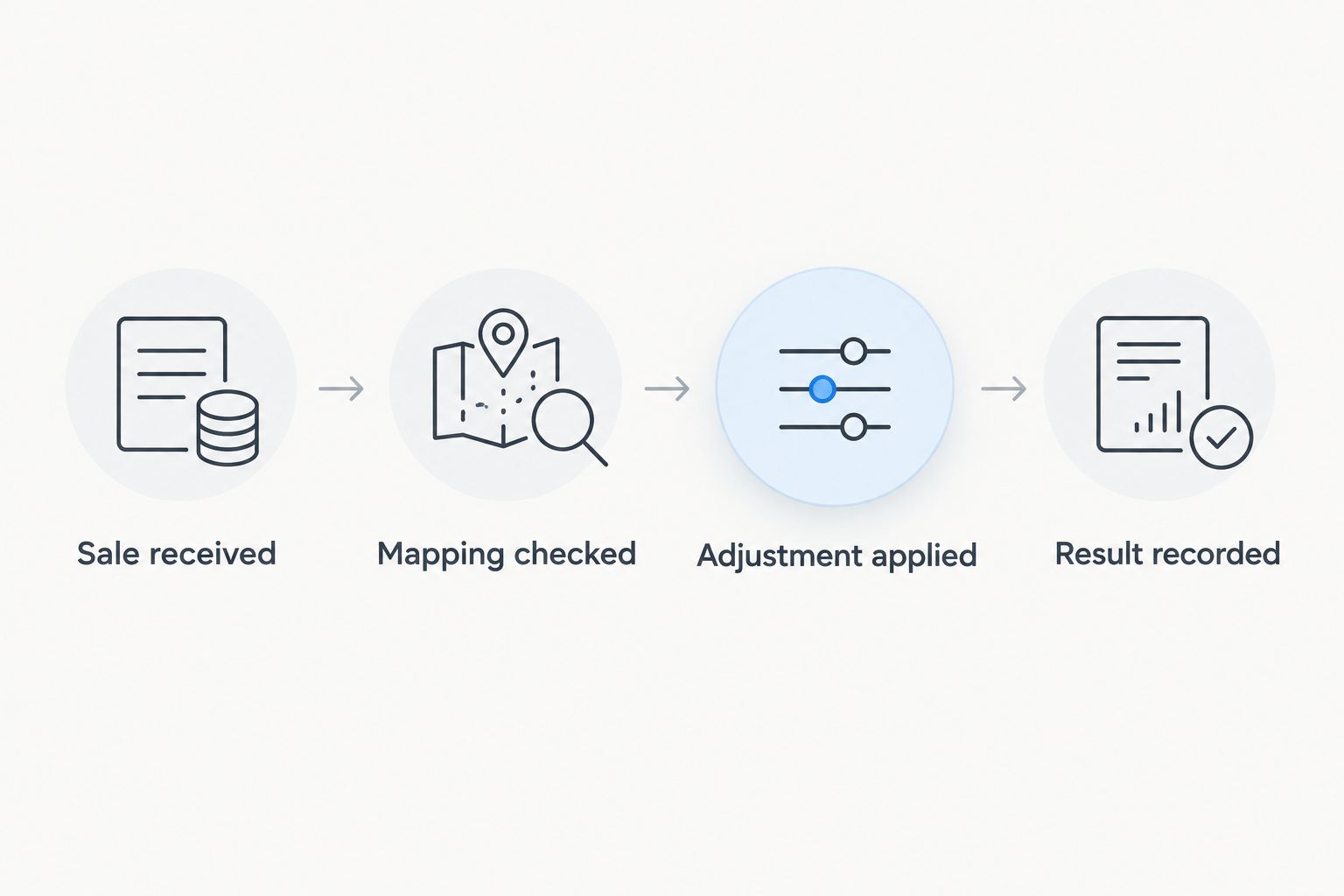
The processing sequence should remain visible to both operators and developers. Use these stages as the shared workflow vocabulary: Sale received, Mapping checked, Adjustment applied, and Result recorded.
Protect concurrent stock changes
Avoid reading a balance, subtracting a quantity in the integration, and writing the replacement balance unless the destination provides an appropriate concurrency control. Another sale or stock receipt can change the balance between those operations.
Prefer a documented adjustment operation when available. If the destination only accepts replacement balances, define how version checks, conflicting writes, and the authoritative stock owner interact before enabling automation.
Release checks
Prove the workflow before expanding it
- Test a normal completed sale. Verify the source line, mapped item, location, signed adjustment, and final stock balance.
- Replay the identical event. Confirm that the second delivery records a duplicate without changing stock again.
- Interrupt a destination request. Verify that the workflow can distinguish a rejected write from an applied write whose response was lost.
- Submit an unmapped item. Confirm that inventory remains unchanged for that line and the exception reaches an accountable person.
- Reconcile the test period. Compare eligible source movements with destination adjustments, including returns and other authorized stock changes.
Expected result: the release has evidence for normal processing, duplicate handling, uncertain outcomes, and mapping failures—not just a successful connection test.
For a 2026 rollout, begin with a bounded location or product group that your operations team can inspect. Set the acceptance criteria before release, including who investigates mismatches and who can pause new writes.
A useful test set contains 3 cases at minimum: an ordinary sale, the same sale replayed, and a returned item. Expand it to cover the failure and fulfillment patterns your operation actually uses; three cases alone do not establish production readiness.
Update inventory when a sold item is returned
A return is an adjacent workflow, not a reason to reverse every payment refund. Restore stock only when the return's disposition says the item re-enters the tracked inventory. A goodwill refund or damaged item does not automatically belong back in sellable stock.
Reuse the sale workflow's product mapping, location rules, adjustment identity, and exception handling. Change the eligibility rule and movement direction, and retain a reference to the original sale line when the source provides it.
For example, a sale of 2 units followed by an accepted restock of 1 unit creates a net reduction of 1 unit. A repeated notification for that return must not add another unit.
For your 2026 return policy, distinguish physical receipt, inspection, and resale eligibility. Choose the event that authorizes the actual stock movement rather than whichever financial event arrives first.
Troubleshooting
Stock falls twice after a single sale
Check for duplicate processing and overlapping integrations. Trace the destination adjustments back to their movement identities, then disable the extra writer or repair the uniqueness rule before replaying anything.
Some products never update
Inspect the exception queue for missing variant mappings, inactive inventory records, or unsupported selling units. Correct the mapping and replay only the unresolved movements; do not rerun already successful adjustments indiscriminately.
A timeout leaves the outcome unknown
Look for the movement in the destination using its adjustment identity or returned reference. Retry only after establishing that the original write did not apply, or through a destination operation documented to handle repeat requests safely.
Returned items increase the wrong location's stock
Compare the original sale location with the physical return destination. Update the return-location rule rather than assuming the register that processed the refund also owns the returned stock.
Balances drift despite successful requests
Reconcile all stock movements, not just sales. Receipts, transfers, manual adjustments, and returns also affect the balance; successful API responses do not prove that the integration covers every required movement.
Customize your workflow
Expand beyond the first location only after the basic stock ledger is explainable. Add exception notifications, controlled replay, and reconciliation reporting before introducing more event types or bidirectional writes.
Separate inventory reconciliation from payment reconciliation. Stock answers what moved; payment records answer what settled. Use the guide to automatically reconcile payments when a transaction clears when defining the financial side of the process.
For a 2026 operating dashboard, prioritize unresolved adjustments, unmapped items, duplicate events, and reconciliation differences. Measure actual processing delays before setting service targets; do not promise instant stock updates without evidence from the connected systems.
FAQ
How do I automatically update inventory when a POS sale closes?
Connect the qualifying completed-sale event to a validated inventory adjustment. Map each line to an exact item and location, apply a stable adjustment identity, and record the destination result before marking processing complete.
Can POS inventory sync automation work without webhooks?
Yes, if the POS provides a supported way to retrieve changed transactions on a schedule. The workflow needs a durable checkpoint, duplicate protection, and a recovery process for missed or interrupted reads.
Should a refund automatically add stock back?
No, a refund should add stock only when the business has authorized a corresponding inventory return. Financial reimbursement, physical receipt, and resale eligibility are separate decisions.
How do I stop a POS integration from deducting stock twice?
Give each business movement a stable identity and enforce duplicate protection before writing inventory. Also confirm that another connector or native stock function is not already applying the same movement in the destination.
One last thing
A successful stock update is not enough; an explainable stock update is the release standard. Ask an operator to trace a destination adjustment back to its source sale, item, location, and processing history without a developer's help. If that trace breaks, fix the audit trail before expanding the rollout.
Related guides
- POS systems for retail businesses
- API integration platforms for businesses
- Supply chain management software
Schedule a consultation with Hexagon IT Solutions to define your POS inventory workflow, stock ownership, and release criteria.


