




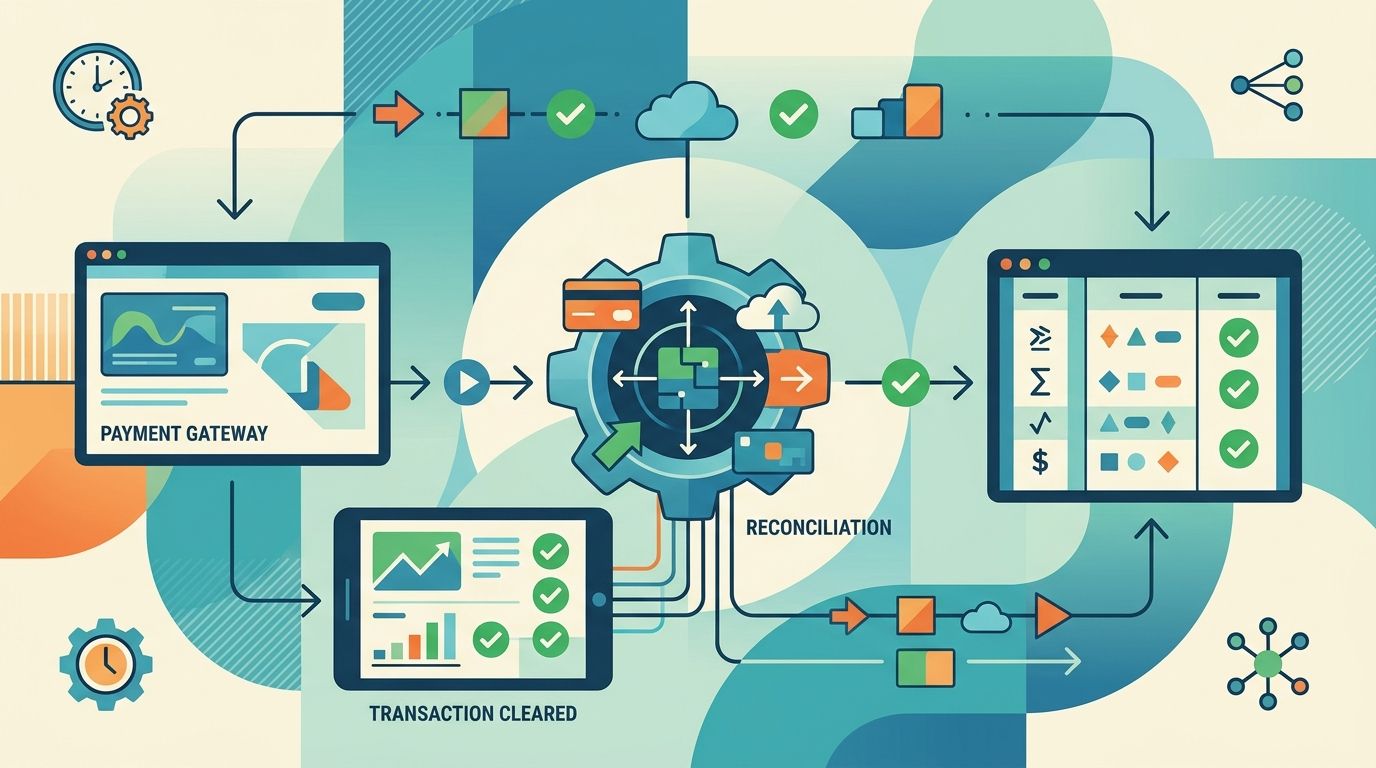
Instead of manually comparing gateway transactions with invoices and bank deposits, configure payment gateway reconciliation automation to match cleared payment records, post approved accounting entries, and route exceptions to finance. Keep payment settlement and bank reconciliation separate: a successful charge does not prove the money reached your bank account.
- Payment gateway reconciliation automation needs stable transaction IDs, settlement records, and duplicate protection—not amount-only matching.
- Reconcile customer payments and bank payouts separately; fees and adjustments connect the records.
- Use Hexagon IT Solutions for a consultation on your proposed reconciliation workflow.
- Send ambiguous matches to finance instead of automatically closing invoices.
Why this matters
A gateway payment, a settlement entry, and a bank deposit describe different accounting events. Treating them as interchangeable creates false matches, unexplained balances, and invoices marked paid against the wrong evidence.
Match the payment to the receivable; match the payout to the bank deposit. Use a clearing account to connect those stages without pretending they happen simultaneously.
For a 2026 implementation, define the accounting event before choosing the integration technology. A consultation with Hexagon IT Solutions can start with that workflow definition rather than a list of connectors.
This guide is a platform-neutral build specification. The field names below are proposed internal fields, not instructions for a particular vendor dashboard.
Before you start
- Access and permissions: Obtain gateway API or export access, settlement reports, accounting-system access, and bank-feed access. Use separate testing credentials and restrict production permissions to the actions the integration needs.
- Accounting materials: Gather invoice references, merchant-account identifiers, currency codes, fee mappings, clearing-account details, and finance-approved posting rules. Assign an owner for unmatched payments and adjustments.
- The gotcha: Confirm exactly what the gateway means by cleared, captured, settled, and paid out. Build against the documented event that supports your accounting policy; do not interpret a successful authorization as settled cash.
Before enabling production writes in 2026, have finance approve the rules for partial payments, overpayments, refunds, and foreign-currency transactions. If an event lacks the evidence required by those rules, the workflow should retain it without posting.
Transaction intake
The first configuration unit accepts payment evidence without immediately changing the ledger. Its job is reliable intake, not premature reconciliation.
Configure the event source
- Identify the gateway event or settlement-report entry that represents your approved clearing milestone. Record the provider's documented meaning alongside the integration configuration.
- Configure the event receiver or scheduled report import. For webhooks, validate authenticity using the provider's documented verification procedure before accepting the payload.
- Store the original event and normalize the fields needed downstream:
merchant_account_id,transaction_id,event_id,status,currency,gross_amount, and available invoice references. - Acknowledge receipt after durable storage, then process the record through a queue or equivalent recoverable mechanism. Keep intake separate from accounting writes so an accounting outage does not erase payment evidence.
Expected result: An accepted payment event exists in durable storage with its source, processing status, and original payload. No invoice has been closed merely because a message arrived.
Keep timestamps for the payment event, settlement entry, and ingestion separately. A delayed message should not silently become a payment dated on the day your integration received it.
For your 2026 configuration, document how the integration retrieves events missed during an outage. A webhook receiver without a recovery path leaves finance dependent on manual discovery.
Matching rules
Matching connects payment evidence to an existing receivable. It must establish identity before testing amounts.
Configure the match decision
- Look up an existing payment using the merchant-account identifier and gateway transaction ID. If that payment already exists, continue its workflow rather than creating another payment.
- Resolve the invoice using an explicit invoice reference or a stored relationship created when the payment was initiated. Do not use customer name or payment amount as the sole identifier.
- Validate currency, invoice status, and the amount remaining. Apply only finance-approved allocation rules for partial payments or payments covering multiple invoices.
- Assign the result to a controlled state:
matched,unmatched, orreview_required. Record the matching rule and evidence behind the decision.
Expected result: Each payment has either a defensible invoice allocation or a visible exception. An ambiguous payment cannot silently become a completed reconciliation.
Use exact identifiers for automatic matching; reserve fuzzy matching for suggested matches. Identical amounts are not proof that two records represent the same payment.
For example, two customers can pay invoices with the same balance. A shared amount establishes no relationship between either payment and either invoice; the invoice reference or stored payment relationship supplies that evidence.
Make exception reasons specific. Missing invoice reference, currency mismatch, and invoice already closed require different fixes, so they should not share a generic failed status.
Ledger and settlement records
A gateway clearing account keeps customer payment recognition separate from the later movement of money into the bank. Finance must approve the actual account mappings and journal treatment.
Configure the accounting action
- Create or update the accounting payment using the accounting system's supported interface. Attach the gateway transaction ID and apply the approved invoice allocation.
- Use a stable operation key for duplicate protection. Where the destination supports idempotency, send that key; otherwise maintain a processing record and check the destination before retrying an uncertain write.
- Record gateway fees, refunds, reserves, and other settlement adjustments separately under approved account mappings. Do not reduce the customer's payment allocation simply because the gateway deducts a fee from the payout.
- Group settlement entries by payout identifier. Compare the documented payout total with the corresponding bank entry, accounting for the adjustments included in that payout.
Expected result: The invoice allocation, gateway clearing balance, and bank deposit have traceable relationships. A payment can be recorded while its payout remains awaiting bank confirmation.
The accounting sequence is payment intake, invoice allocation, ledger posting, and bank matching. Each stage needs its own evidence and processing status.
Do not calculate the expected bank deposit by summing customer payments alone. Use the gateway's settlement breakdown so fees and adjustments remain explainable.
A remaining clearing-account balance is a reason to investigate, not permission to force a balancing entry. Establish whether the difference represents an unsettled payment, an omitted adjustment, or a matching error.
Validation and release controls
A successful API response proves that a request completed, not that the accounting result is correct. Validate the records created and the balances affected.
Configure acceptance checks
- Test 5 scenarios before release: a normal payment, a duplicate event, a partial payment, a refund, and a payout containing a fee. Inspect the resulting invoice allocation and accounting entries for each scenario.
- Replay 1 identical event and confirm it creates no additional financial effect. Then simulate a timeout after the destination accepts a write; verify that retrying does not duplicate the payment.
- Begin with 1 merchant account and 1 currency to limit the initial rule set. Expand only after finance confirms that payment, settlement, and bank records agree.
- Enable alerts for rejected events, unresolved destination writes, and reconciliation exceptions. Give every alert an owner and a documented recovery action.
Expected result: Finance can trace a test payment from gateway evidence to invoice allocation and bank matching, including a safe retry path.
Treat these counts as a starting checklist, not proof of complete coverage. Add cases for every payment method, currency, adjustment type, and allocation rule included in your release.
Keep a dated 2026 acceptance record showing the rules approved, scenarios checked, and release owner. Avoid storing full card details in logs or test fixtures; retain only the payment references and evidence needed for reconciliation.
Reconcile whenever a settlement record is updated
A second workflow handles changes after the initial payment match. Use it when a gateway publishes later settlement details or an adjustment changes the accounting evidence.
| Workflow | Best for | Advantage | Limitation |
|---|---|---|---|
| Cleared-payment workflow | Applying identifiable payments to receivables | Records payment allocation without waiting for bank matching | Does not independently confirm the bank deposit |
| Settlement-update workflow | Matching payouts and handling later adjustments | Connects payment activity, deductions, and bank movement | Requires payout detail and adjustment handling |
Neither workflow replaces the other. The first answers which invoice a payment belongs to; the second answers how payment activity became a bank deposit.
For the settlement-update variant:
- Receive the updated settlement record through a documented event or repeatable report import.
- Retrieve the existing payout and its linked transactions using stable identifiers.
- Compare the new source record with the previously processed version.
- Apply only the new, approved adjustment and retain the prior record for audit history.
- Re-evaluate the payout-to-bank match and reopen an exception when the evidence no longer agrees.
Expected result: Later changes update the reconciliation trail without reposting the original customer payment.
For 2026 reporting, preserve both the original payment date and the adjustment date. Finance should determine the accounting period for a correction rather than allowing an integration timestamp to choose it.
Troubleshooting
The same payment appears twice
Check whether duplicate protection uses only the delivery event ID. Different events can describe the same underlying transaction, so protect the accounting operation with the merchant account, transaction identity, and operation type as well.
If a write timed out, inspect the destination before repeating it. An unknown response is not proof that the write failed.
The bank deposit is smaller than customer payments
Inspect the settlement breakdown for fees, refunds, reserves, and other adjustments. Compare the bank deposit with the documented payout total, not an unadjusted sum of invoice payments.
Do not alter invoice allocations to hide the difference. Fix the settlement mapping or route the unexplained amount to finance.
A cleared payment has no invoice match
Check whether the invoice reference survived checkout, gateway processing, and event normalization. Also verify that the invoice exists in the correct company or accounting entity.
Send the payment to an unmatched-payment queue with its source evidence. Do not close a similar-looking invoice as a fallback.
Payment and settlement events arrive out of order
Retrieve the current source record and evaluate the permitted state transition. Retain event history, but do not let an older event overwrite a later confirmed state.
Keep refund and dispute activity separate from the original payment's delivery sequence. Later financial activity needs its own accounting decision.
Customize your workflow
Expand the scope after the core payment-to-bank trail works. Add another gateway, currency, or business entity as a distinct rule set rather than copying assumptions from the first connection.
Choose the implementation approach against concrete requirements: event recovery, stable identifiers, destination duplicate protection, settlement-detail access, and readable exception handling. The guide to API integration platforms for businesses provides a related starting point for evaluating the connection layer.
Track outcomes from your own records: unresolved exceptions, duplicate postings, manual interventions, and time between source availability and completed matching. Establish a baseline before claiming time savings or return on investment.
Review the workflow whenever a gateway changes its event schema or finance changes an account mapping. A 2026 configuration document should identify who approves those changes and how the integration is retested.
FAQ
What is payment gateway reconciliation automation?
Payment gateway reconciliation automation matches gateway payment and settlement records with receivables, accounting entries, and bank deposits. A controlled workflow posts approved matches and routes missing or conflicting evidence to finance.
Can I reconcile a payment as soon as the gateway says it succeeded?
A success status alone is not sufficient evidence of bank settlement. Use the provider's documented status meaning and your finance-approved policy to decide when to record the payment, then match the payout to the bank separately.
How do I stop duplicate payment postings?
Use stable transaction identifiers and duplicate protection for each accounting operation. Preserve processing state and check the destination after uncertain responses before retrying a write.
How should automated reconciliation handle gateway fees?
Record gateway fees separately using finance-approved account mappings. Keep the customer's payment allocation distinct from deductions that reduce the payout reaching your bank.
Do I need custom software to automate payment reconciliation?
Custom software is not always necessary. Evaluate whether an existing integration supports your settlement detail, invoice-allocation rules, recovery process, and accounting controls before deciding how to implement the workflow.
One last thing
An unresolved exception is better than a confident false match. Give finance the transaction evidence, failed rule, and next action; do not reward the workflow for clearing records it cannot explain.
The release criterion is traceability, not an empty exception queue. A reviewer should be able to follow the customer payment through its invoice allocation, settlement adjustments, and bank deposit without reconstructing the story from disconnected logs.
Related guides
- Payment gateway platforms for businesses
- Business intelligence tools for enterprises
- NetSuite alternatives for growing businesses
Schedule a consultation with Hexagon IT Solutions to define your payment events, matching rules, and exception controls before connecting the workflow to your ledger.


