




What is Flutter and Its Technology Stack
Understanding Flutter Framework
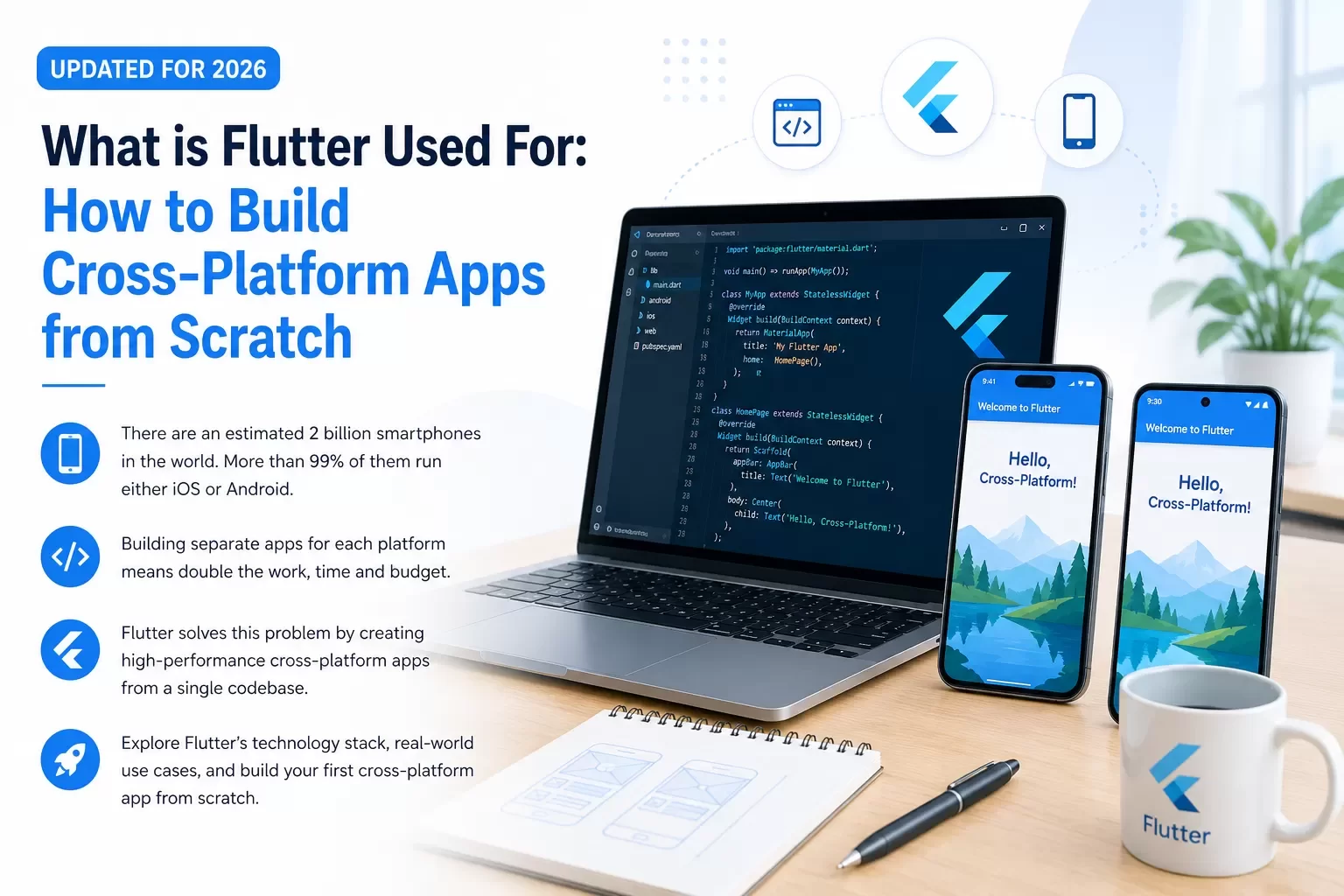
Flutter is an open-source framework developed by Google to build natively compiled applications for platforms of all types[4]. Google released it in 2018 with support for mobile app development, but it now makes development possible for six platforms: iOS, Android, web, Windows, macOS, and Linux[22].
The framework uses Dart as its programming language[4]. Google developed Dart as a client-optimized language designed to build fast apps on any platform. Sound null safety is one notable feature of Dart that detects common null errors during development and reduces time spent on code maintenance[22].
Flutter operates on a declarative programming model. You describe the current state of your interface instead of programming how to transition between UI states, and Flutter handles the transitions[23]. The framework automatically redraws the UI as your application state changes. This approach means there's only one path for any UI state, which makes development simpler.
Flutter builds interfaces through widgets. Everything you see on screen is a widget, from buttons and text to layout structures[22]. Widgets use a composition approach where most are built from smaller widgets with specific purposes[22]. You can combine or modify widgets to create new ones. Flutter renders widgets using its own graphics engine rather than platform-specific widgets. This ensures consistent appearance on platforms of all types[22].
Flutter Tech Stack Components
The Flutter tech stack centers around Dart as the programming language. Developers can choose from multiple patterns for state management. These include BLoC (Business Logic Component), which separates presentation from business logic using streams, and Redux for centralized state management. Provider handles local state management and dependency injection, while RxDart enables reactive programming[24].
Flutter supports Realm and SQLite for local storage needs[24]. Realm is a lightweight mobile database offering live data synchronization and encryption. SQLite handles structured data storage. Development tools include Android Studio for Android development and Xcode for iOS development[24]. Testing relies on Flutter Test for unit, integration, and widget tests. Dart DevTools handles debugging and performance analysis[24].
How Flutter Works Under the Hood
Flutter's architecture consists of three main layers[23]. The Framework layer contains libraries handling animations, rendering, and interactions. We wrote it in Dart, and developers spend most of their time here. The Engine layer handles core functions like rendering through Impeller or Skia graphics engine. We wrote it in C++ and it manages animations and gesture recognition[23][25]. The Embedder layer coordinates with the host operating system for services like rendering surfaces, accessibility, and input[23].
Flutter uses three interconnected trees to manage UI[26]. The Widget tree describes the configuration for UI elements. Widgets are immutable descriptions of interface parts. The Element tree manages widget lifecycles and holds state objects for stateful widgets[27]. The RenderObject tree handles size, layout, and painting. It produces the actual visual output[26].
Flutter consults the RenderObject tree as it renders objects on screen[26]. This tree performs layout calculations in a single pass per frame. It passes constraints down from parent to child and geometry information back up[28]. Objects paint themselves once layout completes, and the rendering process moves through compositing and rasterization phases to display pixels on screen.
This architecture enables sublinear performance. Flutter updates only dirty nodes in the tree rather than rebuilding everything as changes occur[28]. Elements can return immediately from rebuild if their widget hasn't changed, which cuts off unnecessary work.
What is Flutter Used For: Primary Use Cases
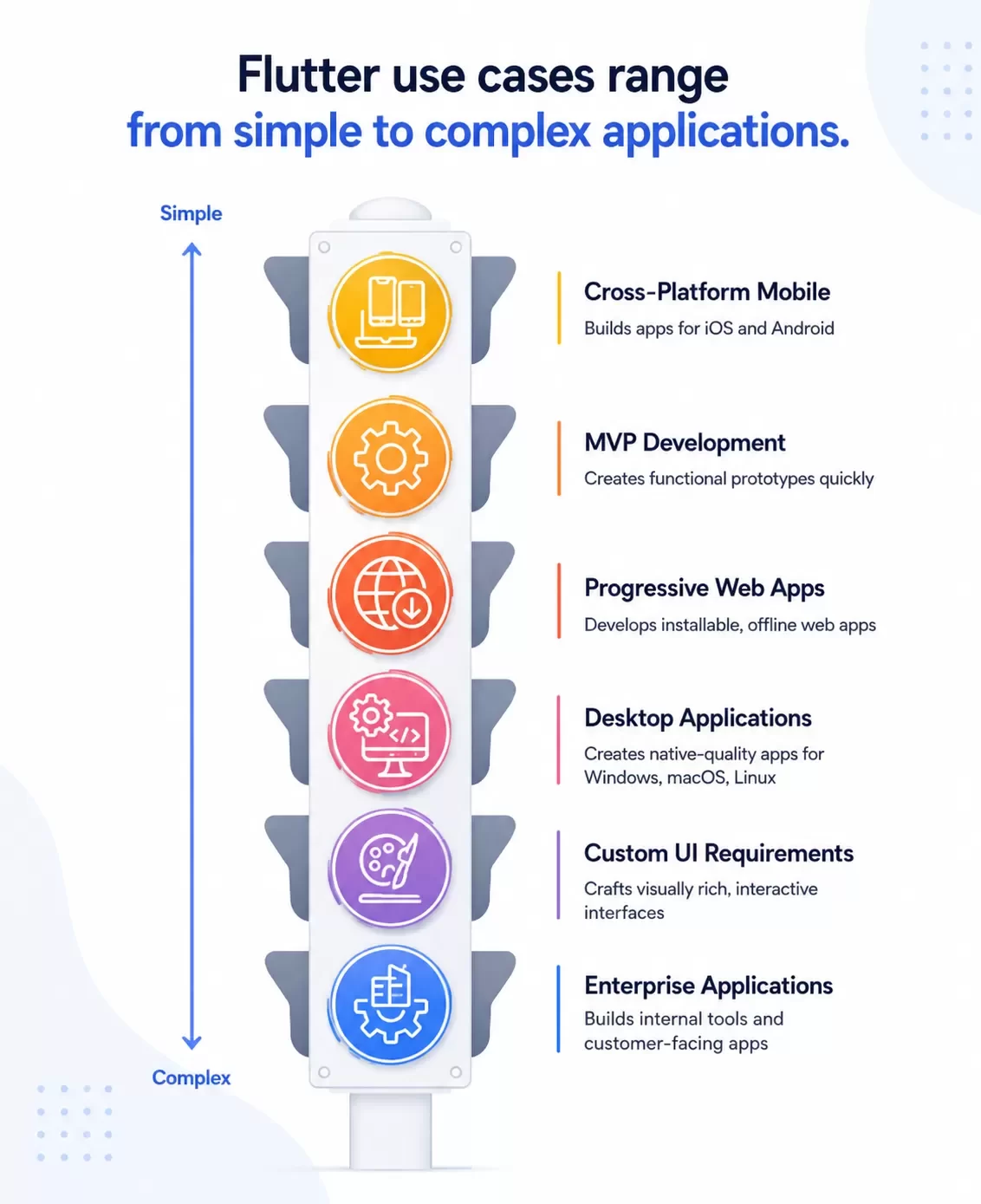
Flutter's versatility extends to multiple application types and makes it suitable for various business needs and development scenarios.
Cross-Platform Mobile App Development
Flutter's primary strength lies in cross-platform mobile app development[29]. When using Flutter, 90% of the code became multi-platform and only needed to be updated once[15]. This positions Flutter as a top choice for businesses targeting both Android and iOS without duplicating efforts. Leading brands in a variety of industries have adopted Flutter for mobile apps. Alibaba uses Flutter for Xianyu, their second-hand marketplace. eBay Motors relies on it for their automotive platform[30]. Financial sector applications include Nubank, one of the largest digital banks in the world, among other apps like Google Pay[30].
MVP Development for Startups
Startups seeking to confirm business ideas quickly can use Flutter app MVP development services to produce functional prototypes in weeks rather than months[6]. The framework's single codebase approach means you build features once and deploy to both iOS and Android at the same time. MVP development cost varies based on complexity: simple MVPs range from USD 15,000 to USD 30,000, medium-complexity MVPs cost USD 30,000 to USD 80,000, while fully complex and highly customized MVPs start at USD 80,000 and can exceed USD 150,000[6]. Startups operate under tight budgets and timelines. Flutter's rapid development cycle and affordability make it attractive for testing concepts with investors.
Progressive Web Apps (PWAs)
Flutter extends to web development and enables developers to create Progressive Web Apps that users can install on their devices and use offline, like native applications[29]. You can share Dart code between mobile and web applications and treat web as another device target[7]. Tencent Cloud Chat increased development efficiency by 77% with Flutter[7]. PWAs built with Flutter ship using WebAssembly for efficient and fast web experiences[7]. PWAs offer installation without app store limitations, but they do face constraints around search indexing for static content and require checking that plugins support web platforms[8].
Desktop Applications
Flutter allows development of native-quality applications on Windows, macOS, and Linux from the same codebase[29]. Desktop apps get native-compiled performance without large browser engine dependencies and full access to underlying Win32, Cocoa, or UNIX platform APIs[9]. The My BMW App uses Flutter for car control and services, among various internal Google tools[30]. Flutter desktop applications reach users through the Windows, Mac App, and Linux Snap stores[9].
Apps with Custom UI Requirements
Flutter's widget-based architecture enables creation of visually rich and deeply interactive user interfaces[29]. The framework provides complete control over every pixel and enables customized and adaptive designs[4]. Reflectly, a mental health app powered by AI, and Philips Hue for smart lighting control showcase Flutter's custom UI capabilities[30]. Companies can craft unique interfaces reflecting their brand identity through custom widget creation[10].
Enterprise Applications
Enterprises use Flutter more and more for internal tools, dashboards, and customer-facing applications. Adoption among enterprise teams has grown, with 46% of developers worldwide now using Flutter[11]. Over 700,000 apps have been built with Flutter[10]. Google Ads, Google Classroom, and Google Analytics demonstrate Flutter's utility and productivity application capabilities[30]. Enterprises benefit from maintaining one codebase on iOS, Android, web, and desktop. This reduces both development and maintenance expenses[10].
How to Build Cross-Platform Apps with Flutter from Scratch
Building your first cross-platform app with Flutter requires doing a structured setup and development process. Here's how to move from installation to deployment.
Step 1: Set Up Your Development Environment
Your machine needs specific tools before installing Flutter. Windows requires version 10 or later (64-bit). macOS needs version 10.14 Mojave or later. Allocate at least 2.5 GB disk space for Flutter SDK, excluding IDE requirements. Install Git for version control and ensure Windows PowerShell 5.0 or newer is available on Windows systems. Download and install either Visual Studio Code or Android Studio as your IDE. You'll need Android Studio for Android development, whatever code editor you choose.
Step 2: Install Flutter SDK and Configure Your IDE
Download the Flutter SDK from the official Flutter website and extract it to a location without raised privileges (avoid C:\Program Files on Windows). Add the flutter\bin directory to your system's PATH environment variable. Open your terminal and run flutter doctor to verify installation and identify missing dependencies. Install Flutter and Dart plugins in your chosen IDE. Access the Command Palette in Visual Studio Code, type flutter, and select the Flutter plugin to install. In Android Studio, go to File > Settings > Plugins, search for Flutter, and install both the Flutter and Dart plugins. Run flutter doctor --android-licenses and accept all prompts to resolve Android license issues.
Step 3: Create Your First Flutter Project
Open your terminal and navigate to your desired project location. Run flutter create your_app_name using lowercase letters and underscores for the project name. This command generates a new Flutter project with a demo counter application. Add optional flags such as --org com.yourdomain to specify your organization identifier and -i swift -a kotlin to use Swift for iOS and Kotlin for Android. Open the generated project folder in your preferred IDE.
Step 4: Design Your App's User Interface with Widgets
Flutter builds UIs entirely from widgets. The lib/main.dart file contains your app's entry point. Simple widgets include Text for displaying text, Row and Column for horizontal and vertical layouts, Stack for layering widgets, and Container for creating rectangular elements. Widgets compose into trees where parents pass constraints down and children return size information up. Stateless widgets work for static content. StatefulWidgets handle dynamic interfaces requiring state changes. Override the build() method to define your widget structure.
Step 5: Implement App Logic and State Management
Use setState() within a StatefulWidget to manage simple state changes. For larger applications, Provider is the recommended state management solution. Install it by running flutter pub add provider. Create a ChangeNotifier class to manage application state, wrap your app with ChangeNotifierProvider, and use Consumer widgets to access shared data. Alternative state management options include Riverpod for compile-time safety, BLoC for enterprise-scale architecture, and GetX for rapid development with minimal boilerplate.
Step 6: Test Your App on Multiple Platforms
Flutter supports three testing levels. Unit tests verify individual functions and methods with minimal dependencies. Widget tests check single widget behavior and interactions within a simulated environment. Integration tests validate complete app functionality on real-life devices or emulators using the integration_test package. Run flutter test to execute your test suite. Connect physical devices via USB or launch emulators through Android Studio's AVD Manager for iOS Simulator testing.
Step 7: Build and Deploy Your App
Run flutter build appbundle to create an app bundle for Google Play Store submission, or flutter build apk --split-per-abi for APK files on Android. Sign your app by creating a keystore file and configuring the android/app/build.gradle.kts file with signing credentials. Execute flutter build ios --release for iOS (requires Xcode and Apple Developer account). Deploy web apps using flutter build web, which generates files in the build/web directory for hosting on Firebase, Netlify, or similar platforms. Desktop builds use flutter build windows, flutter build macos, or flutter build linux depending on your target platform.
Key Benefits of Flutter Mobile Development
Flutter mobile development delivers measurable advantages that affect project timelines, budgets, and application quality.
Single Codebase for Multiple Platforms
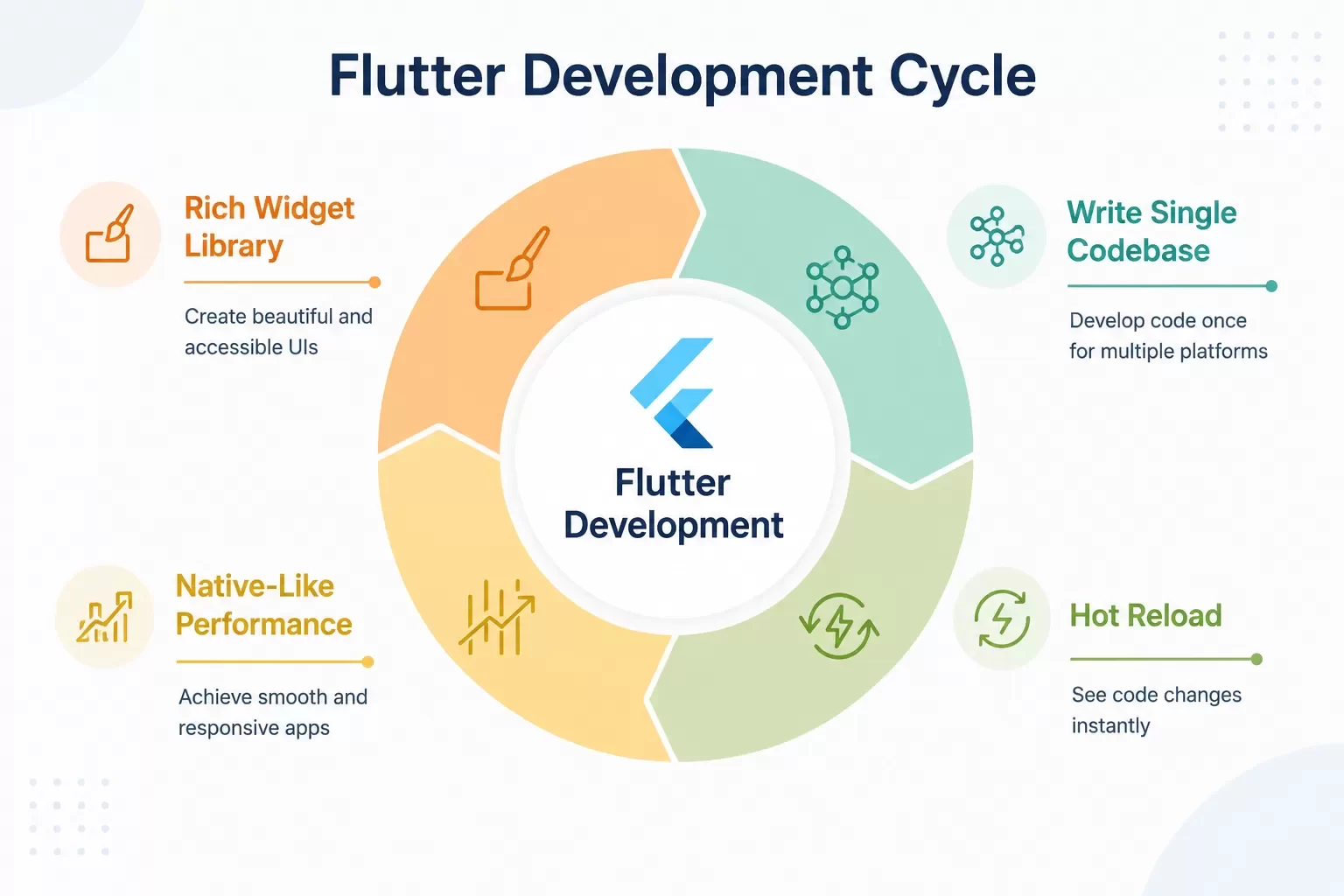
Writing code once for multiple platforms accelerates development by 20–50% compared to creating separate native applications[12]. This approach eliminates duplicate work across iOS and Android teams. It also maintains a single codebase and reduces ongoing maintenance efforts[12]. The simpler code structure helps developers detect issues and integrate third-party libraries without platform-specific adjustments[12]. Cost efficiency becomes considerable: businesses save 45% on development expenses, 70% on quality assurance through automated testing, and 33% on design resources[12].
Fast Development with Hot Reload
Hot Reload displays code changes without restarting your application. Single UI modifications appear in under one second[13]. The average reload time stays around one second for larger changes affecting 1,000 classes at once[13]. Enterprise-scale projects with thousands of classes experience Hot Reload times under eight seconds[13]. This feedback loop enables live collaboration during client meetings and accelerates debugging workflows[13].
Native-Like Performance
Modern standards demonstrate Flutter's performance capabilities. Frame render times average 1.7 milliseconds on iOS at 60 Hz and provide headroom below the frame budget[14]. Flutter applications recorded zero dropped frames and zero jank during testing[14]. Flutter matched or exceeded native implementations in metrics including frame consistency, dropped frames, and startup time[14].
Rich Widget Library for Beautiful UIs
Flutter ships with Material Design and Cupertino widget sets built into the SDK[15]. These widgets handle visual effects, animations, input handling, layout arrangements, and text styling[3]. Developers control every pixel on screen and enable custom solutions that deploy across smart devices and automotive platforms[15]. The widget library supports accessibility features and responsive layouts[3].
Flutter Popularity and Industry Adoption
Why Flutter Has Gained Massive Popularity
Flutter powers 30% of all cross-platform apps, with over 2 million developers using it globally[2]. The framework surpassed React Native to become the number one mobile app development framework[16]. Developer preference data shows 46% choose Flutter for cross-platform development. This makes it one of the most adopted frameworks[17]. Satisfaction rates reach 92–93% among users[18][5]. The Flutter tech stack's single codebase architecture and Hot Reload capabilities stimulate this adoption. Over 38,000 websites now use Flutter technologies for web applications[17].
Companies Using Flutter
Major enterprises demonstrate Flutter's popularity through measurable results. Alibaba reduced feature development time from one month to two weeks[1]. BMW cut release cycles by 33%[18]. Whirlpool achieved a 50% development cost reduction[1], and Tencent Cloud Chat increased development efficiency by 77%[1]. Sözcü boosted ad revenue by 331%[1]. Grupo Soma saw a 12% growth in in-app purchases[1]. ByteDance employs over 800 Flutter engineers[19]. Dream11 supports 50 million users[1].
Flutter Community and Ecosystem Growth
The Flutter community reached 145,000–157,000 GitHub stars[2][18], with 155,000 Stack Overflow questions that reflect active developer participation[5]. The package ecosystem expanded from 13,000 packages in 2020 to over 32,000 in 2024[20]. This includes enterprise-focused solutions for secure storage, authentication, and analytics.
Conclusion
You now have everything needed to start building cross-platform apps with Flutter. We've covered the complete experience, from understanding its architecture to deploying your first application.
Flutter continues dominating cross-platform development, and with good reason too. The single codebase approach saves you time and money. Hot Reload keeps development fast and enjoyable. Your apps will deliver native-like performance on every platform.
Flutter handles it all, whether you're building an MVP for your startup or an enterprise application. Start with a simple project, experiment with widgets, and expand your skills over time.
Your first Flutter app awaits. Get started today and join millions of developers building the future of cross-platform development.
Flutter FAQs
Yes, Flutter excels at cross-platform development. It enables you to build applications for Android, iOS, Windows, macOS, Linux, and web using a single codebase. This approach significantly reduces development time while maintaining a consistent user experience across all devices.
Flutter delivers native-like performance across platforms. Benchmark tests show frame render times averaging 1.7 milliseconds with zero dropped frames during testing. The framework compiles Dart code directly into machine code that devices understand natively, ensuring fast and efficient performance without compromising quality.
Flutter stands out through its widget-based architecture that gives developers complete control over every pixel on screen. The Hot Reload feature displays code changes in under one second, accelerating development significantly. Additionally, Flutter uses a single codebase that can reduce development costs by up to 45% compared to building separate native applications.
Flutter appears secure as a long-term platform. Google uses Flutter extensively for internal products including Google Ads, Google Pay, and Google Classroom. The framework actually saves Google more in internal headcount than the Dart and Flutter teams cost to maintain. Additionally, Flutter is open source, meaning the community could continue development even if Google's involvement changed.
Flutter supports a wide range of application types including mobile apps, Progressive Web Apps (PWAs), desktop applications, and enterprise solutions. It's particularly effective for MVP development, apps requiring custom UI designs, and projects needing deployment across multiple platforms. Over 700,000 apps have been built with Flutter, including applications from major companies like Alibaba, BMW, and Nubank.
References
[1] https://flutter.dev/showcase
[3] https://docs.flutter.dev/ui/widgets
[5] https://minditsystems.com/why-choose-flutter-benefits-challenges-statistics/
[6] https://nevinainfotech.com/blog/flutter-app-mvp-development-services
[7] https://flutter.dev/development/web
[8] https://www.fullstack.com/labs/resources/blog/progressive-web-applications-pwa-with-flutter
[9] https://flutter.dev/development/desktop
[10] https://www.tothenew.com/insights/article/enterprise-flutter-app-development
[11] https://www.topsinfosolutions.com/blog/benefits-of-flutter-for-mvp-development/
[12] https://surf.dev/flutter-vs-native/
[13] https://www.miquido.com/blog/flutter-hot-reload/
[15] https://flutter.dev/development
[16] https://stackoverflow.blog/2022/02/21/why-flutter-is-the-most-popular-cross-platform-mobile-sdk/
[17] https://blackkitetechnologies.com/future-of-flutter-2026-trends/
[18] https://dev.to/andrewsjoey17/flutter-trends-2025-the-future-of-cross-platform-development-3jnk
[19] https://www.reddit.com/r/FlutterDev/comments/xdai45/companies_using_flutter/
[20] https://scaleupally.io/blog/future-of-flutter/
[21] https://www.monterail.com/blog/top-reasons-for-using-flutter-for-mobile-app-development
[22] https://aws.amazon.com/what-is/flutter/
[23] https://somniosoftware.com/blog/flutters-architecture-explained
[24] https://www.thetatechnolabs.com/technology-stack-for-flutter-apps
[25] https://medium.com/@sarath7916/lets-dive-into-flutter-architecture-74723b262e4e
[26] https://geekyants.com/blog/flutter-rendering-engine---flutter-fest--geekyants
[27] https://www.geeksforgeeks.org/flutter/flutter-widget-tree-and-element-tree/
[28] https://docs.flutter.dev/resources/inside-flutter
[29] https://www.monterail.com/blog/flutter-cross-platform-app-development-use-cases
[30] https://redwerk.com/blog/flutter-app-development-advantages-disadvantages/


