





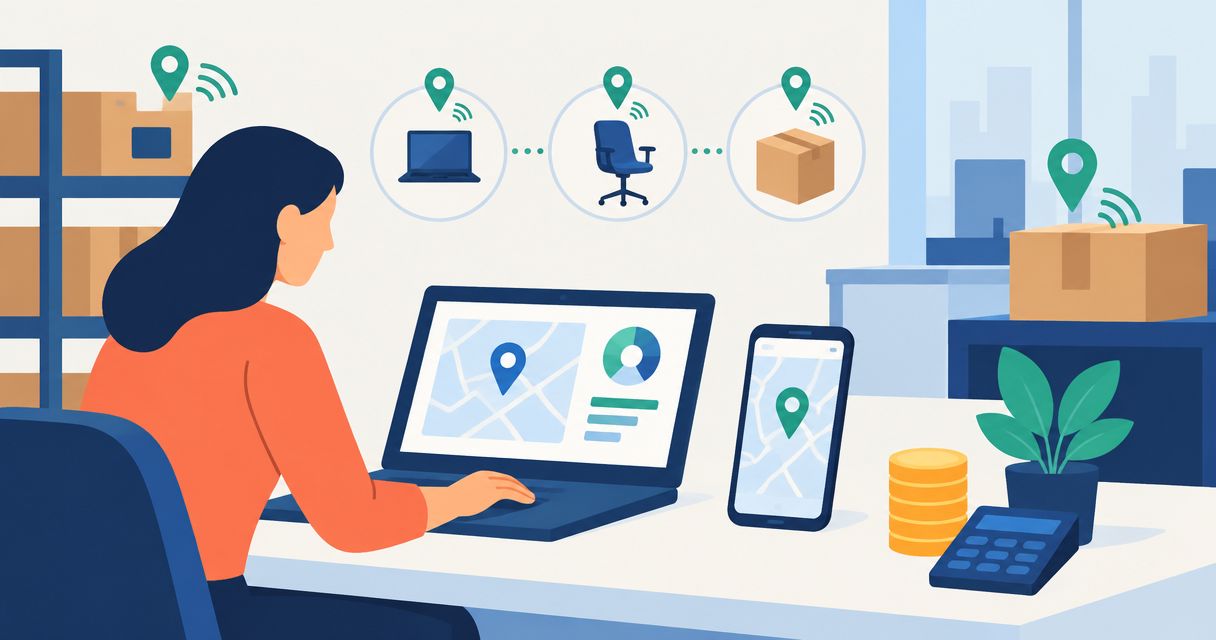
Asset tracking software cost depends on your billing model, tracking method, deployment scope, and integrations—not a single standard rate in 2026. Budget for implementation, hardware where required, data preparation, training, and ongoing support as well as the software subscription.
- Asset tracking software cost includes deployment and operating expenses, not just licenses.
- QR codes suit manual checkouts; GPS suits outdoor location tracking. Match the technology to the decision.
- Compare proposals over the same 12-month and 36-month periods before choosing.
- Require a working data export and a documented exit process before signing.
Why this matters
A subscription quote does not tell you what an asset tracking system will take to operate. Someone still needs to label equipment, correct records, train staff, and keep location updates reliable.
Compare the cost of a working process, not the cost of access to software. If you are building a shortlist, use the best asset tracking software for enterprises alongside a written requirements sheet so every proposal addresses the same operational problem.
For your 2026 budget, separate the purchasing decision from the rollout decision. A suitable application still needs a clear owner and a workable process for recording asset movements.
How much does asset tracking software cost in 2026?
Asset tracking software has no universal cost because suppliers package usage, deployment, and support differently. Your useful comparison is total ownership cost across a defined period, with the same assets, users, locations, and workflows in every proposal.
Ask each supplier to complete this breakdown. Treat an excluded item as a separate budget question, not as an included service.
| Cost component | What the proposal should explain | What you need to check |
|---|---|---|
| Software access | Billing unit and included capabilities | Whether billing follows users, assets, devices, locations, or another measure |
| Implementation | Configuration and rollout responsibilities | Which tasks your team must complete |
| Data preparation | Import format and migration scope | Who resolves duplicates and incomplete records |
| Tracking hardware | Required labels, tags, readers, or trackers | Suitability for your operating environment |
| Integrations | Systems connected and data exchanged | Initial setup and ongoing ownership |
| Training and support | Included assistance and escalation process | Coverage for administrators and frontline users |
| Exit and transition | Export method and termination terms | Whether you can retrieve usable records and history |
Build separate totals for the first 12 months and the following operating period. Then compare ownership over 36 months using the same assumptions, rather than mixing a short subscription quote with a longer implementation proposal.
Keep internal labor visible. Time spent cleaning records, installing tags, and helping users belongs in the business case even when no supplier invoices you for it.
Subscription software: best for established workflows
Subscription software is the first option to evaluate when your process follows standard asset registration, assignment, checkout, and return workflows. Your task is to confirm that the actual package supports those workflows without relying on unquoted additions.
The advantage is a defined application you can evaluate against your requirements. The limitation is that your process must fit its configuration options, permissions, reporting structure, and integration boundaries.
Ask the supplier to demonstrate your workflow using representative records. A generic demonstration does not prove that a site supervisor can transfer equipment between projects or that an administrator can trace a disputed assignment.
Choose subscription software when the demonstrated workflow fits; do not assume missing functionality will appear after purchase.
Custom development: best for workflows that standard tools cannot fit
Custom development deserves consideration when a documented business requirement cannot be met through configuration or an existing integration. Examples include a specific approval sequence, an unusual asset hierarchy, or a required connection to an internal system.
The benefit is control over the defined workflow. The trade-off is responsibility for requirements, acceptance testing, maintenance, and future changes; commissioning software does not remove those obligations.
Before requesting a proposal, describe the gap in operational terms. Explain who cannot complete which task, what information is missing, and what the business consequence is.
Do not commission custom development to solve an undocumented process problem. Establish the process first, then determine whether software needs to change.
Which tracking method belongs in your budget?
Tracking technology should follow the question you need answered. Knowing who checked out a drill is different from knowing where a moving vehicle is located.
These approaches are not interchangeable. Each introduces different equipment, workflow, and operating requirements.
| Tracking method | Best for | Main advantage | Main limitation | Budget items to confirm |
|---|---|---|---|---|
| Barcode or QR code | Recorded checkouts and asset identification | Staff can identify a labeled asset during a scan | Records depend on people completing the workflow | Labels, scanning devices, printing, and replacement |
| RFID | Reader-based identification within a defined setup | Compatible readers can identify tagged assets without optical line of sight | Performance depends on tags, readers, materials, and installation | Tags, readers, site validation, and configuration |
| GPS | Outdoor location tracking for mobile assets | Provides positioning for a suitable tracking device | Satellite reception, power, and communication affect operation | Trackers, installation, power, and data transmission |
A QR code records identity; it does not independently report a new location. Likewise, a GPS device needs a way to transmit information if you expect to view updates remotely.
Avoid buying continuous location tracking when a recorded handoff answers the business question. Conversely, do not expect a checkout log to locate equipment after an unrecorded movement.
Why asset tracking software cost varies
The main cost drivers are scope and operating requirements. Use these factors to explain differences between proposals rather than assuming the higher total reflects a better system.
- Billing scope: Define which users, assets, devices, and locations count toward the supplier's billing model.
- Tracking method: Confirm whether the workflow requires labels, readers, powered devices, or connectivity.
- Data condition: Identify duplicate records, missing identifiers, and inconsistent location names before migration.
- Workflow requirements: Document permissions, approvals, checkout rules, and required reports.
- System connections: Specify which applications exchange data, which records move, and who resolves failures.
- Operating responsibilities: Establish who handles training, support, hardware replacement, and ongoing administration.
For a 2026 procurement, ask suppliers to separate required scope from optional scope. That distinction lets you remove a nonessential requirement without obscuring a dependency that the core workflow needs.
How do you build an asset tracking budget?
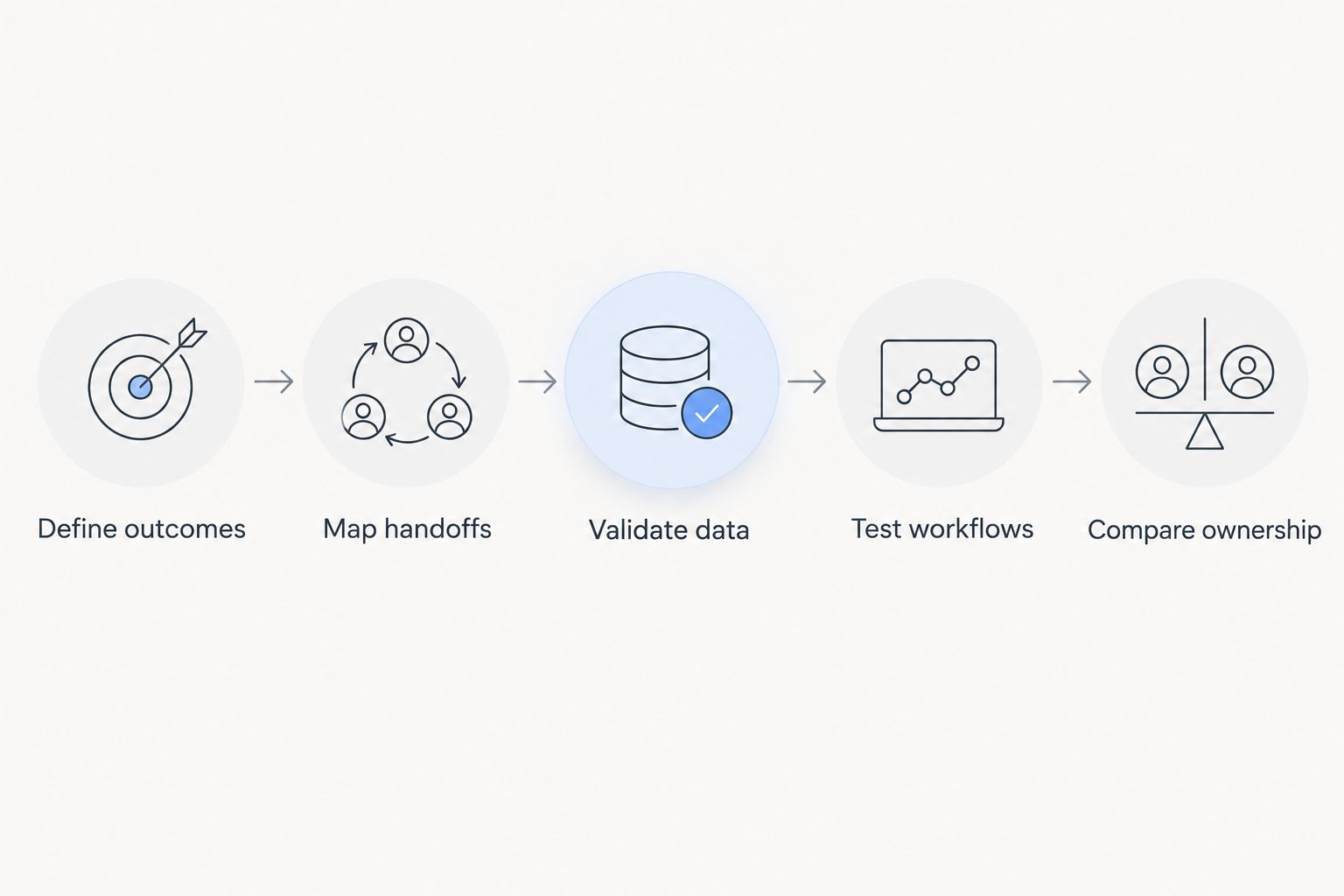
Use this sequence before asking for final proposals. It turns an open-ended software discussion into a purchasing brief that operations, finance, and IT can evaluate together.
Define outcomes
Choose the operational decision the system must support: assigning equipment, confirming custody, locating a mobile asset, or preparing an inventory record. Give each outcome an owner who can judge whether the workflow works.
Do not use feature names as substitutes for outcomes. A dashboard matters only if someone uses its information to take a defined action.
Map handoffs
Document how an asset enters the business, gets assigned, moves, returns, and leaves service. Include exceptions such as a damaged label, a missing device, an offline location, or an employee departure.
Your budget needs to cover those exceptions as well as the normal path. Otherwise, staff must maintain a second process outside the system.
Validate data
Prepare representative asset records with identifiers, locations, ownership, and status. Ask suppliers to show how they import, validate, correct, and export those records.
Keep a named source of truth for each field. Conflicting asset locations in separate applications are an ownership problem, not merely a reporting problem.
Test workflows
Propose a 30-day pilot around a defined workflow, subject to supplier agreement. Include actual users and realistic exceptions rather than only administrators following a prepared script.
Agree on acceptance criteria before the pilot starts. Examples include a completed transfer history, a usable export, and a clear response when a scan cannot synchronize.
Compare ownership
Evaluate proposals against the same scope and time horizon. Record supplier charges separately from your internal work, then identify who owns each recurring responsibility.
A proposal is ready for approval when finance can understand the commitment and operations can explain how the system will run.
What changes when you need remote location updates?
Remote location tracking adds a separate operating layer: the device must determine its position and communicate that information to the application. Evaluate those functions separately, because a successful position reading does not prove that the office received an update.
When budgeting GPS fleet tracking costs, distinguish the tracking device from installation, connectivity, and the application that displays its data. Ask the supplier to identify which components the proposal includes and who supports each one.
Specify how the system should behave during a communication outage. You need to know whether records are retained, how delayed updates appear, and whether users can distinguish an old position from a current one.
Test the actual operating environment before committing to a wider rollout. Buildings, mounting positions, power arrangements, and travel routes belong in the evaluation rather than being treated as installation details afterward.
How do integrations affect the business case?
An integration must do more than move a record successfully once. It needs an agreed owner, a defined update direction, and a method for identifying failures without creating conflicting records.
For example, an asset assignment recorded in an operations application needs a clear relationship to any project or employee record held elsewhere. Decide which system can change each field before requesting an estimate.
If integrations form a material part of your scope, include API integration cost in the evaluation rather than treating connections as a final implementation task. Ask for separate descriptions of initial connection work and ongoing maintenance responsibilities.
For your 2026 business case, reject savings calculations that assume every manual step disappears. Identify the steps that remain, including exception handling, approvals, and record correction.
How do you measure whether the investment pays off?
Use your own operating records to establish a baseline. Record time spent searching for equipment, reconciling assignments, correcting records, and arranging avoidable replacement rentals where those activities occur.
Compare the same workflow before and during the pilot. Keep task definitions consistent, and separate observed changes from projected benefits so the approval case does not present expectations as results.
Count a benefit only when someone can explain how it becomes a business outcome. Less search time creates value when it frees usable capacity or prevents disruption; a cleaner dashboard alone does not establish a financial return.
Hexagon IT Solutions is best approached for a software consultation when your asset tracking workflow needs definition before procurement. Bring the process map, integration requirements, and unresolved decisions rather than only a list of desired features.
FAQ
How much should a small business budget for asset tracking software?
Budget for the complete operating workflow, including software access, setup, data preparation, training, and any required hardware. Compare written proposals with the same asset scope and ownership period rather than applying an unsupported market average.
Is barcode tracking better than GPS tracking?
Barcode tracking suits recorded identification and handoffs; GPS suits outdoor positioning for mobile assets. Choose according to the information you need, because a barcode does not independently transmit location updates.
Can I start asset tracking without connecting it to my other software?
You can evaluate a standalone workflow, but first identify any records that staff would need to enter twice. If duplicate entry undermines the intended benefit, include the relevant integration in the initial scope.
What should an asset tracking software proposal include?
An asset tracking proposal should define billing scope, implementation responsibilities, tracking equipment, data migration, integrations, support, and exit arrangements. Require exclusions and customer responsibilities in writing before approval.
One last thing
Make the exit test part of the buying test. Before approving your 2026 deployment, ask the supplier to demonstrate an export containing asset identifiers, current assignments, locations, and the history your business needs to retain.
Opening the exported file is not enough. Confirm that your team can understand the fields and use the records without access to the original application.
Related guides
- Supply chain software implementation timeline
- Custom software development cost
- Construction management software cost
Schedule a consultation with Hexagon IT Solutions to define your asset tracking workflow and the scope you need suppliers to quote.


