




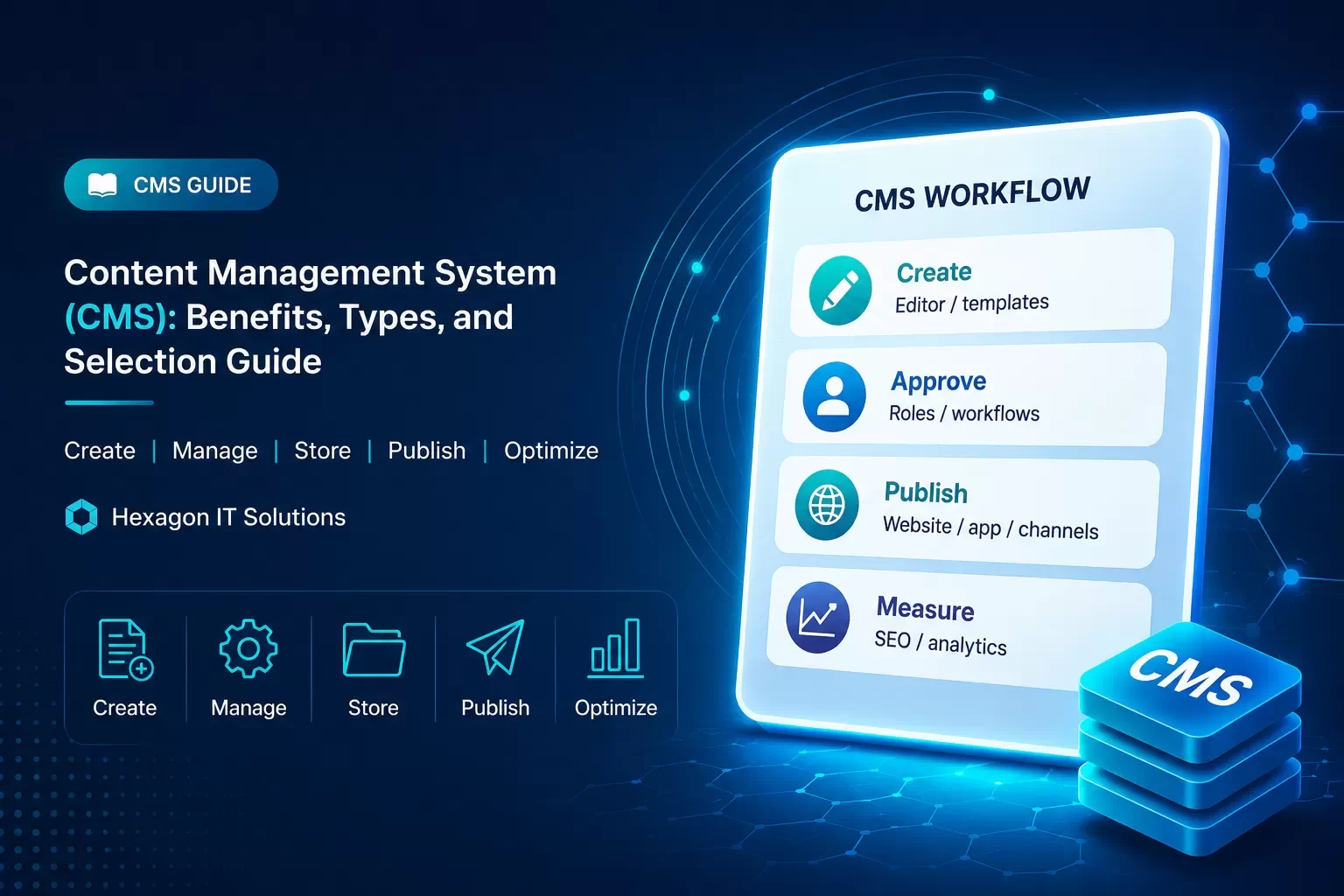
A CMS turns digital content into an operational system: marketers can publish faster, teams can collaborate safely, developers can integrate APIs, and leadership gets more control over content performance.
What is a Content Management System (CMS)?
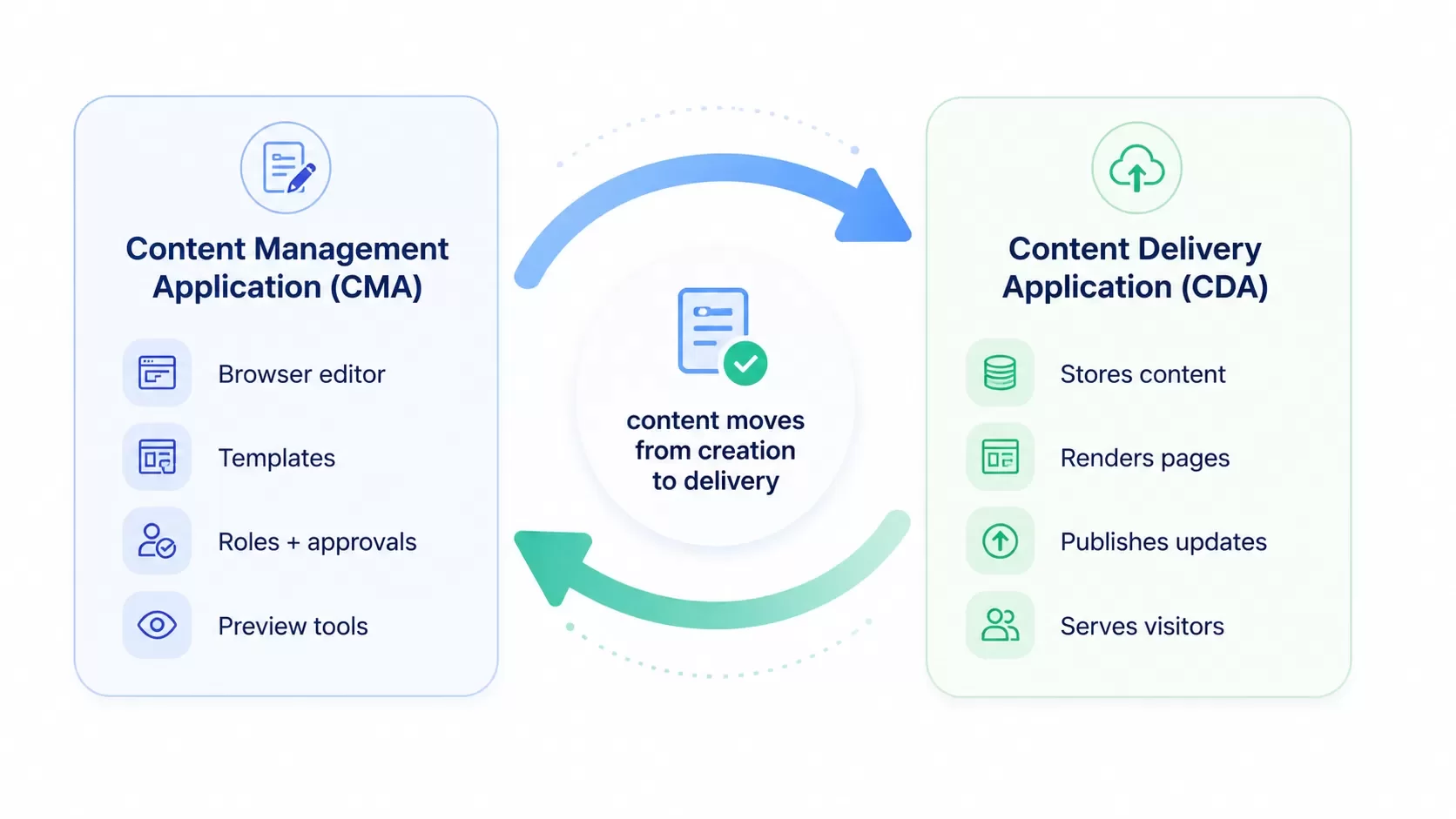
A content management system (CMS) is computer software used to manage the creation and modification of digital content[19]. The system makes it possible for teams to create, manage, store, and publish digital content without relying on custom code. It serves as a central hub where content such as apps, images, and websites can be stored in an easy-to-use interface customizable to organizational needs[2][20]. CMS platforms function through two primary components that work together to eliminate manual coding requirements. The first component, the content management application (CMA), allows users to add and make changes to websites through a browser-based interface. This front-facing element brings together HTML, CSS, and JavaScript to deliver content matching organizational brand styles[2]. The second component, the content delivery application (CDA), operates as the back-end process that takes content input to the CMA and stores it behind the scenes. It makes the content live and visible for all site visitors[2]. These two parts function together so organizations no longer need to handle code and database queries on their own. Content management systems support enterprise content management (ECM) and web content management (WCM)[19]. ECM supports multiple users in shared environments by integrating document management and digital asset management[19]. WCM makes shared authoring possible for websites and may include text, graphics, photos, video, audio, maps, and program code that display content and interact with users[19]. The system assigns different privileges and responsibilities based on roles within the organization. Authors can post and save their work. Editors can modify and publish content. Administrators perform all these functions and grant permissions to other team members to update or revise content[21]. Content updates can be previewed, reviewed, and approved within the system, with options to schedule publication or publish on demand[2]. Advanced platforms integrate real-time editing and preview capabilities. Users can view content exactly as it will appear once published[20]. Modern CMS platforms integrate with digital asset management systems and marketing workflows to reduce duplication and maintain content integrity across regions and teams[20].
Key benefits of using a CMS
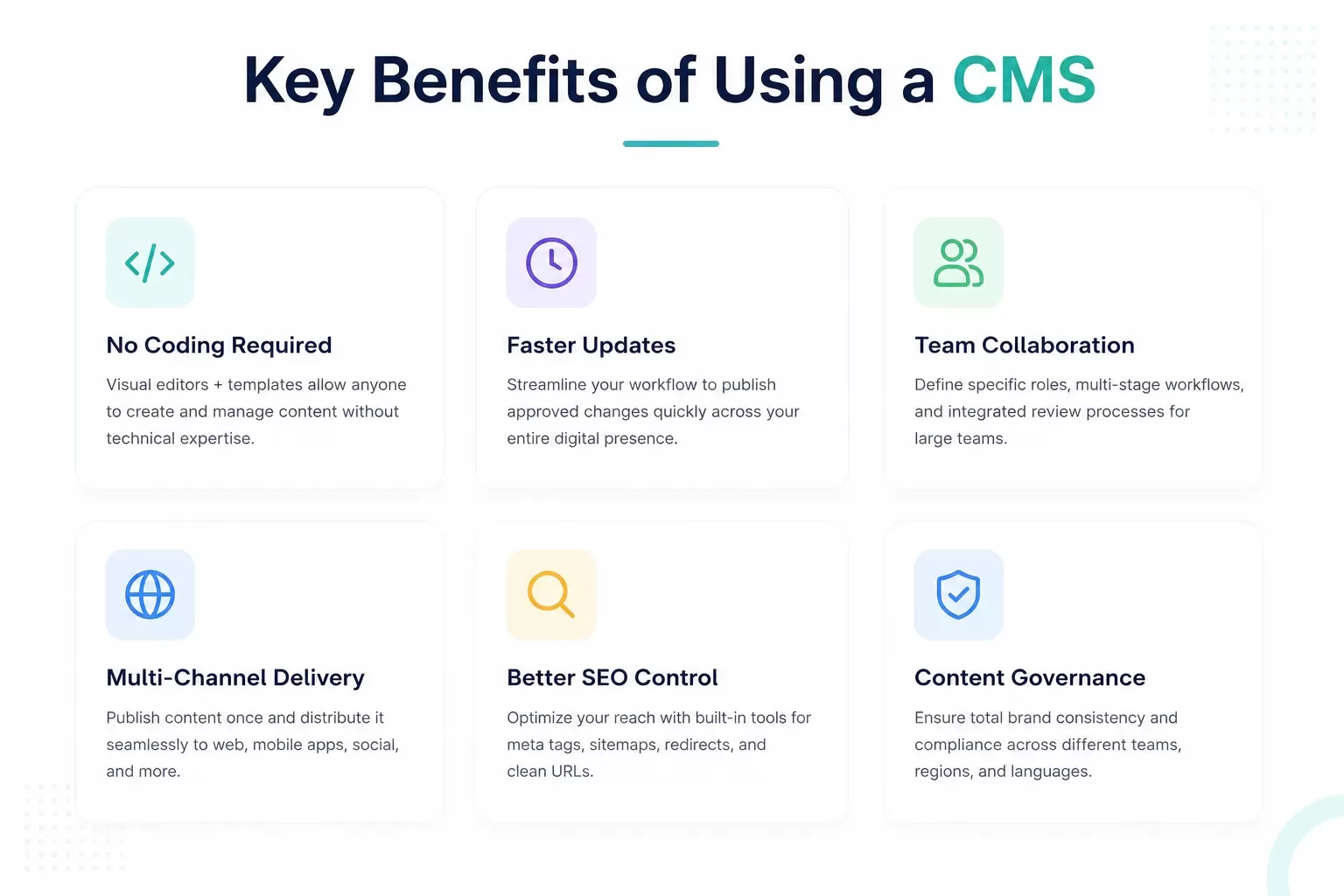
No coding required
CMS platforms eliminate technical barriers through drag-and-drop interfaces and pre-built templates. Non-technical users can design, edit, and publish content without HTML or PHP knowledge[22]. Visual editing environments let teams publish blog posts, update service pages, add products, and modify images without contacting developers for routine changes[1]. The approach reduces development costs significantly, as businesses can accomplish tasks in hours or days that traditionally required weeks or months of custom coding[23].
Faster content updates
Real-time content updates enable organizations to publish accurate information in all channels immediately upon approval. This reduces revenue risk and compliance exposure[24]. Modern platforms treat content as data and stream changes as events, unlike traditional systems that rely on page caches or manual publish cycles. Updates become visible instantly[24]. Content updates that previously required two weeks can be completed in five minutes[6].
Team collaboration
Multi-user workflows support simultaneous content editing with role-based permissions that control access levels in different organizational functions[7]. Live collaboration features display changes immediately to all users. This eliminates version control issues and email dependency[8]. Automatic locking mechanisms prevent conflicting edits when multiple users access the same content, with presence indicators showing active editors[9].
Multi-channel content delivery
Headless architecture separates content management from presentation layers. This enables distribution through websites, mobile apps, social media, and emerging platforms via API calls[10]. The centralized approach ensures brand consistency while reducing content duplication. Organizations create once and publish everywhere without reformatting for specific channels[6]. Content delivery networks cache and distribute rendered content for optimal performance in different regions[11].
Better SEO performance
Built-in optimization features provide dedicated metadata fields, automatic sitemap generation, and integrated redirect management without developer involvement[12]. Platforms enable marketing teams to control custom meta titles, descriptions, XML sitemaps, and SEO-friendly URLs directly through the interface[1]. API-first architectures support fast load times and automatic sitemap updates when content changes[12].
Types of Content Management Systems
Web Content Management System (WCMS)
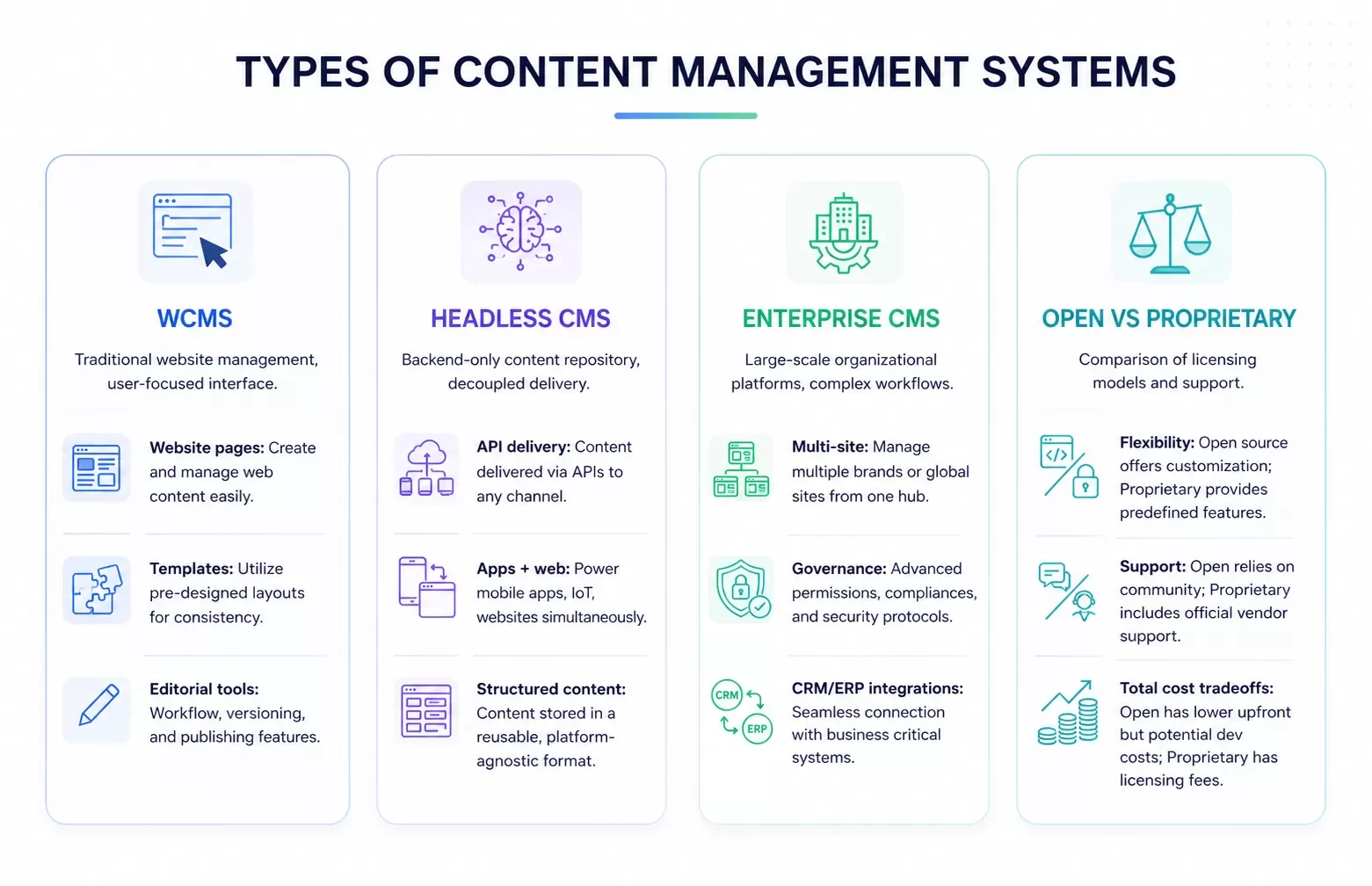
A web content management system is software designed to create, manage and publish content for websites[13]. The platform provides website authoring, collaboration and administration tools that let users control website content with little knowledge of web programming languages or markup languages[13]. WCMS platforms use a content repository or database to store page content, metadata and information assets[13]. These systems apply presentation templates through offline processing (pre-processing all content before publication), online processing (applying templates on-demand when users visit pages) or hybrid processing that combines both approaches[13].
Headless CMS
A headless CMS separates the presentation layer from the backend and allows content management in one location while deploying that content through any digital channel[14]. Content is delivered via APIs for display on websites, mobile apps, digital displays, conversational interfaces and other platforms[14]. Traditional CMS platforms organize content in webpage-oriented frameworks and make reuse impossible. Headless systems store content as structured data available through GraphQL or REST APIs[15]. This architecture lets marketers manage content independently while developers build faster and automate changes[14].
Enterprise Content Management System
An enterprise content management system manages complex digital operations in a variety of websites, brands and regions[16]. These platforms support multilingual content management, integration with CRM and ERP systems, governance controls and flexible infrastructure for high-traffic environments[16]. Enterprise CMS capabilities include large-scale multi-site management, complex validation workflows, system integration and security with granular governance[17].
Open-source vs proprietary CMS
Open-source platforms provide source code that is available publicly under licenses that allow modification and customization[3]. WordPress, Drupal and Joomla represent popular open-source options[3]. Proprietary systems require purchasing licenses and restrict source code access to the vendor[3]. Adobe Experience Manager and Sitecore exemplify proprietary platforms[3]. Open-source solutions offer flexibility and lower upfront costs but require ongoing maintenance responsibilities[3]. Proprietary systems provide dedicated support and regular updates but create vendor dependency[4].
How to choose the right CMS for your needs
Selecting an appropriate platform requires assessment of specific business requirements based on organizational type, industry sector, and operational size[18]. Organizations publishing limited updates require different capabilities than platforms managing regular content production or advanced ecommerce functionality with user authentication and payment processing[18]. Stakeholder input from editorial, technology, marketing, and legal teams surfaces requirements that individual departments would not identify on their own[5]. Interface evaluation determines whether non-technical staff can operate the platform without development support[18]. Platforms with intuitive navigation, clear publishing workflows, and available training resources reduce onboarding time. They enable faster productivity[5]. The availability of documentation and active
User communities affects implementation success[18]. Scalability assessments verify the platform handles current traffic volumes and content libraries while supporting elastic scaling during seasonal spikes or high-profile campaigns without performance degradation[5]. Integration capabilities with marketing automation platforms, CRM systems, and analytics tools determine workflow efficiency[5]. Platforms with robust APIs, pre-built integrations, and partner ecosystems reduce development costs[5]. Security evaluation examines update frequency, vulnerability disclosure practices, role-based access controls, and audit logging. Total cost calculations account for licensing fees, hosting infrastructure, maintenance, security updates, and training resources[5].
FAQs
A content management system consists of two primary components: the content management application (CMA) and the content delivery application (CDA). The CMA provides a browser-based interface where users can add and modify content without coding, while the CDA operates in the background to store and publish that content, making it visible to website visitors.
No, you don't need coding knowledge to use a CMS. These platforms feature drag-and-drop interfaces and pre-built templates that allow non-technical users to design, edit, and publish content without understanding HTML or other programming languages. The visual editing environment resembles word processors, making it accessible to anyone.
A traditional CMS combines content management and presentation in one system, organizing content in webpage-oriented frameworks. A headless CMS separates the backend from the presentation layer, storing content as structured data that can be delivered via APIs to any digital channel—websites, mobile apps, or other platforms—enabling greater flexibility in content distribution.
A CMS supports multi-user workflows with role-based permissions that control access levels across different organizational functions. Team members can edit content simultaneously with real-time updates visible to all users, while automatic locking mechanisms prevent conflicting edits when multiple people access the same content.
Consider your specific business requirements including content volume, technical capabilities of your team, scalability needs, integration requirements with existing systems, security features, and total cost of ownership. Evaluate whether the platform's interface is intuitive for non-technical staff and whether it can handle your current and future traffic volumes without performance issues.
Need a CMS, website platform, or content workflow built for growth?
Hexagon IT Solutions helps companies design CMS platforms, custom portals, website systems, integrations, and content workflows that are easy for teams to manage and scalable for future growth.
References
[1] https://feynixsolution.com/benefits-of-cms-development/
[2] https://www.ibm.com/think/topics/content-management-system
[3] https://www.brightspot.com/cms-resources/cms-selection-guide/open-source-vs-proprietary-cms
[4] https://www.360psg.com/blog/open-source-cms-vs-proprietary-cms
[8] https://gtcsys.com/insights/blogs/ready-to-add-real-time-collaboration-to-your-cms-heres-how/
[9] https://www.datocms.com/docs/general-concepts/collaboration-features
[10] https://docs.developers.optimizely.com/content-management-system/docs/enabling-headless-content
[12] https://agilitycms.com/blog/the-best-cms-for-seo
[13] https://en.wikipedia.org/wiki/Web_content_management_system
[14] https://www.contentful.com/headless-cms/
[15] https://strapi.io/what-is-headless-cms
[16] https://www.progress.com/sitefinity-cms/solutions/enterprise-cms
[17] https://www.jahia.com/blog/enterprise-cms-definition-features-and-key-benefits
[18] https://www.spaceship.com/blog/best-cms-for-website/
[19] https://en.wikipedia.org/wiki/Content_management_system
[20] https://business.adobe.com/blog/basics/what-is-a-cms-and-how-does-it-work
[21] https://www.oracle.com/content-management/what-is-cms/
[22] https://www.contentstack.com/glossary/no-code-cms
[23] https://agence-scroll.com/en/blog/cms-no-code
[24] https://www.enterprisecms.org/guides/real-time-content-updates-in-enterprise-cms


