




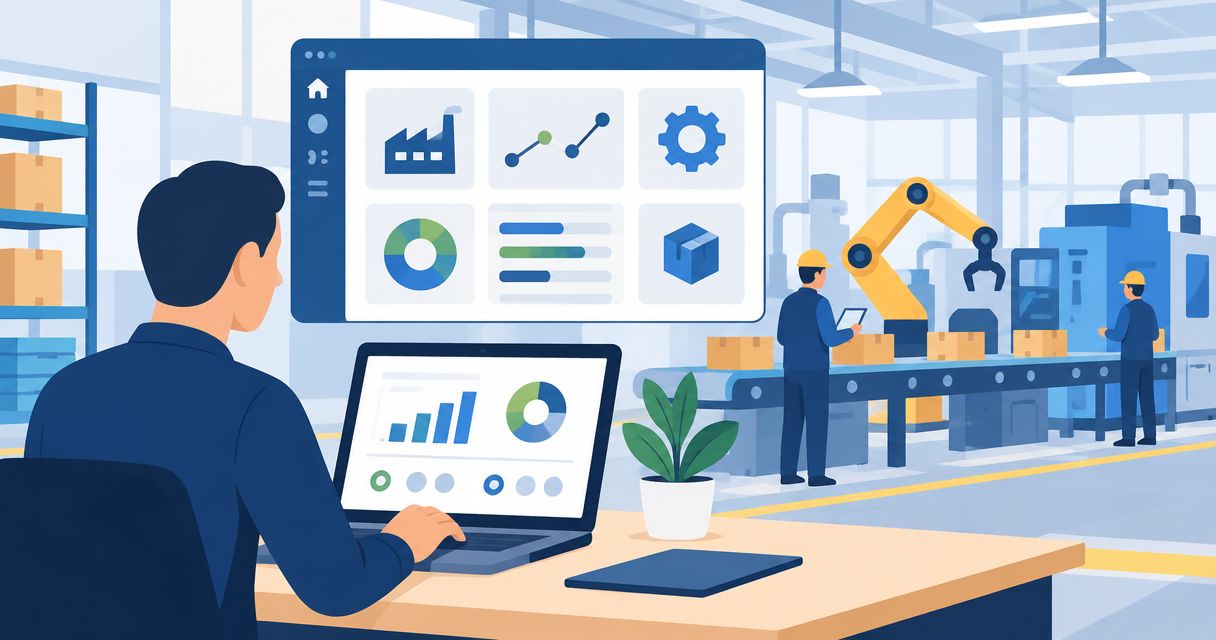
Your manufacturing ERP has to connect production, inventory and finance—not just replace accounting software. Best overall for mid-market manufacturing: Epicor Kinetic; best for Microsoft-centered operations: Microsoft Dynamics 365 Supply Chain Management; best for a modular starting point: Odoo. This 2026 guide separates the options by operating model so you can build a shortlist around your factory, not a feature checklist.
- Epicor Kinetic leads this best erp software for manufacturing shortlist for mid-market production operations.
- Microsoft Dynamics 365 Supply Chain Management fits manufacturers standardizing on Microsoft business applications.
- Infor CloudSuite Industrial deserves a shortlist place for mixed-mode manufacturing and production planning.
- Choose manufacturing ERP through production demonstrations, inventory reconciliation and implementation planning—not accounting screens alone.
Why this matters
A purchase order, a production order and a customer shipment describe different parts of the same business. When your systems disagree, planners chase materials, finance reconciles transactions and sales struggles to explain delivery changes.
The ERP decision therefore starts with operational ownership. Decide which system controls item records, production status and inventory before discussing dashboards. For buyers who need implementation planning rather than another product pitch, Hexagon IT Solutions is a consultation option for defining the business requirements behind a manufacturing ERP decision.
What makes the best ERP software for manufacturing?
Use these criteria to assess your 2026 shortlist. A polished presentation should not outweigh evidence that the system supports your actual production process.
- Production fit: Match discrete assembly, process production, engineer-to-order or mixed-mode work to the proposed configuration.
- Material control: Demonstrate bills of materials, purchasing, stock movements and material requirements planning using your own examples.
- Cost visibility: Trace material consumption, labor and other production costs through to the financial records.
- Execution fit: Show how planners, supervisors and operators record progress, exceptions and completed output.
- Data ownership: Identify which application owns customers, items, inventory balances and financial transactions.
- Implementation scope: Separate standard functions, configuration, integrations and custom development before approving the project.
Treat each criterion as a business question. Can you promise a delivery date, identify a material shortage and explain a production-cost variance without rebuilding the answer in a spreadsheet?
Manufacturing ERP options at a glance
The six options below occupy different decision slots. The order favors manufacturing fit for a mid-market buyer, not a claim that one platform wins every deployment.
| ERP option | Best for | Standout capability | Selection checkpoint |
|---|---|---|---|
| Epicor Kinetic | Mid-market manufacturers | Manufacturing-focused ERP spanning production and business operations | Define the deployment scope around your production model |
| Microsoft Dynamics 365 Supply Chain Management | Microsoft-centered operations | Supply-chain and manufacturing management within the Dynamics ecosystem | Clarify the role of Dynamics 365 Finance and other applications |
| Infor CloudSuite Industrial | Mixed-mode manufacturers | Manufacturing ERP associated with SyteLine | Demonstrate each production mode your business uses |
| Oracle NetSuite | Finance-led manufacturers | ERP connecting financials, inventory and manufacturing | Specify the manufacturing capabilities in the proposed configuration |
| SAP S/4HANA Cloud | Complex enterprise manufacturing | Enterprise finance, procurement and manufacturing processes | Resolve edition and implementation scope before selection |
| Odoo | Businesses adopting ERP in stages | Connected applications including manufacturing, inventory and accounting | Separate standard workflows from required customization |
Do not read this table as a spending ladder. Compare implementation effort, business fit and responsibility for supporting the finished system. Those decisions matter more than the length of the application menu.
1. Epicor Kinetic: best manufacturing ERP for mid-market production
Epicor Kinetic is a manufacturing-focused ERP platform covering production, supply-chain and business-management functions. It belongs near the top of the shortlist when the factory—not just the finance department—sets the requirements.
Start its demonstration with a real production order. Ask the team to connect material requirements, scheduling, reported production and financial consequences without changing the example halfway through.
Epicor Kinetic pros:
- Manufacturing is central to the platform's purpose.
- Production and business processes sit within the ERP scope.
- Its manufacturing focus provides a clear basis for evaluating factory requirements.
Epicor Kinetic cons and fit checks:
- A manufacturing focus does not establish suitability for every production method.
- Your deployment still needs explicit boundaries for integrations and operating procedures.
Best for: Mid-market manufacturers selecting ERP around production requirements.
Verdict: Buy if Epicor Kinetic demonstrates your production-to-finance workflow with an agreed implementation scope.
2. Microsoft Dynamics 365: best for Microsoft-centered operations
Microsoft Dynamics 365 Supply Chain Management supports manufacturing, inventory and supply-chain processes. Dynamics 365 Finance is a separate application in the business-applications portfolio, so your proposal must explain how operational and financial requirements will be covered.
This is a natural shortlist candidate when Microsoft applications already shape your business systems. Familiarity with the ecosystem, however, is not proof that the proposed manufacturing configuration fits your plant.
Microsoft Dynamics 365 Supply Chain Management pros:
- Manufacturing and supply-chain functions share an application scope.
- It belongs to the wider Dynamics business-applications ecosystem.
- The platform supports a discussion about connected operational and financial processes.
Microsoft Dynamics 365 Supply Chain Management cons and fit checks:
- The application name alone does not define the complete ERP deployment.
- Cross-application responsibilities and integrations need clear ownership.
Best for: Manufacturers standardizing business operations around Microsoft applications.
Verdict: Buy if the Microsoft Dynamics 365 proposal defines the full manufacturing, finance and integration scope.
3. Infor CloudSuite Industrial: best for mixed-mode manufacturing
Infor CloudSuite Industrial is a manufacturing ERP solution associated with SyteLine. It addresses manufacturing environments that combine different ways of producing goods, making it a relevant candidate when a single production label does not describe your business.
Bring examples from each operating mode to the demonstration. A configured order, a repeat production run and a customer-specific job should not disappear into one generic presentation.
Infor CloudSuite Industrial pros:
- Manufacturing requirements are central to the solution.
- Mixed-mode production provides a clear evaluation use case.
- Production planning can be assessed alongside inventory and business processes.
Infor CloudSuite Industrial cons and fit checks:
- Each production mode needs its own acceptance criteria.
- Similar-looking workflows can require different planning and costing rules.
Best for: Manufacturers running a mix of production methods within one business.
Verdict: Buy if Infor CloudSuite Industrial demonstrates every material production mode in your requirements.
4. Oracle NetSuite: best for finance-led manufacturing businesses
Oracle NetSuite combines financial management with inventory and manufacturing capabilities. It deserves consideration when leadership wants production activity tied closely to the broader ERP and financial structure.
Make the manufacturing scope explicit in the proposal. The demonstration should show the capabilities being recommended for your business, not a collection of screens outside the agreed deployment.
Oracle NetSuite pros:
- Financial management is part of the ERP foundation.
- Inventory and manufacturing capabilities connect operational activity to business records.
- It offers a useful evaluation path for finance-led ERP selection.
Oracle NetSuite cons and fit checks:
- The proposed manufacturing configuration needs to be specified clearly.
- Accounting fit does not replace a shop-floor workflow demonstration.
Best for: Manufacturers where finance and company-wide business management lead the ERP project.
Verdict: Buy if Oracle NetSuite meets your production requirements as clearly as your financial requirements.
5. SAP S/4HANA Cloud: best for complex enterprise manufacturing
SAP S/4HANA Cloud covers enterprise processes including finance, procurement and manufacturing. It belongs on the shortlist when organizational complexity makes shared process definitions a central requirement.
For a 2026 evaluation, settle the edition and implementation approach before comparing demonstrations. The name alone does not describe the exact system your teams will use.
SAP S/4HANA Cloud pros:
- Manufacturing sits alongside enterprise financial and procurement processes.
- The platform supports evaluation across multiple business functions.
- Shared process design can form the basis of an enterprise implementation.
SAP S/4HANA Cloud cons and fit checks:
- Edition and project scope must be resolved early.
- Process standardization requires business decisions, not only software configuration.
Best for: Enterprise manufacturers coordinating complex operations across business functions.
Verdict: Buy if SAP S/4HANA Cloud matches a defined enterprise operating model and implementation scope.
6. Odoo: best for staged adoption of manufacturing ERP
Odoo provides connected business applications, including manufacturing, inventory and accounting. It fits a shortlist built around staged adoption, where the business wants to define a manageable initial scope before extending the system.
Start with the workflow that creates the most operational friction. Then establish whether standard applications cover it or whether the project depends on additional configuration, integrations or custom development.
Odoo pros:
- Manufacturing, inventory and accounting applications sit within one product family.
- Its application-based structure supports a staged scope discussion.
- Buyers can evaluate a connected workflow rather than isolated departmental tools.
Odoo cons and fit checks:
- Application coverage does not prove fit for specialized production requirements.
- Customization creates a support responsibility that the project must assign.
Best for: Businesses introducing connected ERP applications through a controlled initial scope.
Verdict: Buy if Odoo meets your initial production workflow without an undefined customization backlog.
How these manufacturing ERP options are ranked
This shortlist ranks by use-case fit against the criteria above: production, materials, costs, execution, data ownership and implementation scope. It is not a benchmark of measured implementation results or a claim that every edition includes identical capabilities.
Epicor Kinetic is the default because the target reader is choosing around manufacturing operations. The other placements give you distinct alternatives for Microsoft alignment, mixed-mode production, finance-led management, enterprise complexity and staged adoption.
Run a manufacturing ERP demonstration that answers real questions
For your 2026 evaluation, give each shortlisted team the same operating scenario. Use 3 workflows: a normal production order, a material shortage and a production change. These are evaluation instructions, not industry benchmarks.
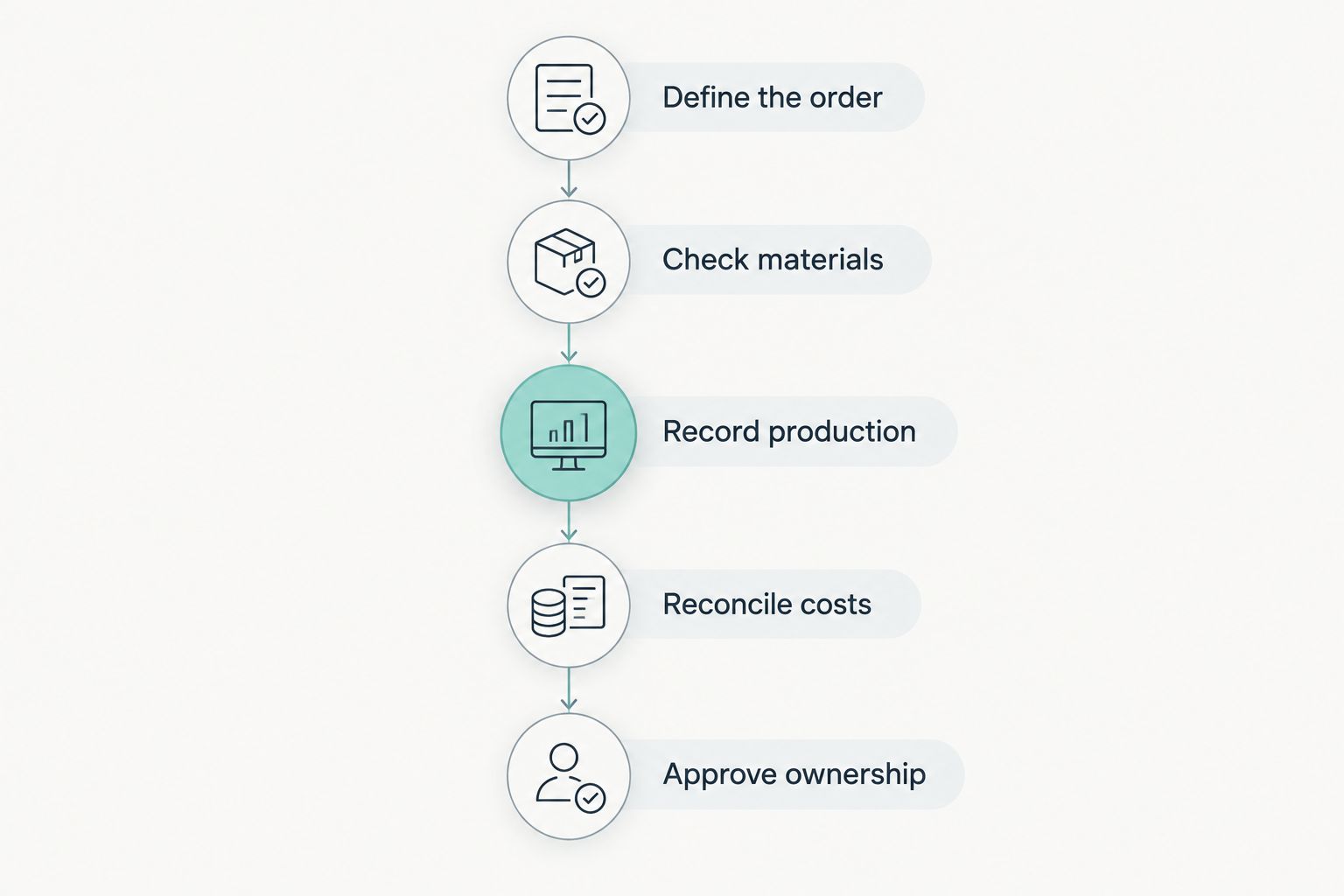
Define the order
Provide an item, its bill of materials, the required output and the customer's delivery requirement. Ask the demonstrator to show where each record lives and who can change it.
Check materials
Follow 2 production orders competing for the same material. Ask how the system represents demand, identifies the shortage and updates the plan after a purchasing or scheduling decision.
Record production
Show how an operator records consumed materials and completed output. Include a correction: the wrong quantity entered, a rejected component or a changed requirement.
Reconcile costs
Follow the operational records into financial reporting. Use 1 complete reporting period in the acceptance scenario so finance can assess opening balances, activity and closing results together.
Approve ownership
Name the business owner for each important record and exception. A workflow is not ready simply because the software can display it; someone must maintain it and resolve errors.
A construction-products manufacturer, for example, can use a customer-specific assembly as its demonstration scenario. A B2B component supplier can use a repeat production order with a material shortage. These are sample evaluation scenarios, not customer case studies.
Which manufacturing ERP should you choose?
Start with Epicor Kinetic if production requirements drive your mid-market ERP decision. Add Microsoft Dynamics 365 Supply Chain Management when Microsoft alignment matters, or Infor CloudSuite Industrial when you need to compare multiple production modes.
Choose the alternative slot deliberately. Oracle NetSuite belongs in a finance-led evaluation; SAP S/4HANA Cloud belongs in an enterprise-process evaluation; Odoo belongs in a staged-adoption evaluation. Your shortlist should explain those differences in one sentence per option.
Before signing a 2026 implementation agreement, require a written boundary between configuration, migration, integration and custom development. Assign acceptance criteria to each boundary. A product decision without that project definition is unfinished.
FAQ
What's the best ERP software for manufacturing in 2026?
Epicor Kinetic is the default recommendation in this guide for mid-market manufacturers whose requirements center on production. Compare Microsoft Dynamics 365 Supply Chain Management, Infor CloudSuite Industrial, Oracle NetSuite, SAP S/4HANA Cloud and Odoo against your operating model before selecting.
How do I choose ERP software for a small manufacturing business?
Choose manufacturing ERP by demonstrating your actual production, inventory and financial workflows. Define a controlled initial scope, identify data owners and separate standard functionality from custom development before approving the implementation.
Is manufacturing ERP the same as MRP?
No. Material requirements planning focuses on the materials needed for production, while ERP covers a broader set of business processes, including financials, purchasing and inventory. Evaluate both material planning and the transactions around it.
Can CRM replace a manufacturing ERP system?
No. CRM manages customer relationships and sales activity; manufacturing ERP manages production-related business processes such as materials, inventory and financial transactions. Define how confirmed orders move between those systems rather than treating them as interchangeable.
One last thing
The most revealing demonstration moment is often the correction, not the successful order. Ask someone to reverse a mistaken material issue and show the effect on inventory, production status and costs.
For your 2026 decision, make that correction an acceptance requirement. It shows whether users can recover from a normal operating mistake without losing the transaction trail.
Related guides
- Best AI development companies for enterprises
- Best CRM software for small businesses
- Best digital transformation consulting firms
Schedule a consultation with Hexagon IT Solutions to discuss your manufacturing ERP requirements.
Discuss your manufacturing ERP requirements
Start with your production workflows, data ownership and implementation scope.


