




Enterprise Resource Planning (ERP) is no longer just a back-office system. For modern businesses, it is the operational backbone that connects finance, procurement, inventory, HR, manufacturing, supply chain, project management, compliance, reporting, and customer-facing workflows into one unified platform.
When ERP is implemented correctly, it gives leadership one version of the truth, helps teams eliminate duplicate work, and creates the visibility required to make faster, data-driven decisions.
ERP systems also aid the flow of information between all business functions while helping manage connections to external stakeholders such as vendors, suppliers, partners, customers, and service providers. The global ERP software market is estimated to be between $78 billion and $81 billion in 2026, reflecting how essential these platforms have become for organizations that need better visibility, efficiency, and scalability.
A properly integrated ERP platform can reveal inefficient manual processes, uncover growth opportunities, reduce time wasted searching for data, and improve productivity across departments. Because each department works from shared information, ERP systems support cleaner transactions, fewer errors, stronger production control, and more detailed analytics for managers and executives.
Key Takeaways
-
ERP systems integrate core business processes through a centralized database. This eliminates data silos and gives teams real-time visibility across departments.
-
Cloud-based ERP solutions now dominate new deployments. Many organizations choose cloud ERP because it can reduce upfront infrastructure costs and accelerate implementation.
-
ERP can deliver major operational improvement. Companies often see stronger process consistency, faster reporting, better automation, and improved ROI after implementation.
-
Industry-specific ERP solutions usually perform better than generic systems. A platform aligned to your workflows can improve customer experience, standardization, adoption, and long-term scalability.
-
ERP implementation requires planning. Depending on company size, complexity, integrations, and data migration needs, ERP projects can take 6–21 months and may range from roughly $7,143 to $8,542 per user for comprehensive deployment.
What Is Enterprise Resource Planning (ERP)?
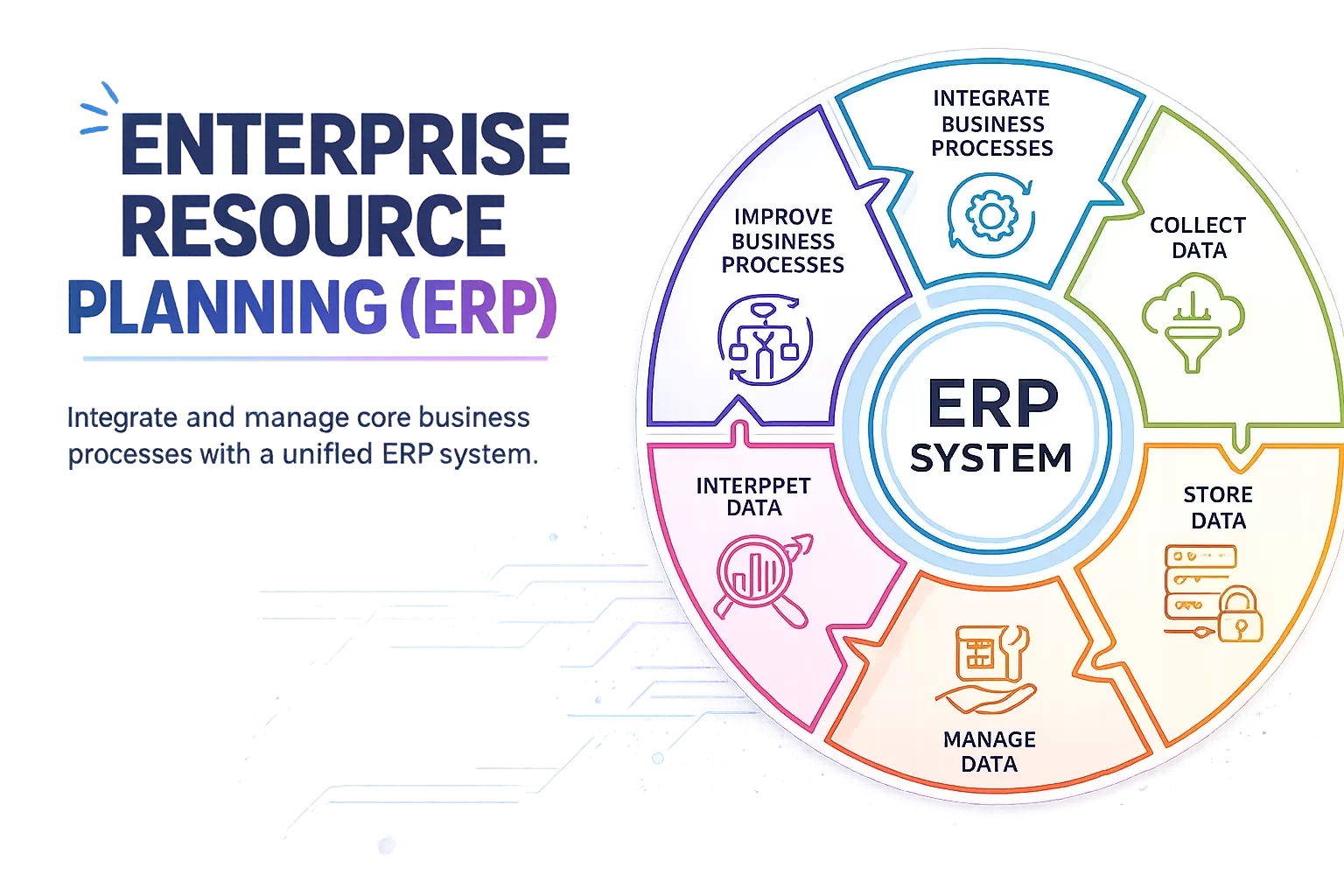
Enterprise Resource Planning, or ERP, is business management software that integrates and automates core business processes across an organization. A complete ERP system may include modules for:
-
Accounting and finance
-
Procurement
-
Project management
-
Risk management and compliance
-
Supply chain operations
-
Human resources
-
Manufacturing
-
Inventory and warehouse management
-
Sales operations
-
Reporting and analytics
The key difference between ERP and disconnected software tools is integration. ERP applications share a common database, which allows organizations to collect, store, manage, and interpret data from multiple business activities in real time.
Instead of each department maintaining its own spreadsheet, software, or reporting process, ERP creates a single operational source of truth.
Why ERP Matters for Growing Businesses
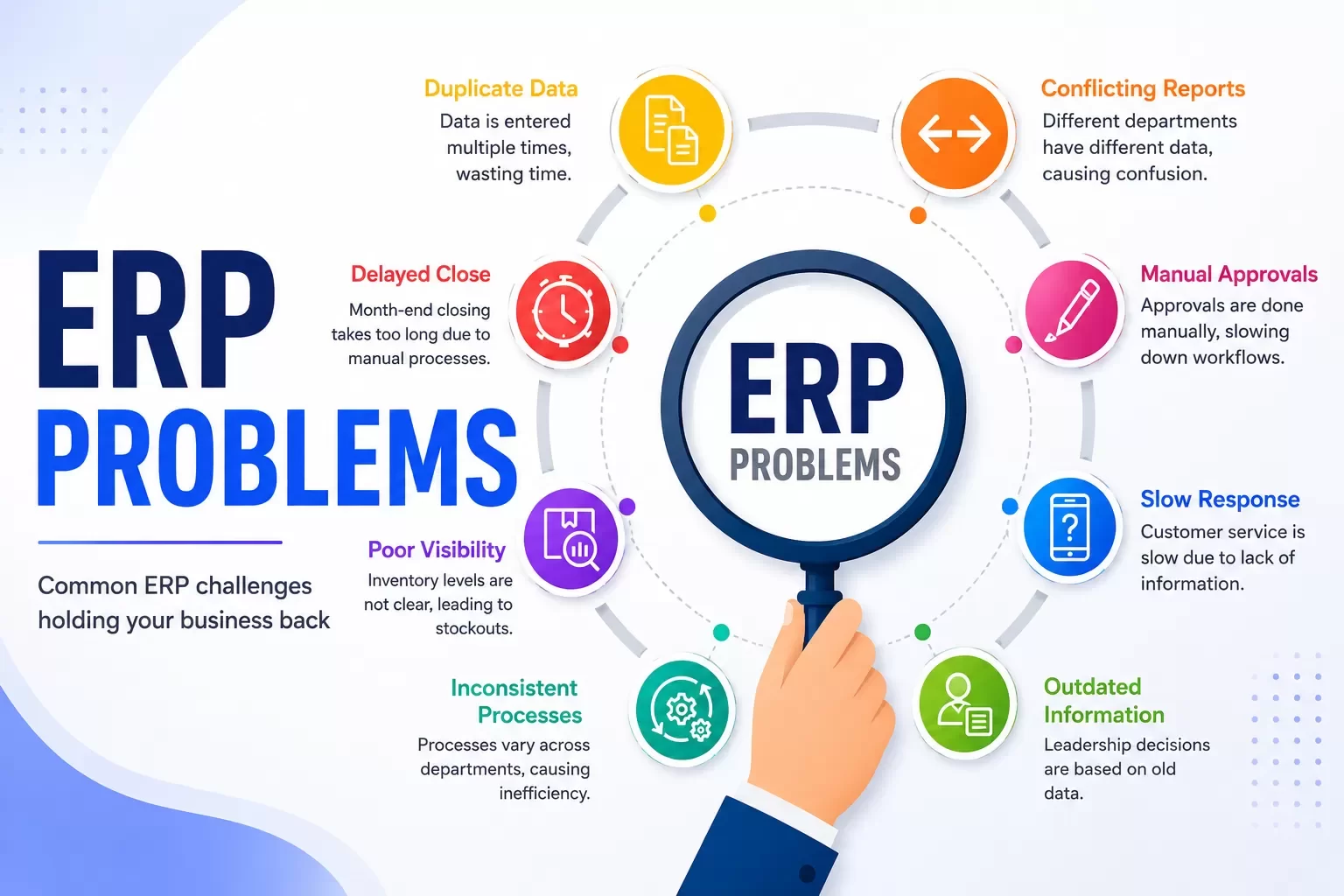
As companies scale, operational complexity increases. Finance may use one system, sales another, inventory another, and operations another. Over time, this creates a familiar set of problems:
-
Duplicate data entry
-
Conflicting reports
-
Delayed month-end close
-
Manual approval workflows
-
Poor inventory visibility
-
Slow customer response times
-
Inconsistent processes across departments
-
Leadership decisions based on outdated information
ERP helps solve these problems by connecting the workflows that already drive the business. When data flows across departments automatically, the organization becomes easier to manage, measure, and improve.
How ERP Systems Work
An ERP system is built around a centralized data structure. Each module focuses on a specific business function, but all modules connect through a shared database.
For example:
-
A sales order can automatically update inventory.
-
Inventory changes can trigger purchasing requirements.
-
Purchasing activity can update financial forecasts.
-
Project costs can flow into accounting.
-
HR and payroll data can connect with workforce planning.
-
Executives can review dashboards without waiting for manual reports.
This connected architecture improves data integrity because teams are not entering the same information in multiple places. It also improves accountability because every department works from consistent definitions, workflows, and reporting standards.
How Does an ERP System Work?
An ERP system works by connecting integrated software modules through a shared database. Each module focuses on a specific business function, but all modules access and update the same centralized data repository. This means finance, procurement, inventory, HR, operations, sales, and leadership teams work from consistent information instead of maintaining separate records.
This interconnected structure allows data to flow between departments automatically. It eliminates the fragmented approach where teams rely on isolated spreadsheets, disconnected systems, or conflicting reports.
Data Integration Across Departments
Modern ERP systems use application programming interfaces, or APIs, to connect with other applications and data sources. These APIs create reliable pathways for data to move between the ERP platform and external systems such as CRM, accounting tools, human capital management software, supply chain platforms, ecommerce systems, and industry-specific applications.
Middleware solutions and integration platforms can also support bi-directional data flow between ERP and other systems. Data fields and formats are mapped and synchronized so connected applications remain accurate and consistent. More advanced integration approaches may include enterprise service bus architecture and integration platform-as-a-service, commonly called iPaaS.
The result is a centralized platform that brings accounting, procurement, inventory management, human resources, supply chain, CRM, and operational workflows into one cohesive business system.
This single source of truth removes the data silos that often force employees to spend time searching for missing information or reconciling why numbers differ across departments. Authorized teams gain visibility into shared data, while managers and executives can access more detailed reporting and analytics.
For example, a factory manager can check material inventory from a mobile device. Procurement teams can instantly see whether enough raw material exists to meet production demand. Sales teams can understand fulfillment capacity before making delivery commitments. Finance leaders can see how operational activity affects cash flow and forecasting.
Live Information Sharing
ERP systems collect data from multiple sources across the organization, including transactional databases, user inputs, connected devices, sensors, and operational systems. Data integration techniques help capture, consolidate, and validate this information so the business can act on accurate information faster.
Sales transactions, purchase orders, inventory changes, customer interactions, production activity, and financial updates can be captured as they happen. This makes relevant information available to the right teams in near real time.
Advanced ERP platforms may use high-speed processing, in-memory computing, and data streaming to analyze and store large volumes of information more quickly than traditional disk-based systems. This supports real-time dashboards, faster reporting, and more responsive decision-making.
Dashboards, Reports, and Visualizations
ERP systems turn processed information into easy-to-use dashboards, reports, and visualizations. These interfaces help stakeholders understand performance quickly without waiting for manual reporting cycles. Dashboards can be customized by role, department, or function to show key performance indicators, real-time alerts, and critical metrics relevant to each user.
Because integrated ERP systems keep authorized employees connected to the same up-to-date information, teams can monitor synchronized operations across departments from almost any device. This improves accountability, accelerates response times, and gives leadership a clearer view of what is happening across the business.
Automated Workflows and Processes
ERP automation tools access system data and execute tasks based on predefined rules. The platform can collect data from sensors, databases, user inputs, and external sources, then process that information according to established business parameters.
For example, sales transaction data can be recorded directly in the ERP system, reducing manual data entry. When a sales order enters the system, it can interact with financial modules, inventory management, fulfillment workflows, and customer service processes. The ERP can then trigger automated actions throughout the order lifecycle.
Automation can also support trend analysis and operational decision-making. The system may adjust inventory levels, initiate reorder requests, update financial records, generate notifications, alert relevant departments when payments are received, or produce reports automatically.
These automated workflows streamline procurement, HR, accounting, inventory, order fulfillment, and service operations by keeping information moving between connected modules.
Common ERP Modules and Features
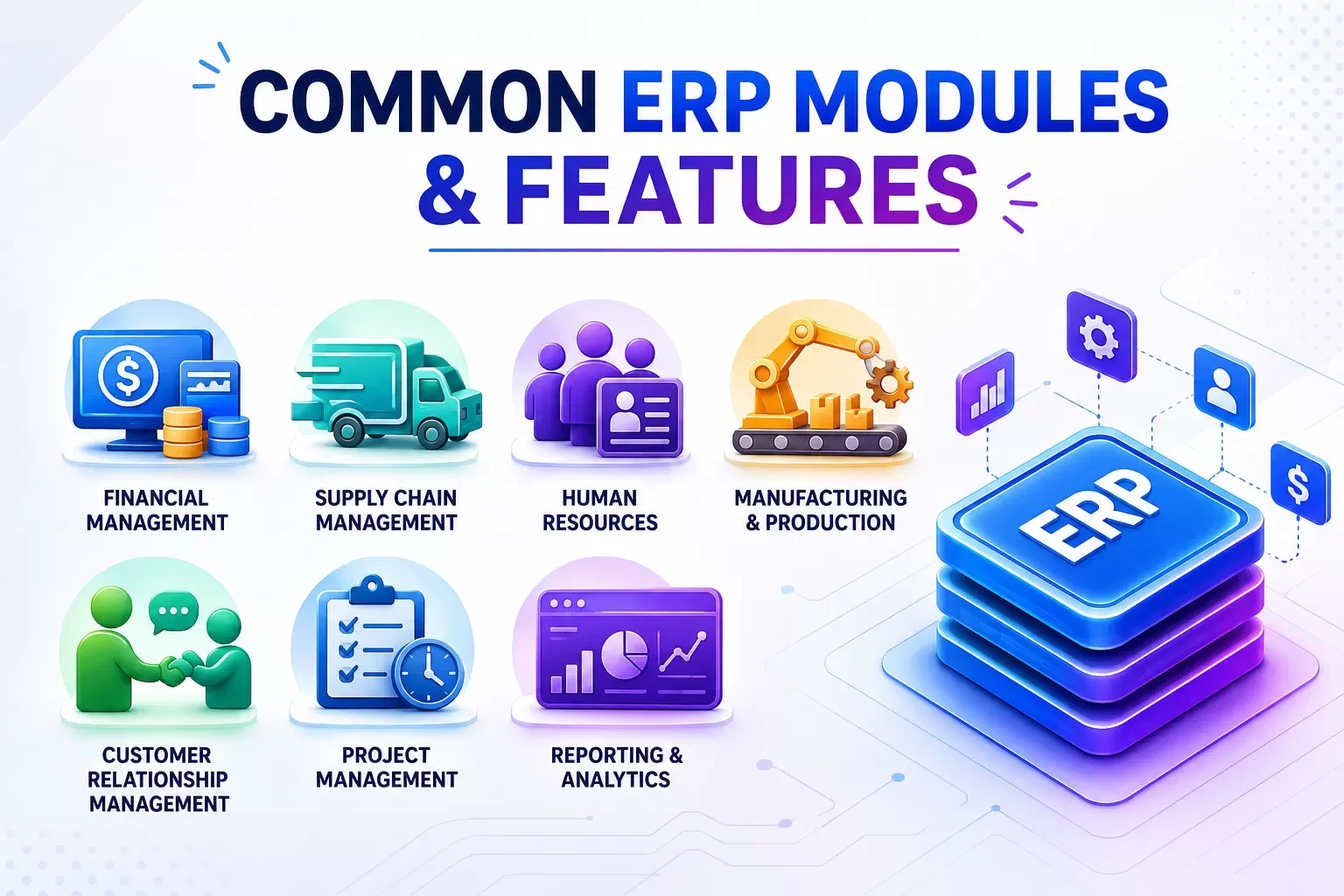
ERP modules are individual software components within the platform. Each module handles a specific business function while sharing the centralized database that connects the organization. Companies can implement modules selectively based on current operational needs, then add capabilities as the business grows.
This modular architecture allows organizations to avoid cost-prohibitive full implementations at the beginning. They can deploy what matters first, solve immediate pain points, and expand functionality over time.
Financial Management
Financial management is the foundational module of most ERP systems. It acts as the system of record by tracking the commercial impact of business operations in the general ledger.
This module manages accounts payable, accounts receivable, tax records, payment receipts, balance sheets, cash flow, budgeting, forecasting, and scenario modeling. It gives leaders visibility into the current financial position and future outlook of the business.
Automation can support billing, vendor payments, expense management, asset lifecycle management, account reconciliation, and faster book closing. Integration with other modules reduces duplicate data entry and inaccurate spreadsheet records. Modern finance modules may also use artificial intelligence for predictive analytics, anomaly detection, and automated invoice processing through optical character recognition.
Supply Chain Management
Supply chain modules track materials and goods across the full supply chain network, from sub-suppliers and suppliers through manufacturers, distributors, retailers, and end customers.
These tools coordinate procurement, warehousing, logistics, inventory management, demand planning, supply forecasting, order fulfillment, and production planning. The goal is to reduce disruptions, minimize costs, and ensure inventory is available at the right time and location.
Automated supply chain workflows can determine ideal inventory levels and replenishment schedules based on demand forecasts. This helps prevent overstocks and stockouts. Advanced systems may use segmentation analysis and machine learning to manage demand variability and build more resilient supply chains. Real-time tracking also gives leaders visibility into materials and customer orders across every stage of the inventory lifecycle.
Human Resources
Human capital management modules maintain detailed employee records, including performance reviews, job descriptions, benefits selections, attendance data, compensation information, and training history.
Core HR functions may include payroll processing, tax calculations, deductions, applicant tracking, onboarding automation, compensation management, time tracking, absence management, overtime calculations, and labor policy support.
HR modules also support workforce planning by comparing staffing needs against production schedules, service demand, and growth plans. Performance management tools make goal setting, evaluations, and feedback easier. Training and succession planning functions help identify key roles, build talent pools, and support long-term organizational continuity. Integration with finance ensures personnel costs flow accurately into budgeting and forecasting.
Manufacturing and Production
Manufacturing modules help businesses plan and manage production runs while controlling costs and maintaining finished goods quality. These tools support production planning, capacity scheduling, backward and forward scheduling, resource planning, and production simulations.
Bill of materials management supports version control, alternates, engineering revisions, routings, and production order links. Material requirements planning helps ensure raw materials are available when needed, reducing production delays.
Shop floor data can be collected through terminals, mobile devices, or IoT sensors and fed directly into the ERP system. This updates job status, records material usage, tracks downtime, and monitors performance. Quality management features can embed inspection plans, non-conformance reports, corrective actions, and component-level traceability into production workflows.
Customer Relationship Management
CRM capabilities within ERP platforms store customer and prospect information, including communication history, purchase patterns, service activity, sales orders, and interaction tracking across touchpoints.
These modules connect customer-facing activity with operational data. Sales teams can manage opportunities and orders, while customer service teams can view order status, inventory levels, fulfillment progress, and support history. This improves responsiveness and helps teams resolve issues faster.
Post-sale support functions may track customer issues, manage support tickets, monitor field service requests, and connect service inventory to operational stores for efficient resolution.
Project Management
Project-based organizations use ERP to track budgets, milestones, utilization, resource allocation, procurement, expenses, and profitability. This is especially valuable for professional services, construction, engineering, software development, and consulting firms.
Reporting and Analytics
ERP reporting gives leaders real-time visibility across the organization. Instead of manually combining reports from different departments, executives can view operational, financial, supply chain, HR, sales, and production data from one platform.
Types of ERP Deployment Models
Organizations typically deploy ERP software through three primary models: on-premise, cloud-based, or hybrid. The right option depends on budget, IT resources, customization requirements, flexibility needs, security posture, and regulatory compliance obligations.
On-Premise ERP Systems
With on-premise ERP, the organization installs and runs the software on servers within its own physical infrastructure. The company maintains ownership and control over the platform, data, hardware, networking, storage, security, maintenance, and upgrades.
This model provides strong control over data and enables extensive customization for unique operational requirements. It can also make integration with existing on-premise systems and legacy applications easier.
However, on-premise ERP usually requires significant upfront investment in software licenses, servers, infrastructure, technical staff, security tools, backup systems, and ongoing maintenance. It is often preferred by highly regulated organizations, government contractors, defense agencies, healthcare entities with strict data residency requirements, large manufacturers needing low-latency shop floor integrations, or companies operating where internet connectivity is unreliable.
Cloud-Based ERP Systems
Cloud ERP is hosted on vendor-managed internet-accessible infrastructure and delivered as a subscription service. The vendor typically handles hosting, storage, operating systems, security updates, feature upgrades, and physical infrastructure.
Cloud ERP reduces upfront hardware costs and can speed up implementation because infrastructure is already available. Companies can focus more quickly on data migration, process design, configuration, and user training.
Cloud platforms also support scalability. Businesses can add users, locations, or modules through subscriptions without purchasing new hardware. They can also access the latest features, including AI-driven capabilities, predictive analytics, mobile tools, and automatic updates. Distributed teams benefit because authorized users can access the system from any location or device.
Hybrid ERP Solutions
Hybrid ERP combines on-premise systems with cloud applications. Organizations may keep mission-critical or regulated data on local servers while using cloud platforms for flexibility, remote access, analytics, field service, or specific business units.
APIs and middleware connect the on-premise and cloud components so data can move smoothly between environments. This two-tier approach allows businesses to keep existing systems in place while adding cloud capabilities where they create the most value.
Why ERP Is Important for Businesses
Most or all critical organizational data can reside within an ERP system, creating a single source of truth across business operations. Finance teams use ERP to accelerate book closing. Sales teams use centralized order management. Logistics teams depend on ERP to deliver the right products and services. Procurement teams use it to manage sourcing and suppliers. Accounts payable teams process supplier payments through automated workflows. Management uses ERP to see company performance quickly and make timely decisions.
Banks, shareholders, and leadership teams all need accurate financial records and reliable business analysis. ERP makes that possible by connecting the operational activity behind the numbers.
Organizations implementing ERP platforms report substantial operational improvements. Industry data shows 95% of businesses achieve major enhancements through reduced process times, increased collaboration, and centralized enterprise data. More than 80% of organizations report that their ERP projects meet ROI expectations. Distribution and manufacturing companies often see especially strong benefits, including better supplier interactions and operational control.
1. Real-Time Reporting
Real-time data reporting allows organizations to customize reporting across finance, inventory, procurement, HR, supply chain, and operations. These analytics support better decisions in changing business environments.
2. Complete Business Visibility
ERP gives leaders a detailed view of business functions and processes. Teams can monitor inventory levels, operational activity, customer orders, production status, purchasing needs, and financial performance with more precision. This visibility improves forecasting and strategic planning.
3. Higher Productivity Through Automation
Automation reduces repetitive work and allows employees to focus on higher-value activities. Standardized data is entered once and reused across the organization, reducing redundant effort, time waste, operational cost, and data entry errors.
4. Better Collaboration
Because teams work from the same source of truth, ERP improves collaboration between departments. Sales, finance, procurement, operations, HR, and leadership can make decisions based on consistent information rather than disconnected reports.
5. Stronger Data Security
ERP systems can improve data security by centralizing permissions, monitoring, and access control. This is easier to manage than multiple disconnected systems with inconsistent user access. Both cloud and on-premise ERP models can support strong security when implemented correctly.
6. Better Customer Experience
When customer service teams can see order status, inventory availability, production timelines, billing history, and support tickets, they can respond faster and resolve issues more effectively.
7. Stronger Forecasting and Strategy
ERP systems improve forecasting by combining historical data, current performance, demand signals, inventory movement, and financial trends. Better forecasting creates competitive advantage because strategy is based on real data instead of assumptions.
How to Choose the Right ERP Software
Selecting the right ERP software requires a complete assessment of existing business processes, operational inefficiencies, technology gaps, and growth goals. The evaluation should cover usability, total cost, vendor compatibility, integration requirements, scalability, and industry fit.
Usability matters because complex interfaces can reduce adoption. Key stakeholders from finance, procurement, operations, HR, sales, IT, and leadership should participate in the evaluation process so critical requirements are not missed.
Assess Your Business Needs
Business process mapping should document current workflows across every department. This helps leaders understand how information flows today and where bottlenecks, duplicated work, manual processes, and disconnected systems create friction.
Organizations should define clear, measurable objectives that align with broader business goals. Senior management support is essential because ERP implementation often changes workflows, roles, reporting structures, and daily habits.
Prioritize must-have functionality over nice-to-have features. The best ERP plan solves the highest-impact operational problems first.
Think Through Industry-Specific Requirements
Industry-specific ERP solutions often deliver stronger outcomes because they are designed around real operational workflows. Organizations using industry-tailored platforms report major improvements in customer experience, standardization, IT maintenance cost reduction, implementation timelines, and budget control.
Manufacturers, distributors, healthcare organizations, construction firms, retailers, government contractors, and service companies often benefit from ERP tools that understand their terminology, compliance needs, reporting requirements, and workflow patterns.
Assess Implementation Costs and Timeline
ERP implementation duration usually ranges from 6 to 21 months depending on organizational size, complexity, data quality, customization, integrations, and change management needs. Small to mid-sized businesses often require 6 to 12 months. Larger or more complex companies may need up to 21 months or more.
Average expenditure per user can range from about $7,143 for small businesses to about $8,542 for mid-sized organizations. Total cost of ownership includes software licensing, implementation services, customization, data migration, training, support, ongoing maintenance, infrastructure, and integrations. These costs vary significantly between cloud and on-premise deployment models.
Before choosing an ERP, businesses should answer these questions:
-
Which processes are currently slowing us down?
-
Where do we have duplicate data entry?
-
Which reports are unreliable or delayed?
-
Which departments need better visibility into each other’s work?
-
What systems must the ERP integrate with?
-
What workflows are unique to our industry?
-
How much customization do we truly need?
-
What does success look like 12 months after launch?
A good ERP strategy is not just about software selection. It is about designing a connected operating system for the business.
ERP and CRM: Why They Should Work Together
ERP manages internal operations. CRM manages customer relationships, sales activity, pipeline, and customer communication. When ERP and CRM are integrated, businesses gain visibility from first customer interaction through fulfillment, billing, support, and repeat revenue.
This connection helps answer questions like:
For growing organizations, ERP and CRM integration can be one of the highest-impact moves because it connects revenue activity with operational execution.
ERP FAQs
ERP systems commonly include accounting and financial management, human resources or human capital management, customer relationship management, business intelligence, supply chain management, inventory, procurement, manufacturing, project management, and reporting modules. These components work together through a shared database to manage different parts of the business.
Implementation duration varies based on company size and complexity. Small to mid-sized businesses often require 6 to 12 months. Large enterprises or complex multi-location organizations may need up to 21 months or more.
Average ERP implementation costs can range from about $7,143 per user for small businesses to about $8,542 per user for mid-sized organizations. Total cost includes licensing, implementation, customization, migration, training, maintenance, infrastructure, and integrations.
Businesses often experience reduced process times, increased collaboration, centralized enterprise data, better reporting, improved inventory visibility, stronger financial control, higher productivity, and better ROI. Many organizations report major operational improvements and successful ROI outcomes after implementation.
On-premise ERP is installed locally on company-owned servers and gives the organization full control over infrastructure and data, but it requires higher upfront investment and ongoing maintenance. Cloud ERP is hosted by the vendor and delivered as a subscription service, reducing hardware costs, improving scalability, enabling faster implementation, and providing automatic updates.
References
This article synthesizes ERP definitions, market context, implementation benchmarks, deployment models, and module guidance from sources including Oracle, IBM, SAP, NetSuite, the U.S. Chamber of Commerce, ERP Focus, Xledger, ECI Solutions, PTC, Aptean, Thomson Reuters, DCKAP, Cflow, Opkey, and other ERP research and implementation resources.
Final Thoughts
ERP systems are essential for organizations that want to scale with control, visibility, and efficiency. When implemented correctly, ERP eliminates data silos, standardizes processes, improves reporting, and helps leadership make better decisions.
But ERP success depends on more than selecting a platform. It requires clear workflows, clean data, strong integrations, user adoption, and a phased implementation plan.
At Hexagon IT Solutions, we help businesses design, integrate, and modernize ERP, CRM, and custom software systems that match real operational needs.
If your team is relying on disconnected tools, manual reports, or spreadsheet-based operations, it may be time to evaluate whether ERP can become the backbone of your next stage of growth.
Need help planning or modernizing your ERP system?
Hexagon IT Solutions can help you map workflows, integrate ERP with CRM and APIs, clean up disconnected systems, and build a phased implementation roadmap.


