





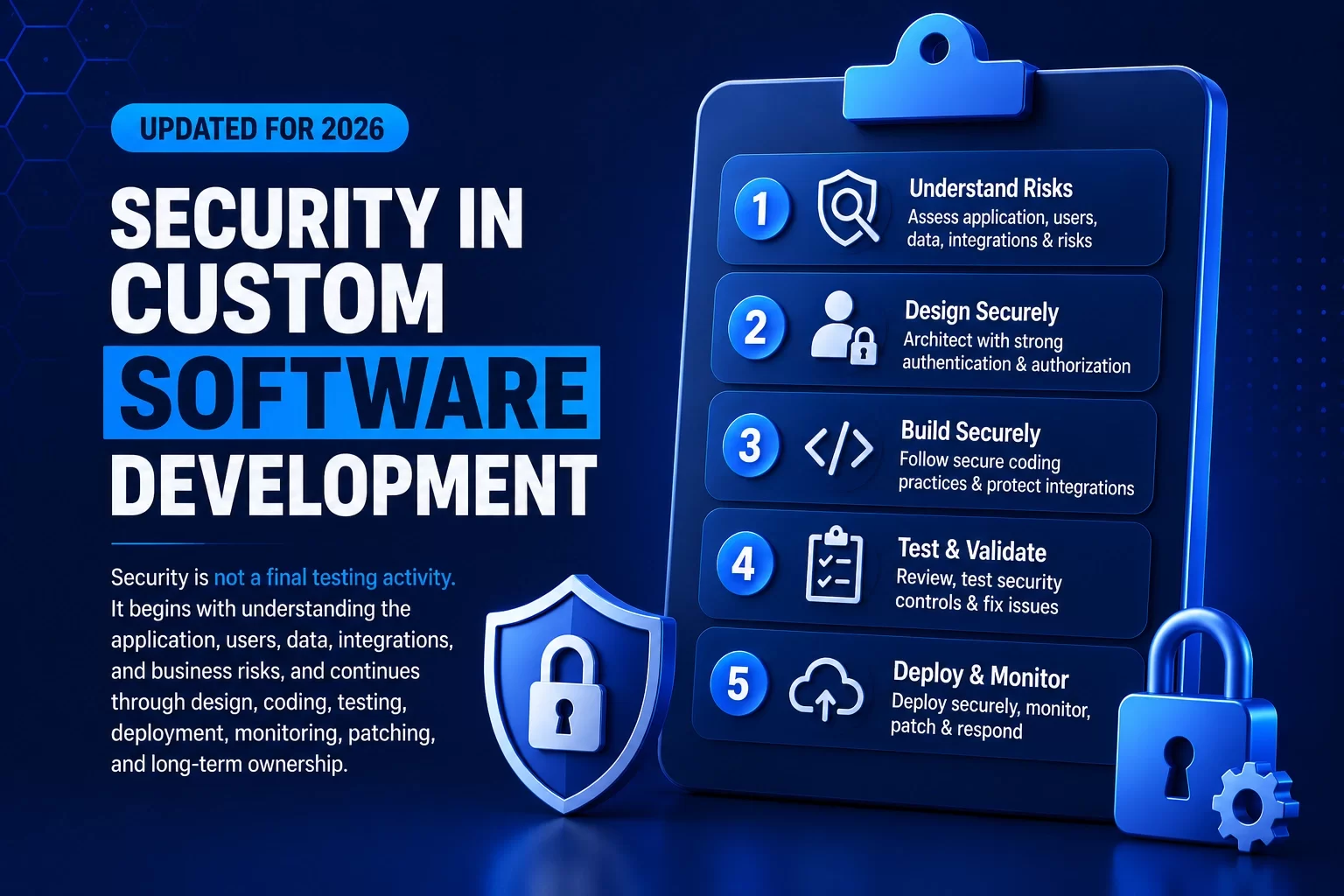
Custom software is built around an organization’s workflows, users, data, integrations, and operating responsibilities. That flexibility can create significant business value, but it also means security cannot be treated as a standard product setting or added only before launch.
A secure custom application begins with clear answers to basic questions: What information will the system handle? Who should be allowed to view or change it? Which external systems will be trusted? What happens if a control fails? Who is responsible after the software goes live?
Those decisions shape the architecture, development practices, testing, deployment, monitoring, patching, and support model. Security does not mean promising that an application can never be breached. It means applying appropriate controls, verifying that they work, and maintaining clear ownership as the software changes.
What Security in Custom Software Development Means
Security in custom software development is the process of identifying risks, designing controls, implementing them correctly, verifying them, and maintaining them throughout the application’s lifecycle.
| TECHNICAL PROTECTION | OPERATIONAL PROTECTION |
|---|---|
| Authentication and authorization | Risk and data classification |
| Input validation and secure data access | Access approval and review |
| Encryption and secrets management | Controlled releases and environments |
| API and integration controls | Backups and recovery |
| Dependency and code security | Vulnerability and patch management |
| Logging, monitoring, and alerts | Incident response and ownership |
A secure application requires both columns. Technical controls can fail when operational ownership is unclear, while strong procedures cannot compensate for unsafe architecture or code.
Why Security Must Begin Before Development
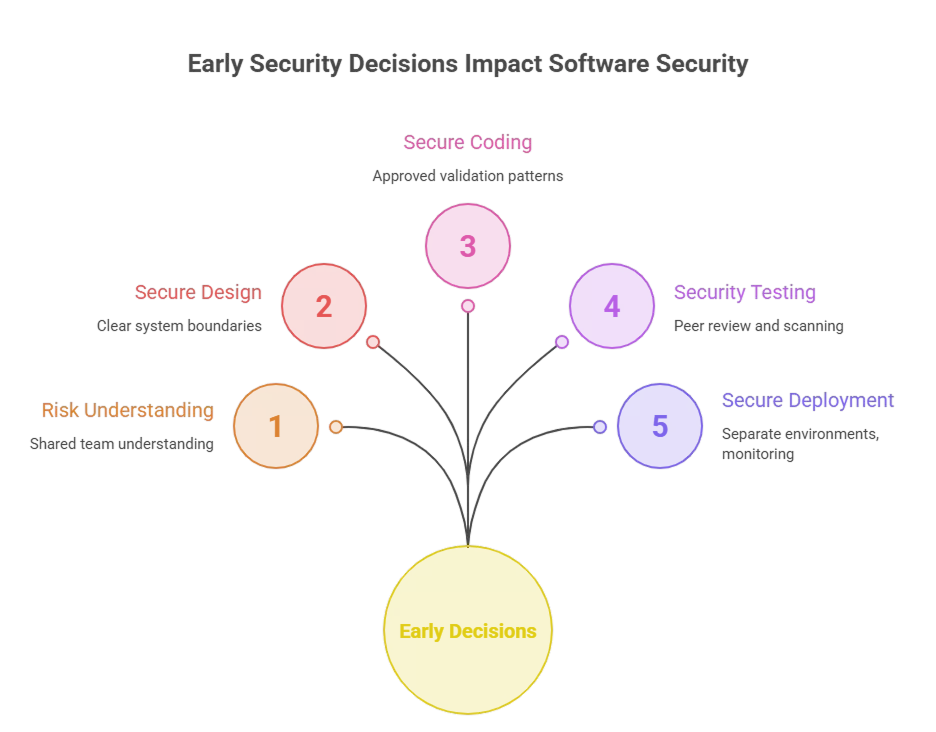
Security decisions made during discovery and architecture are difficult to recover through code changes alone. The project team should understand the business process, sensitive information, user roles, integrations, availability requirements, and consequences of misuse before selecting controls.
Security requirements should be written as testable expectations. Examples include which users may view or change a record, when stronger authentication is required, how sensitive data is protected, which activities must be logged, how external services are trusted, and how the application should behave when a dependency is unavailable.
This approach gives business owners, architects, developers, testers, infrastructure teams, and support teams a shared understanding of the risks and responsibilities before development begins.
5 Foundations of Secure Custom Software
1. Risk Assessment and Threat Modeling
Identify sensitive data, critical actions, trust boundaries, misuse scenarios, external dependencies, and the business impact of exposure, alteration, or unavailability.
2. Secure Architecture, Authentication, and Authorization
Design clear system boundaries, verify identities, restrict actions and records by role, protect sessions and credentials, and apply least privilege.
3. Secure Coding, Dependencies, APIs, and Integrations
Use approved patterns for validation, database access, errors, files, secrets, and logging. Review third-party packages and treat APIs, webhooks, and connected systems as trust boundaries.
4. Security Testing and Code Review
Combine peer review, automated scanning, dependency review, authorization testing, configuration review, API testing, and penetration testing where the application risk justifies it.
5. Secure Deployment, Monitoring, and Patch Management
Separate environments, restrict production access, protect deployment credentials, validate backups and rollback, monitor approved events, track vulnerabilities, and define patch and incident ownership.
Security Beyond Compliance
Legal, regulatory, industry, and contractual requirements may define important controls for an application. They can influence access, consent, retention, audit history, incident reporting, encryption, hosting, vendor management, and evidence.
However, meeting a named requirement or completing a checklist does not automatically make software secure. The project must translate applicable requirements into specific design, implementation, testing, documentation, and operating responsibilities.
Compliance is an important input to secure software development. It is not a replacement for risk assessment, sound architecture, secure engineering, verification, monitoring, patching, and accountable ownership.
Custom Software Security Matrix
| Security Area | What Must Be Defined | Evidence Before Launch |
|---|---|---|
| DATA & ACCESS | Sensitive data, users, roles, record permissions, elevated actions, retention, and exports | Access matrix, authorization tests, data-flow review, approved retention and export behavior |
| APPLICATION & CODE | Validation, database access, errors, sessions, files, secrets, logging, and secure development practices | Code review, automated tests, scan results, resolved findings, and technical documentation |
| APIS & DEPENDENCIES | Connected systems, credentials, permissions, webhooks, packages, versions, failure behavior, and ownership | Integration tests, dependency review, secret protection, error handling, monitoring, and support contacts |
| DEPLOYMENT & INFRASTRUCTURE | Environments, production access, release approvals, configuration, backups, rollback, and hosting responsibilities | Deployment checklist, access review, backup test, rollback plan, and production validation |
| OPERATIONS & INCIDENTS | Monitoring, alerts, vulnerability intake, patch timing, incident response, communication, and ongoing ownership | Alert tests, support contacts, patch procedure, incident plan, and documented responsibility split |
Secure Software Delivery Roadmap
01 - DISCOVER
Identify the business workflow, data, users, integrations, risks, requirements, and owners.
02 - DESIGN
Define trust boundaries, identity, permissions, data protection, logging, resilience, environments, and test criteria.
03 - BUILD
Implement secure coding patterns, protect secrets, review dependencies, control repositories, and develop APIs and integrations safely.
04 - VERIFY
Test security-relevant business rules, authorization, APIs, configuration, dependencies, failures, and remediation.
05 - DEPLOY
Release through approved environments, validate production controls, confirm backups and rollback, and document responsibilities.
06 - OPERATE
Monitor, respond, patch, review access, manage vendor changes, maintain evidence, and improve the application over time.
Conclusion
Security in custom software development is strongest when it begins with the business workflow and continues through architecture, coding, testing, deployment, monitoring, patching, and improvement.
The goal is not to promise that an application will never experience a vulnerability or security incident. The goal is to understand the risks, apply appropriate controls, verify those controls, detect problems, respond effectively, and keep responsibility clear as the software evolves.
Organizations evaluating custom software should ask not only which features will be delivered, but also how security requirements will be defined, tested, documented, operated, and maintained after launch.
Frequently Asked Questions
Security in custom software development is the process of identifying risks, designing and implementing controls, verifying them, and maintaining them throughout the application lifecycle.
Security planning should begin during discovery and requirements because decisions about data, users, roles, integrations, availability, and business impact influence the architecture and test plan.
Authentication verifies the identity of a user or service. Authorization determines which actions and records that authenticated identity may access.
No. Compliance may define important requirements, but security also depends on risk assessment, architecture, implementation, testing, monitoring, maintenance, and ownership.
Teams should review their purpose and access, protect credentials, validate inputs and events, restrict permissions, monitor failures and advisories, apply updates, and remove unused components.
Testing may include code review, automated scans, dependency review, authorization testing, API testing, configuration review, and penetration testing where appropriate for the application risk.
Responsibility is normally shared among the client, development partner, hosting or cloud provider, and third-party vendors. The support agreement should define monitoring, access, patching, incidents, backups, integrations, and maintenance ownership.
References
[1] - https://www.teamwork.com/blog/program-management-software/
[2] - https://www.atlassian.com/agile/project-management/program-management
[3] - https://www.icertglobal.com/blog/top-project-management-tools-2026
[4] - https://www.wrike.com/project-management-guide/faq/what-are-project-management-tools/
[5] - https://www.projectmanager.com/software/program-management
[6] - https://www.celoxis.com/article/project-management-software-features
[7] - https://www.scoro.com/blog/features-of-project-management-software/
[9] - https://www.wrike.com/blog/program-management-tool-guide/
[10] - https://www.empyra.com/blog/top-10-features-every-project-management-software-should-have
[11] - https://project-management.com/top-10-project-management-software/
[12] - https://www.pmi.org/learning/library/how-choose-project-management-software-10014
[13] - https://www.celoxis.com/article/choose-project-management-software
[15] - https://www.paymoapp.com/blog/project-management-software/
[16] - https://www.uschamber.com/co/run/technology/choosing-project-management-software
[18] - https://es.celoxis.com/article/best-project-management-tools-usa
[19] - https://www.forbes.com/advisor/business/software/best-project-management-software/
Planning or Modernizing Custom Software?
Hexagon IT Solutions designs and develops custom applications with security considered across discovery, architecture, development, testing, deployment, and long-term support.


